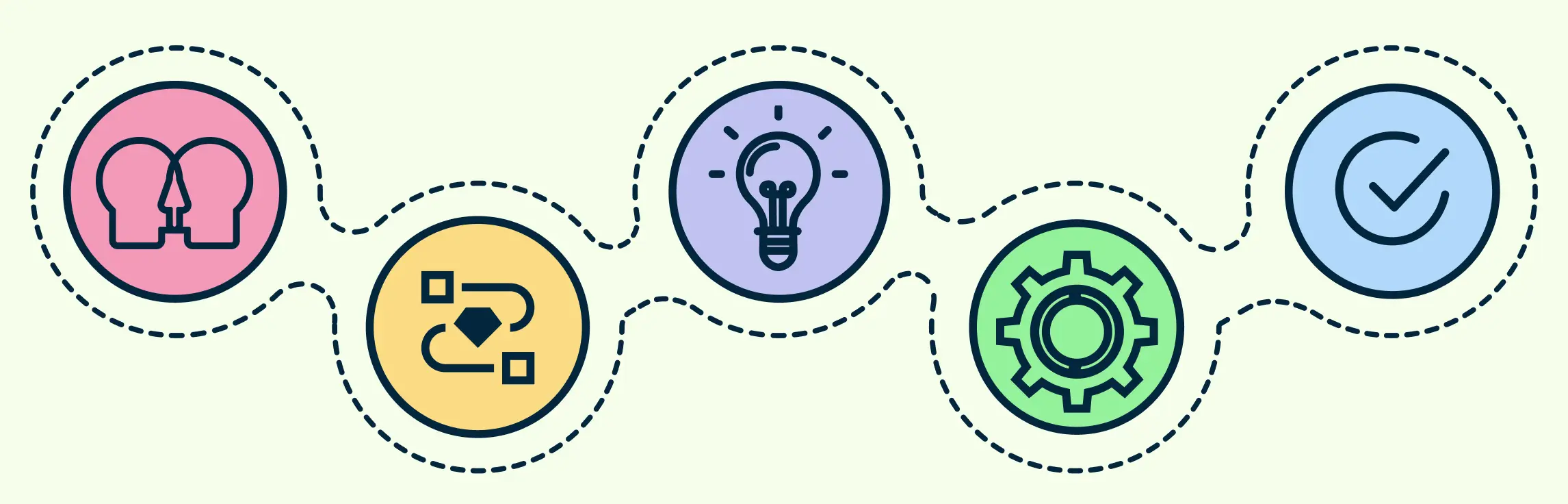
Design thinking is a human-centered approach to exploring complex problems through research, synthesis, ideation, prototyping, and testing. The familiar five-stage framework—Empathize, Define, Ideate, Prototype, and Test—provides a useful starting structure, but teams often revisit stages as evidence changes their understanding. This guide explains each stage, practical visual tools, common challenges, and ways to keep research and decisions connected throughout the process.
What Is the Design Thinking Process?
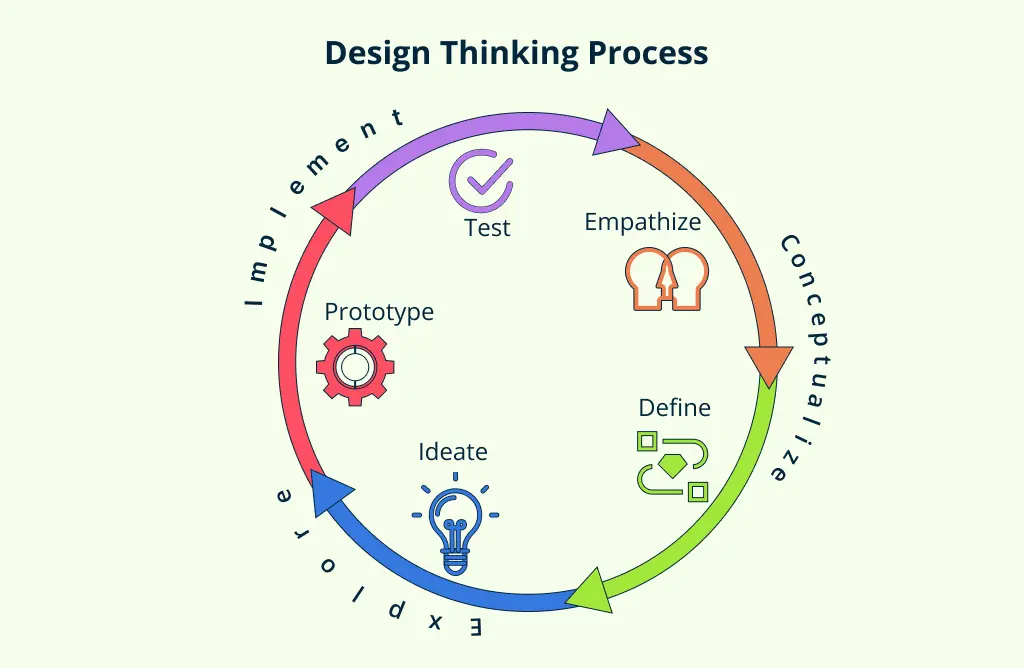
The design thinking process is a flexible set of modes for understanding people, framing a challenge, exploring alternatives, creating prototypes, and learning through testing. Stanford d.school identifies five common modes: Empathize, Define, Ideate, Prototype, and Test. They are not a mandatory linear sequence or the only valid design process.
Design thinking combines qualitative research, collaborative synthesis, divergent and convergent thinking, and experimentation. It can help teams reduce uncertainty and expose assumptions, but it does not ensure that a solution will be desirable, feasible, viable, accessible, or ethical. Those questions require appropriate evidence and specialist review.
AI can assist with tasks such as structuring a starting diagram, organizing notes, or expanding early ideas. Generated material should be reviewed against original research and should not replace interviews, observation, usability testing, accessibility evaluation, or accountable human decisions.
The 5 Stages of the Design Thinking Process
The design thinking process is typically broken down into five key stages—Empathize, Define, Ideate, Prototype, and Test. These design thinking stages form a flexible, non-linear framework that guides teams from identifying user needs to deliver innovative solutions. In the sections that follow, we’ll take a closer look at each stage, breaking down what it involves, how it works, and how you can apply it in real-world scenarios.
Stage 1. Empathize – Step Into the User’s World
The Empathize mode develops an evidence-based understanding of the people, behaviors, environments, constraints, and systems related to the challenge. It helps teams investigate needs before committing to a solution.
Teams cannot remove every assumption or literally experience another person’s perspective. Instead, document assumptions, use appropriate research methods, recruit relevant participants, obtain informed consent, and compare interpretations with what people actually say and do.
Key Activities:
- User interviews: Conduct one-on-one sessions to uncover detailed user stories and insights.
- Shadowing & immersion: Observe users in their natural environments to understand behaviors and context.
- Field observations: Watch how users interact with existing products, services, or systems.
These qualitative methods can reveal context and meaning that behavioral or quantitative data may not explain. Use multiple evidence sources where the decision warrants it.
Useful Tools & Diagrams:
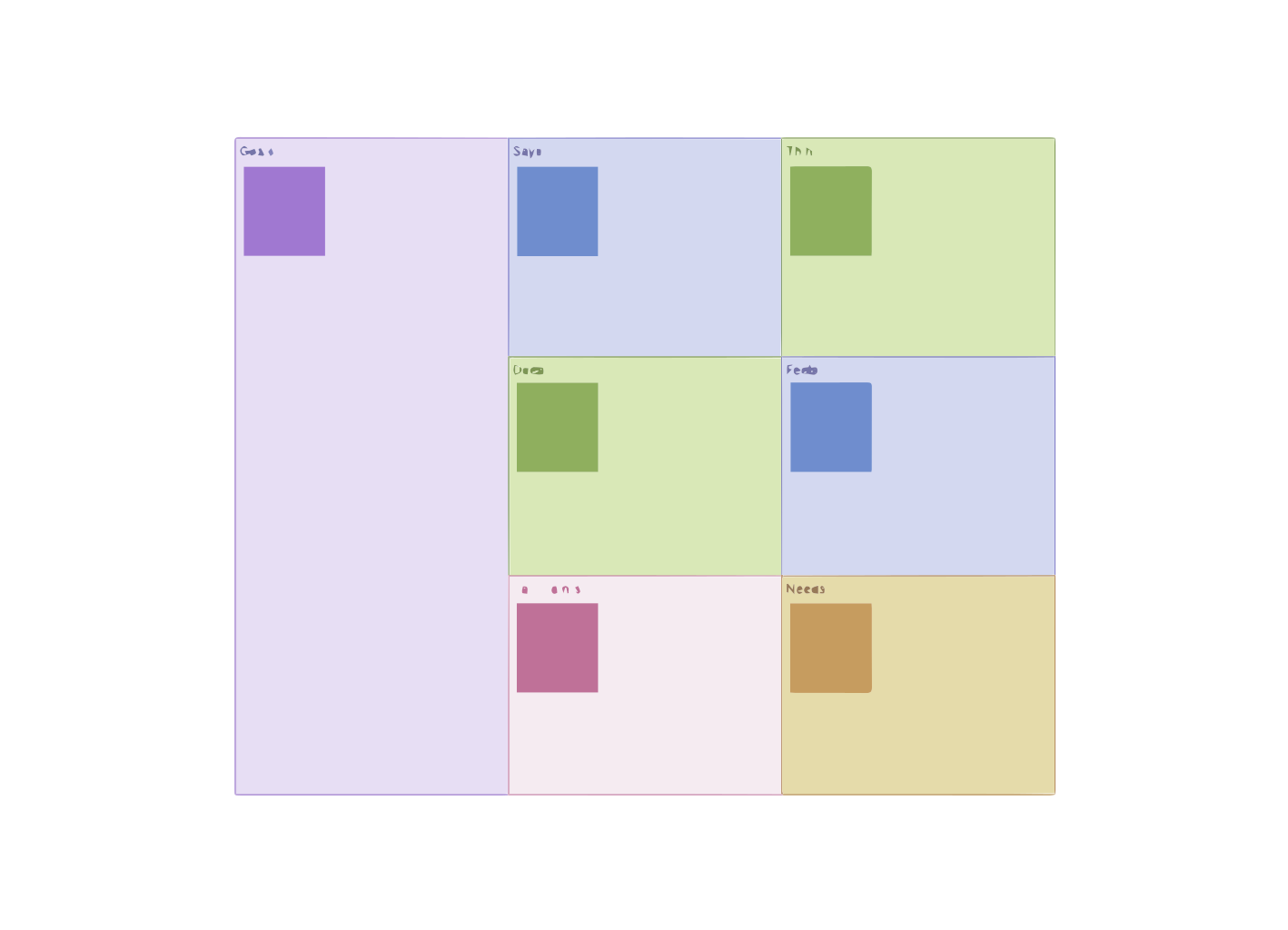
- Empathy Maps – Capture what users say, think, feel, and do.
- User Personas – Create research-based representations of relevant audience segments without inventing unsupported demographic details.
- Customer Journey Maps – Visualize the entire user experience across touchpoints.


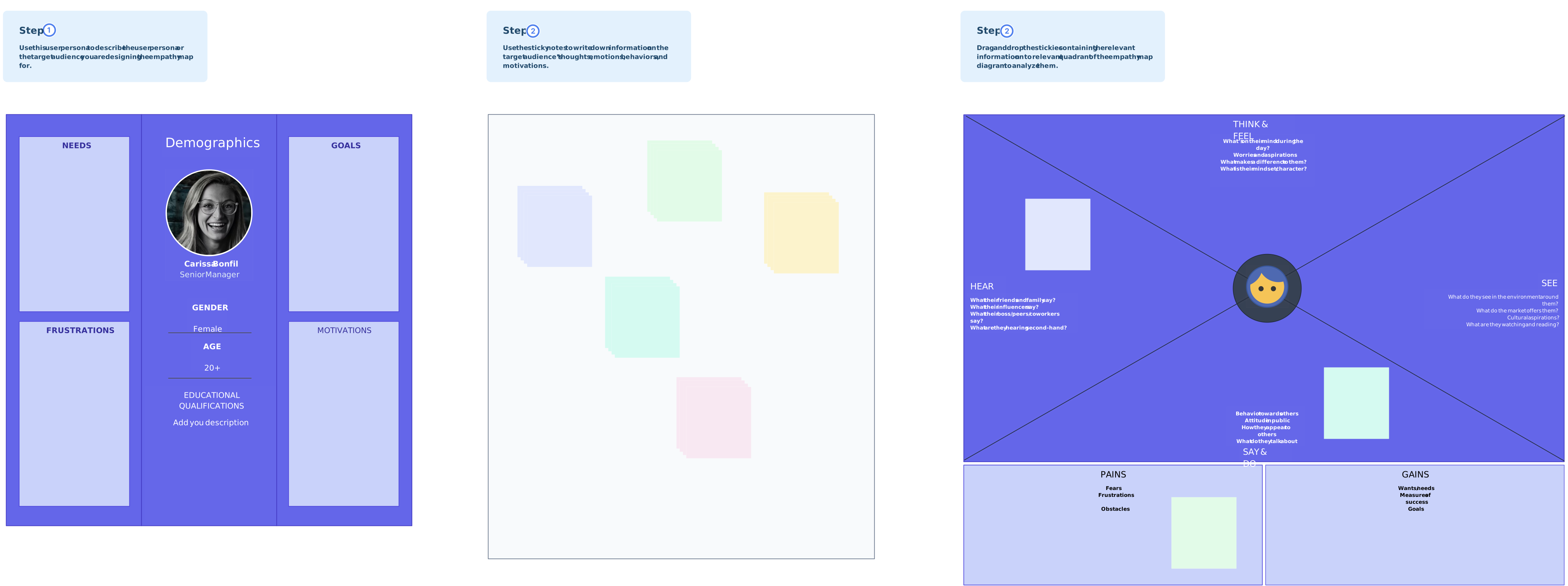
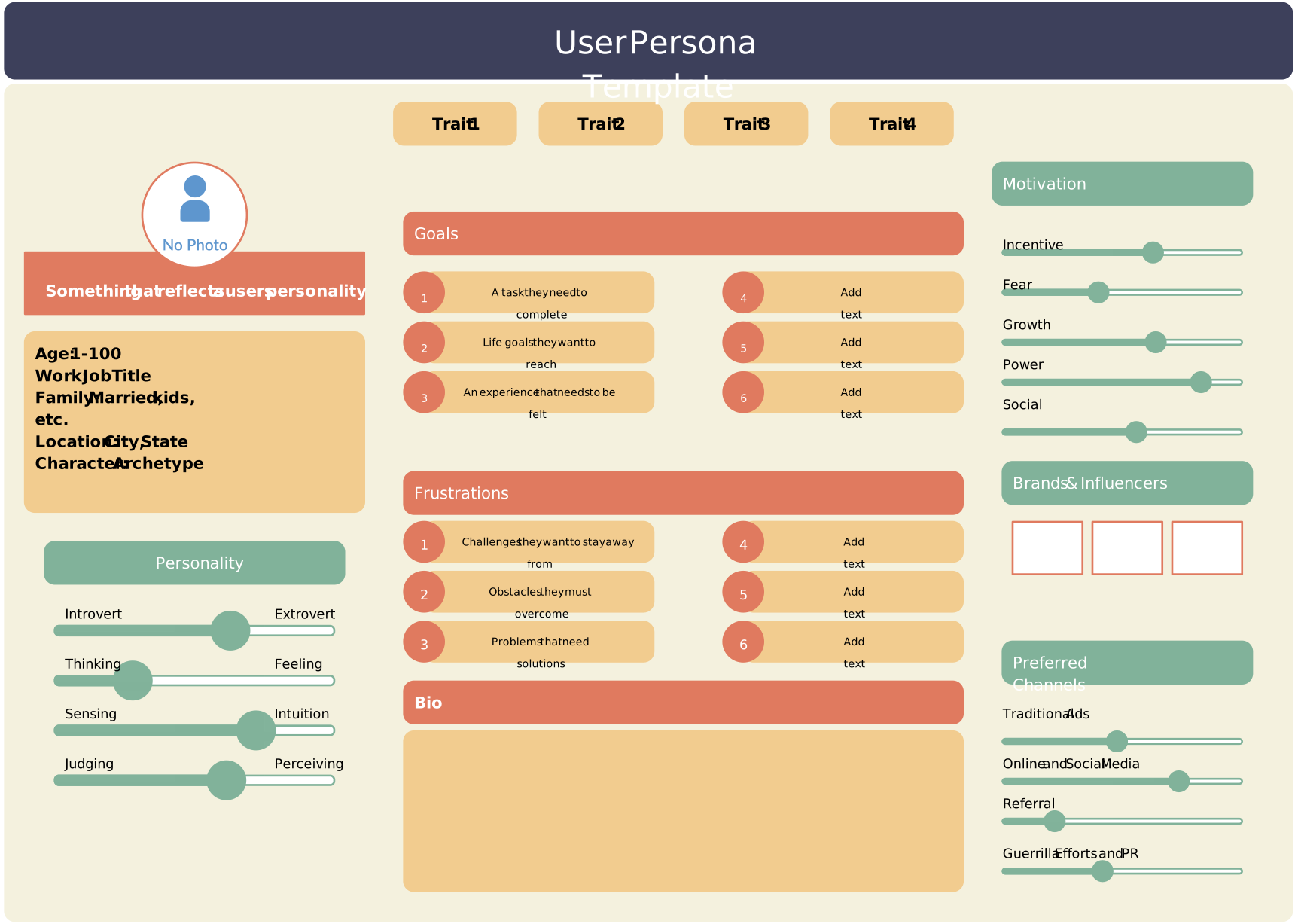
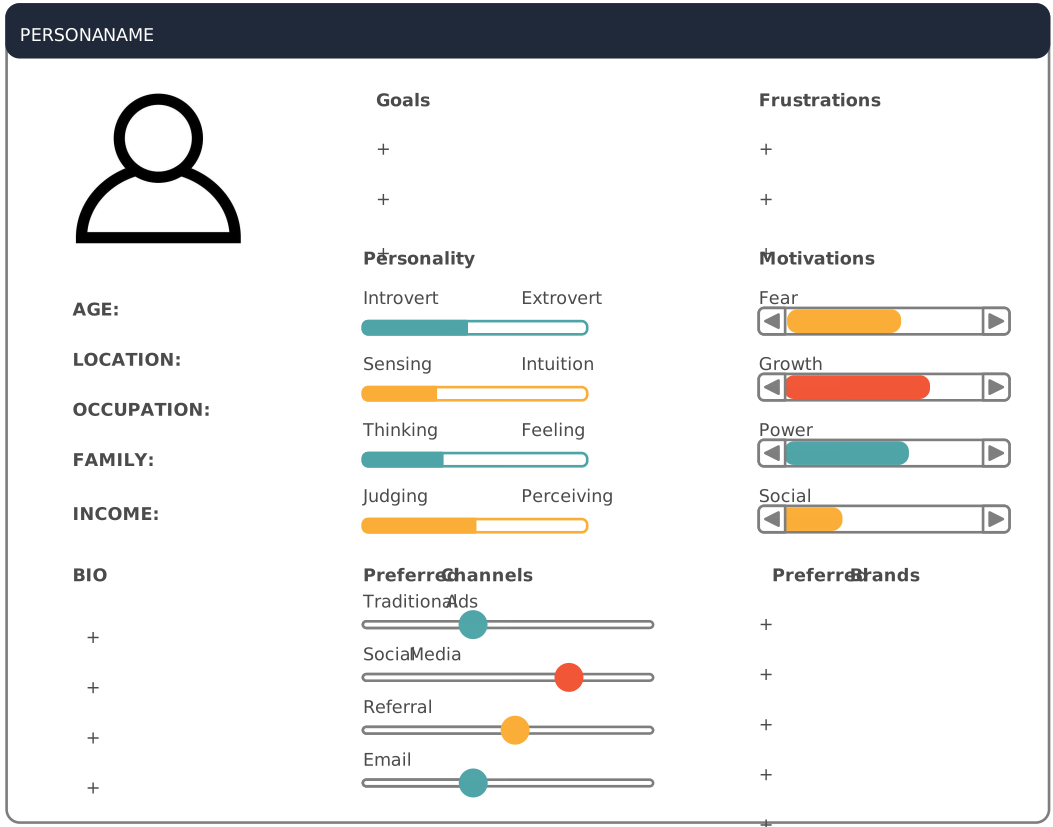
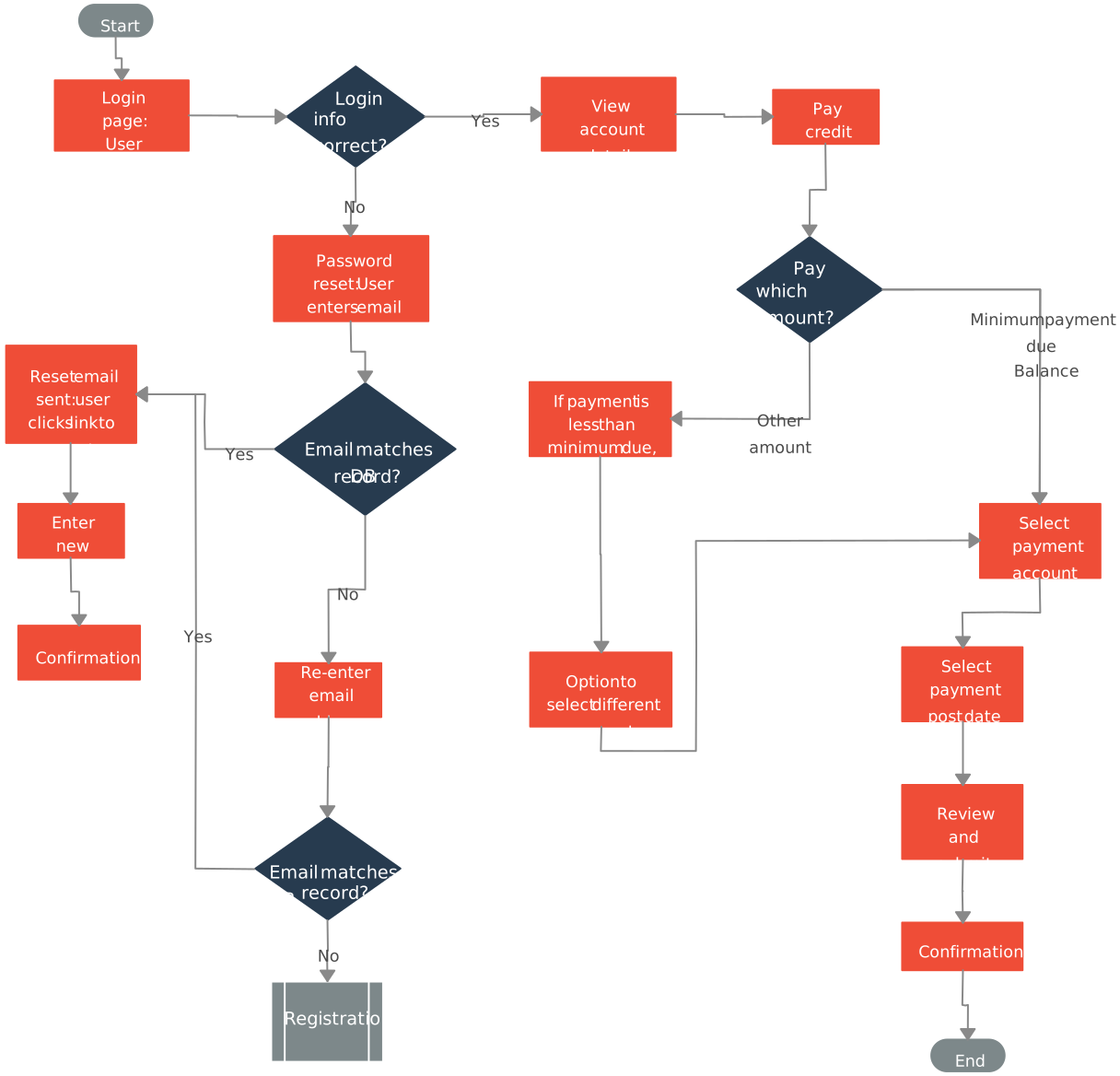
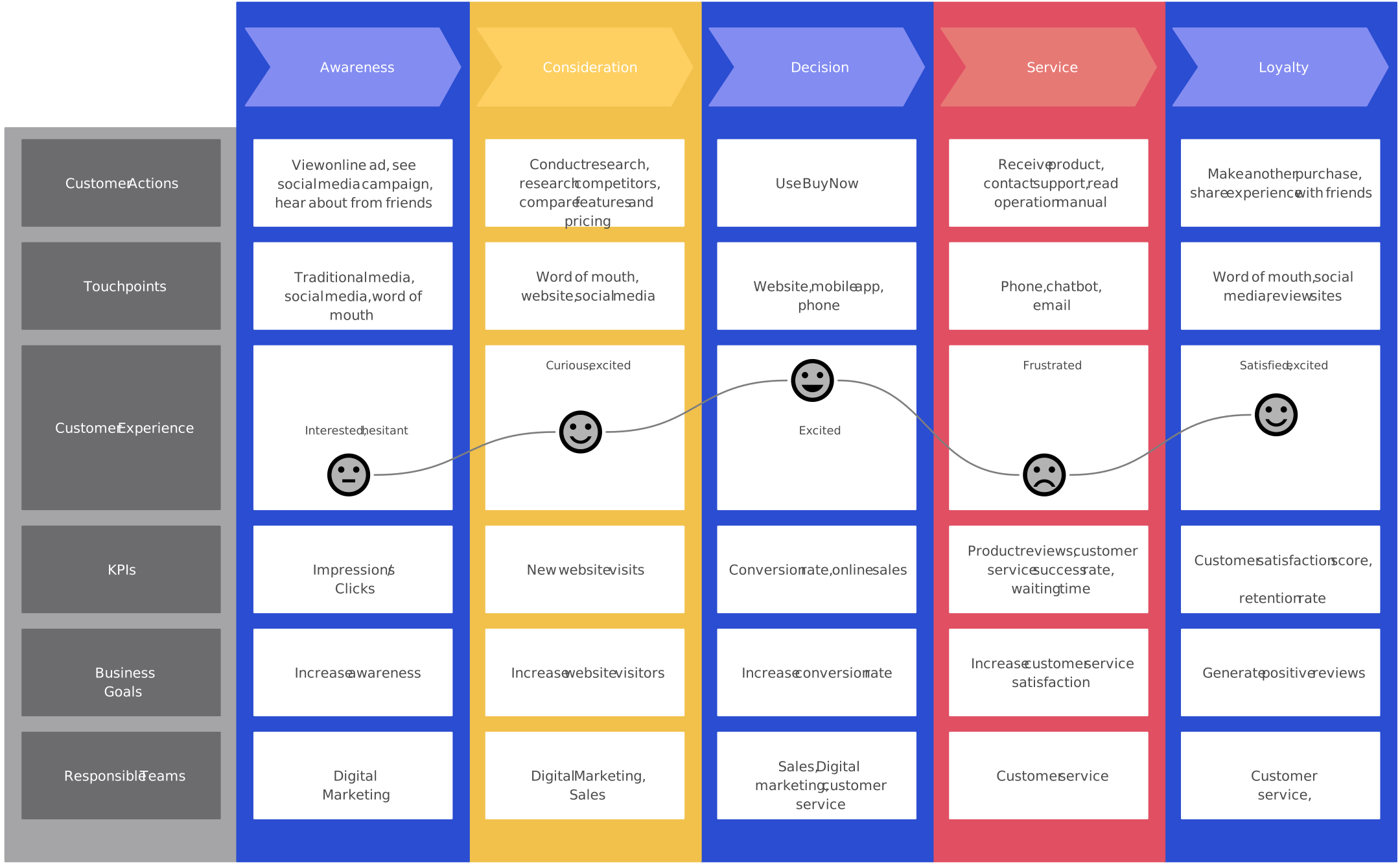
The Empathize mode can challenge the team’s initial framing, but it does not guarantee that the “right” problem has been found. Record research sources, limitations, unresolved questions, and the date of the evidence so later decisions remain traceable.
Stage 2. Define – Frame the Real Problem
The Define stage is the second step in the design thinking process, where insights gathered during the Empathize phase are analyzed, clustered, and transformed into a clear and actionable problem statement. This stage is about making sense of the chaos, translating user observations into meaningful insights that guide the rest of the journey.
In this critical phase, teams synthesize information to identify core user needs, pain points, and motivations. The aim is to reframe the challenge from the user’s perspective, ensuring that any solutions ideated later are grounded in real problems, not assumptions.
Key Activities:
- Data clustering: Group insights from user research into common themes.
- Insight extraction: Identify key behavioral patterns and unmet needs.
- Problem framing: Craft a clear, user-centered problem statement.
Your problem statement should be human-centered, not solution-focused, and open enough to allow for creative exploration in the next stages. A well-defined problem acts as a guiding compass for all subsequent design thinking steps.
Tools & Diagrams:
- Affinity Diagrams – Cluster research findings to uncover themes.
- 5 Whys Framework – Dig into root causes and core motivations.
- Point-of-View Statements – Frame the user’s problem with empathy and context.
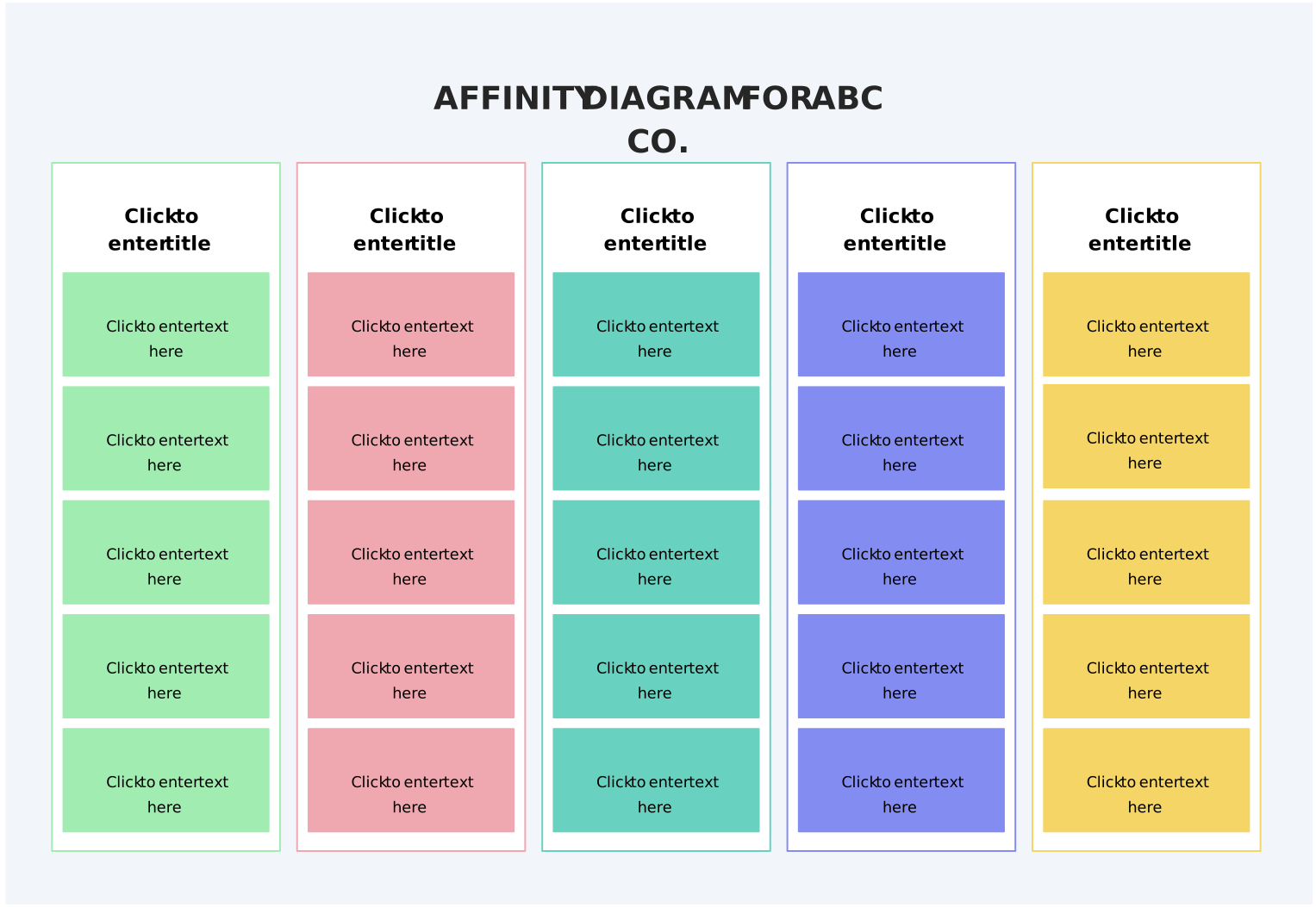
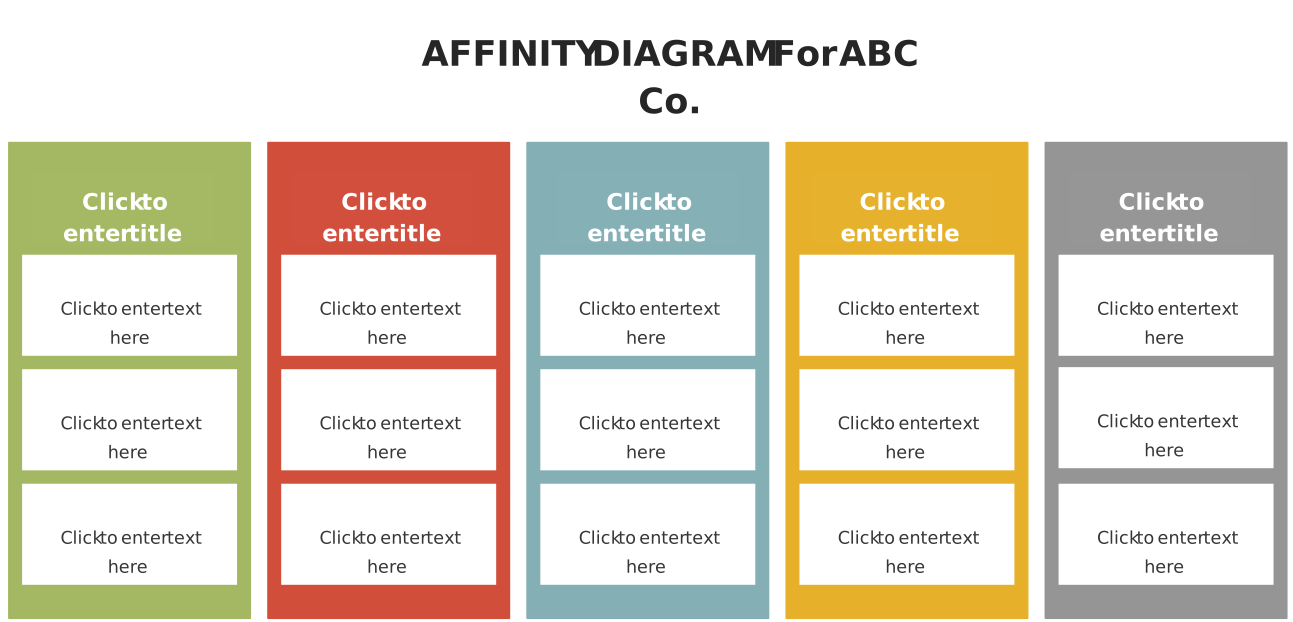
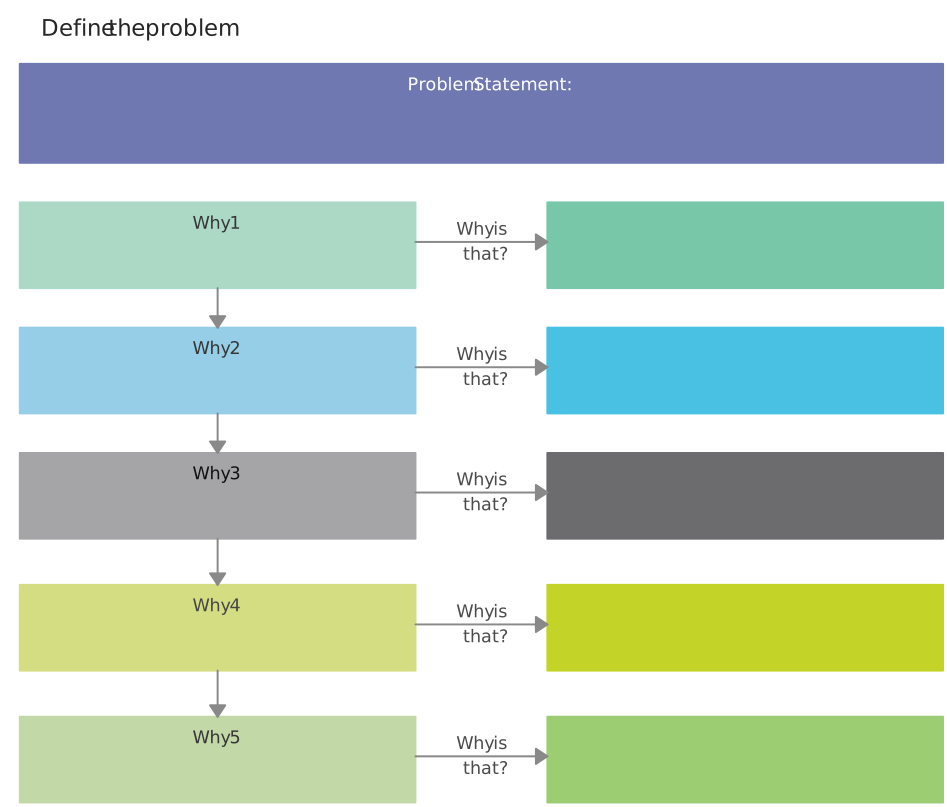
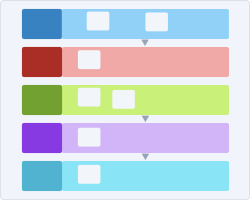
Framing determines what the team will explore next, so preserve links to source material and check whether a theme reflects multiple observations or a single interpretation. AI-assisted grouping or summarization may speed up an initial pass, but researchers should review the output for omissions, invented themes, and loss of context.
The Define stage produces a provisional point of view or problem statement grounded in available evidence. Revisit it when later prototyping or testing reveals that the framing is incomplete.
Stage 3. Ideate – Unlock Creative Solutions
The Ideate stage is where imagination takes center stage in the design thinking process. With a clearly defined problem in hand, this phase is all about generating a wide range of creative ideas without judgment or limitations. It’s a space for innovation, where teams are encouraged to think big, explore freely, and consider even the most unconventional solutions.
This stage is essential because it allows teams to move beyond the obvious and dive into unexplored possibilities. By blending diverse perspectives, the design thinking steps in this phase foster original thinking and collaborative problem-solving. A shared visual workspace can help distributed participants contribute, organize, and review ideas in context.
Key Activities:
- Brainstorming: Rapid idea generation to explore all possible solutions.
- Role play: Step into the user’s shoes to unlock fresh insights.
- Creative exercises: Use lateral thinking games to fuel imagination.
Use facilitation methods that give participants equitable ways to contribute. A larger idea set can broaden the search space, but quantity alone does not produce quality; evaluate ideas against user evidence, constraints, risks, and the purpose of the experiment.
Useful Tools & Diagrams:
- Mind Maps – Visualize ideas branching from a central problem or theme.
- Six Thinking Hats – Analyze ideas from six different perspectives: logical, emotional, creative, cautious, optimistic, and managerial.
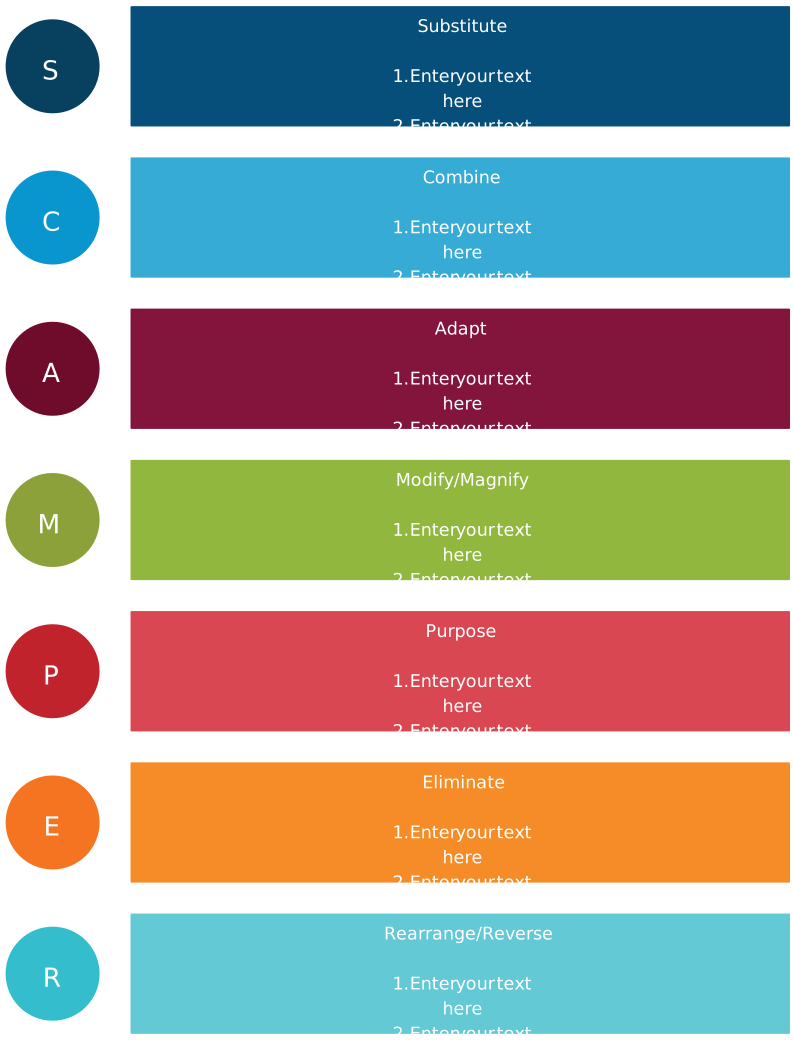
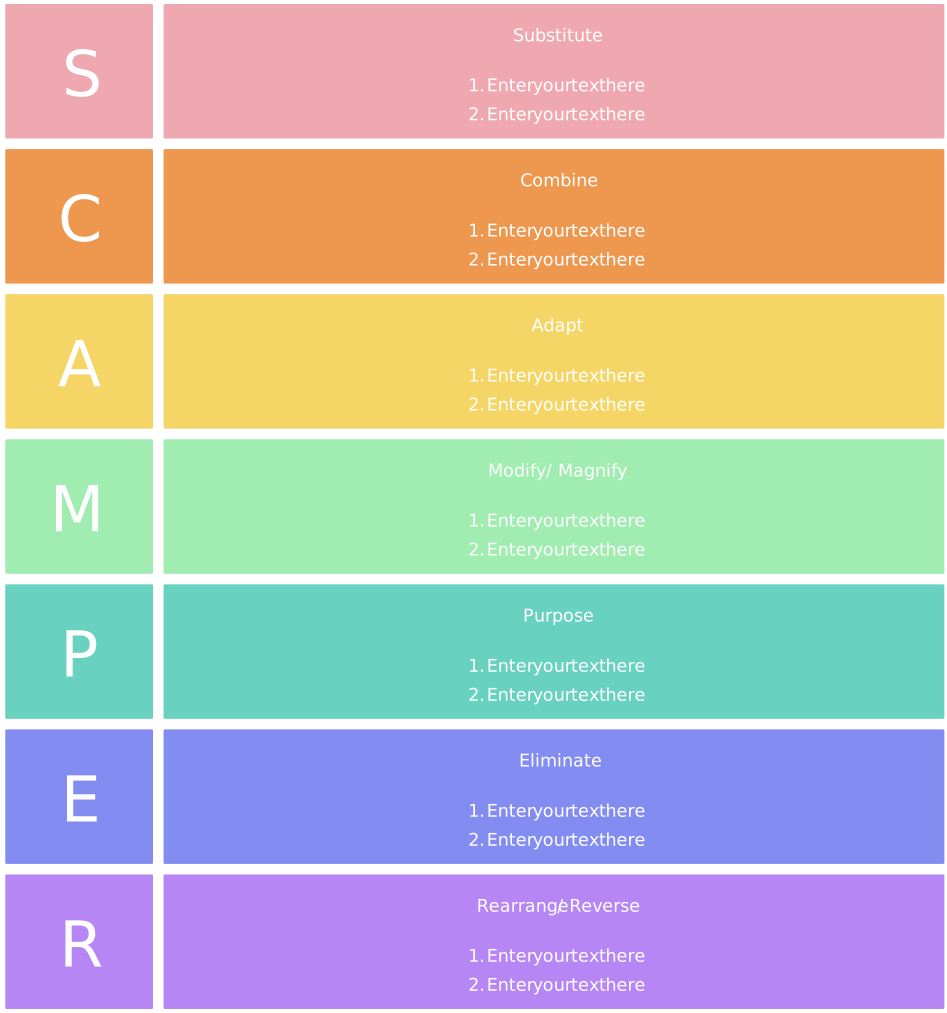
- SCAMPER Method – Explore ways to Substitute, Combine, Adapt, Modify, Put to another use, Eliminate, or Reverse elements.
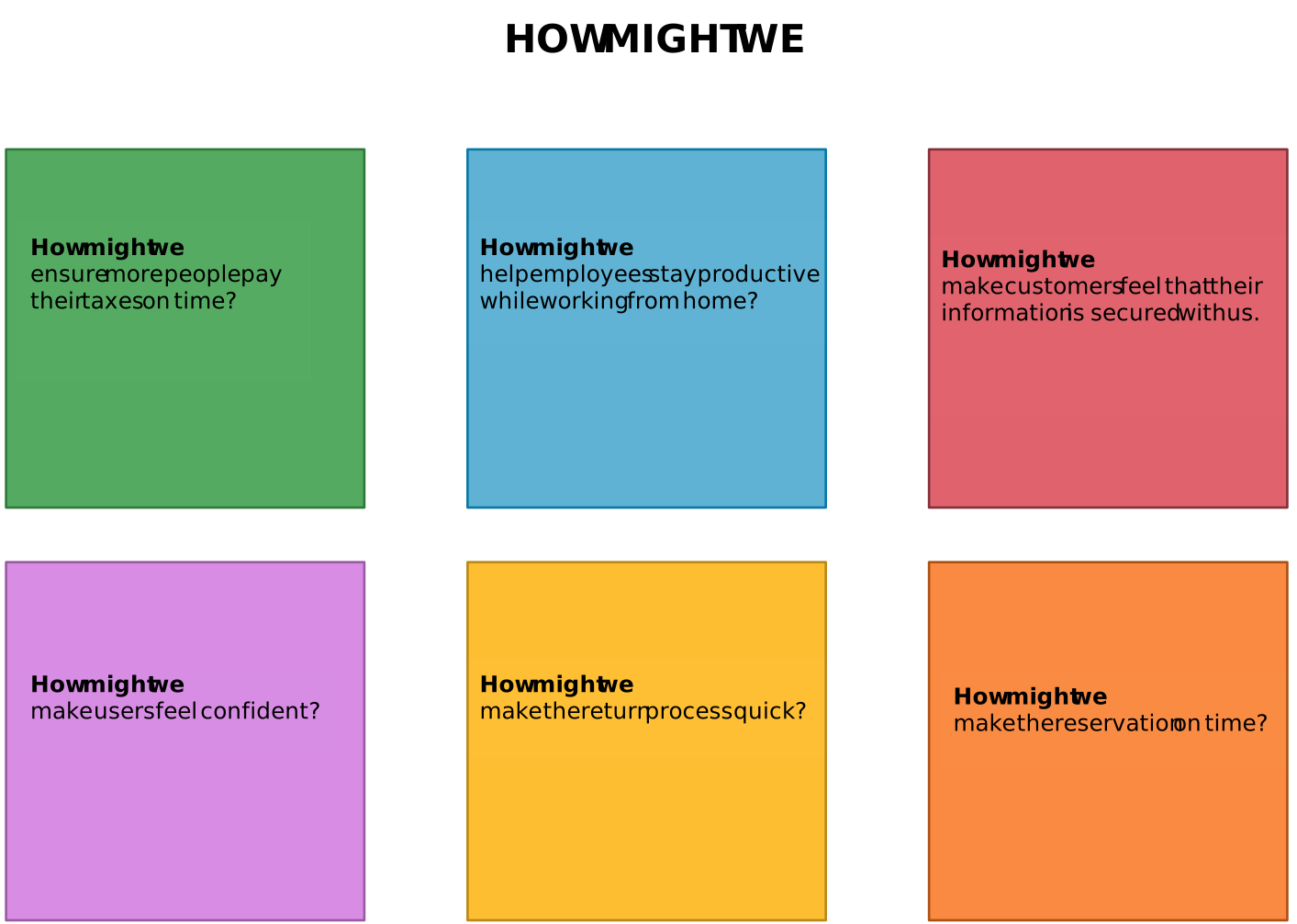
- How Might We (HMW) Questions – Reframe insights or problem statements into open-ended questions that encourage solutions, e.g., “How might we help users onboard faster?”
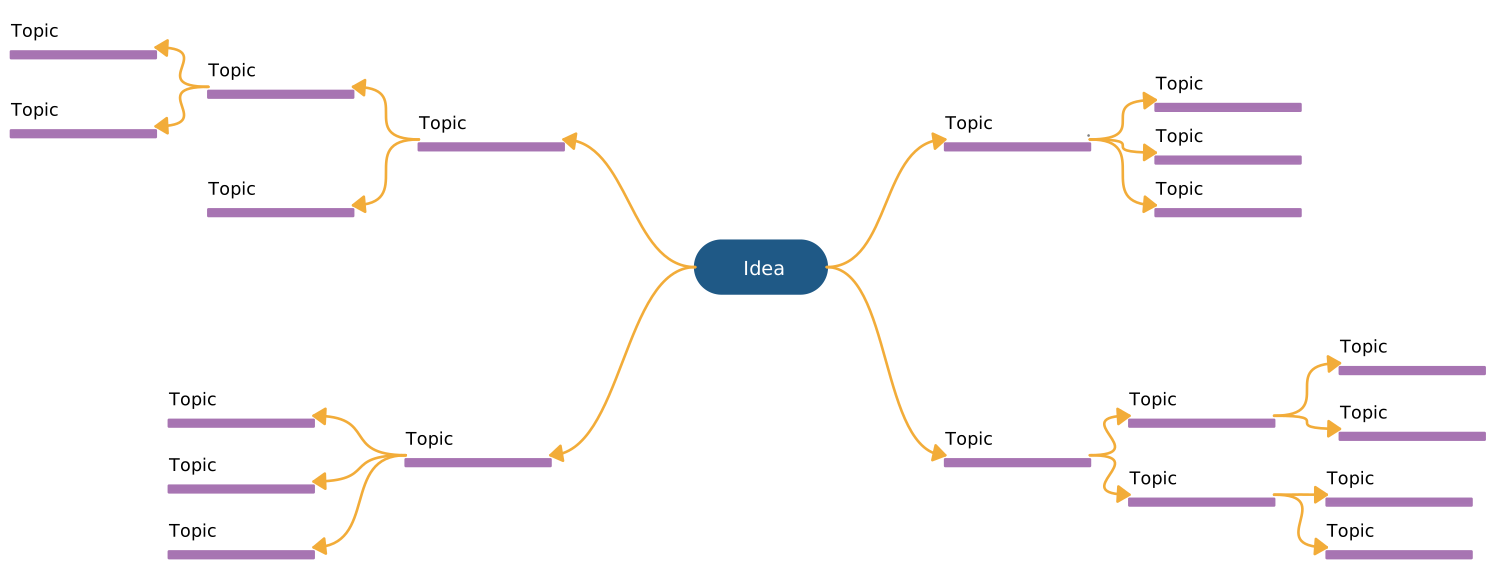
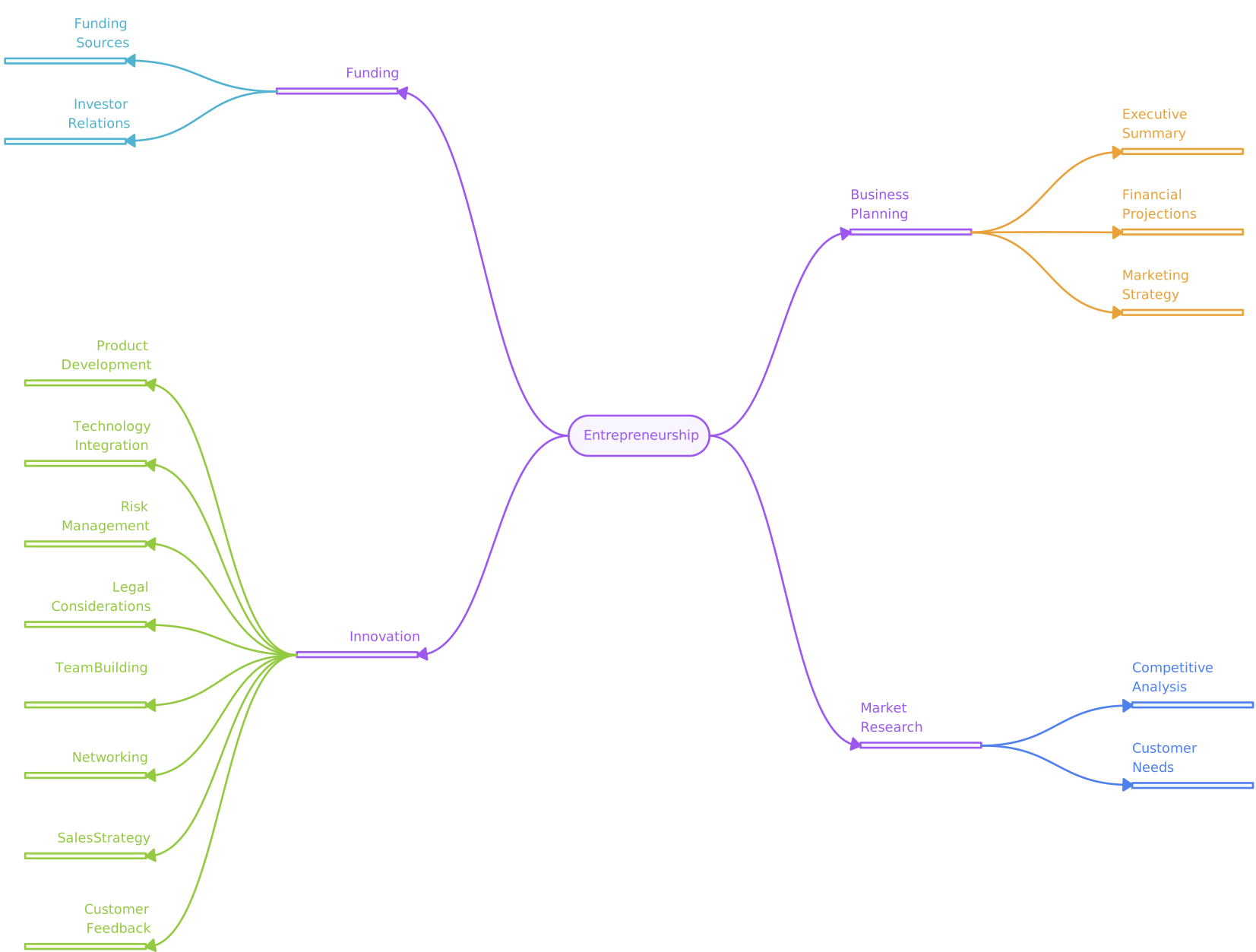
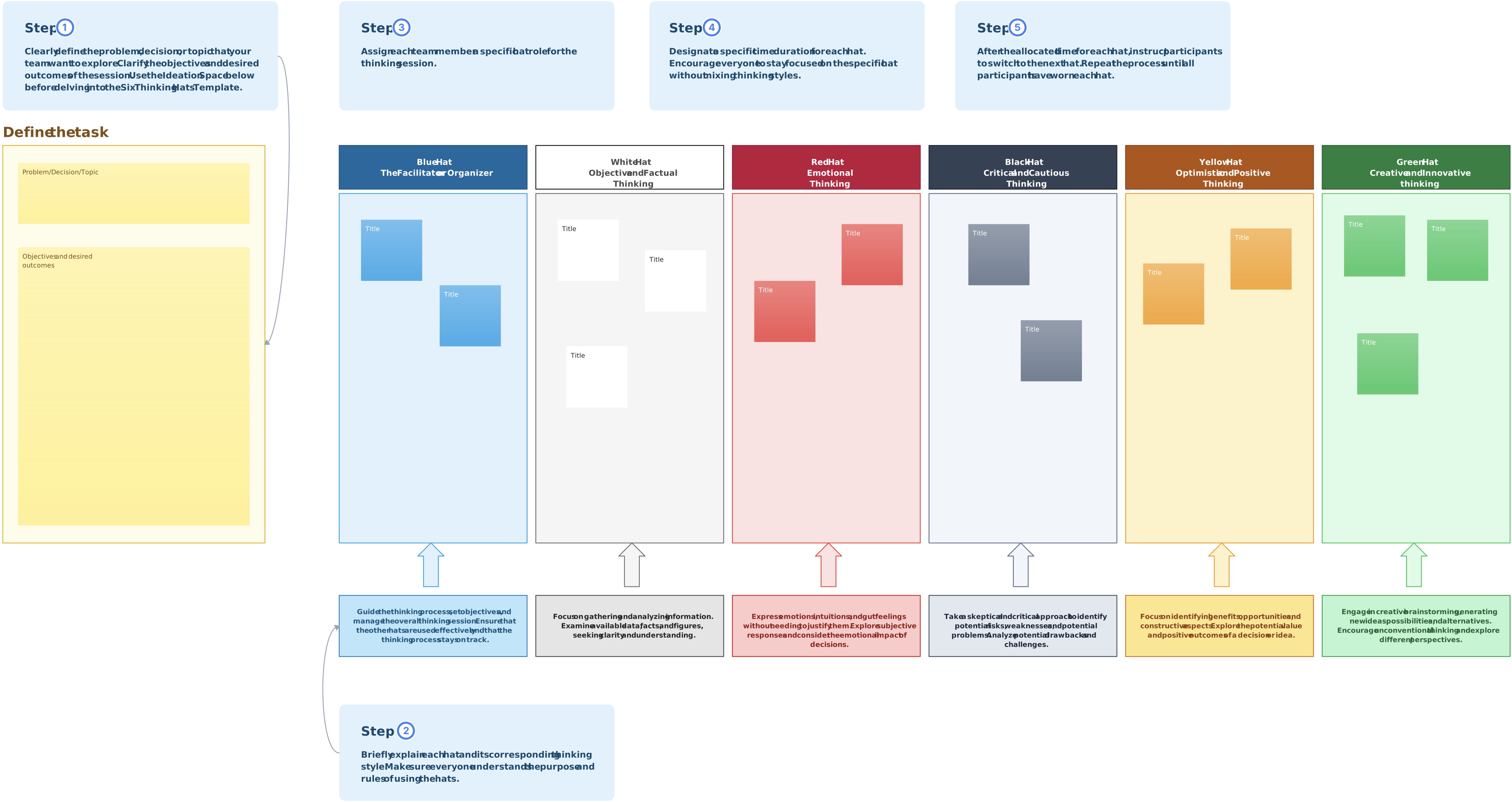
AI can suggest variations or help organize early ideas, but it may repeat common patterns, introduce unsupported claims, or overlook context. Treat generated ideas as prompts for review rather than evidence that an outcome will work.
Ideation creates alternatives for further evaluation. The team should retain the research context and decision criteria used to narrow those alternatives.
Stage 4. Prototype – Bring Ideas to Life
The Prototype stage of the design thinking process is where ideas turn into tangible experiences. At this point in the journey, teams take their most promising concepts from the Ideate phase and begin to build quick, low-fidelity models that bring the solution to life. These early versions are not meant to be perfect—they’re tools for learning, exploring, and evolving ideas rapidly.
Prototyping makes selected assumptions testable before full implementation. Choose the fidelity and scope according to the learning question; a prototype is an experiment, not evidence that the underlying solution is viable.
Key Activities:
- Build quick mockups based on selected ideas from the Ideate phase
- Simulate user experiences with simple, interactive models
- Identify functionality gaps and usability issues early
Useful Tools & Diagrams:
- UI Mockups – Visual layouts to simulate product interface and user interactions.
- Lean UX Canvas – Aligns teams on assumptions, users, and success metrics.
- Design Thinking Canvas – Maps the entire design thinking process across all stages.
- Storyboards – Visual storytelling tools that illustrate user journeys and interactions.
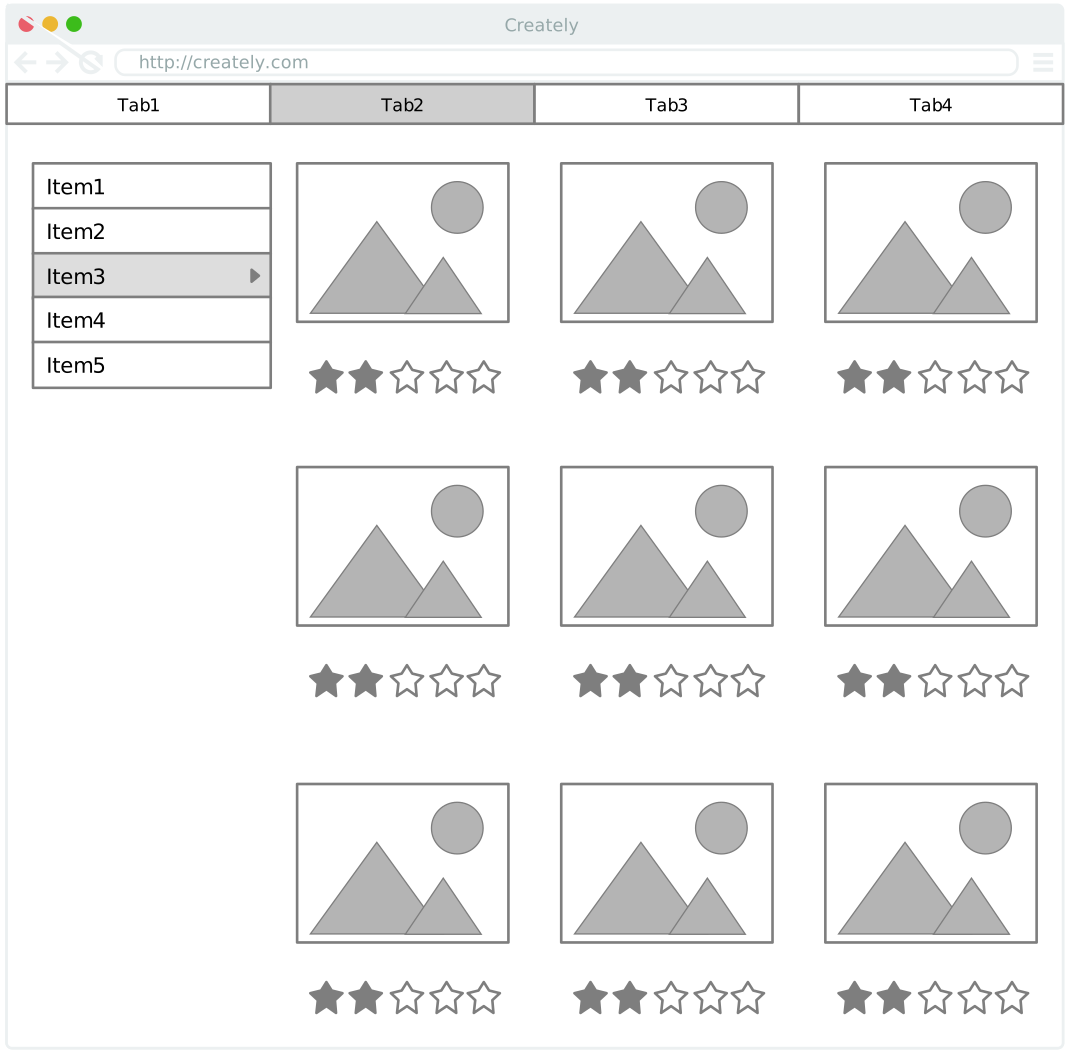
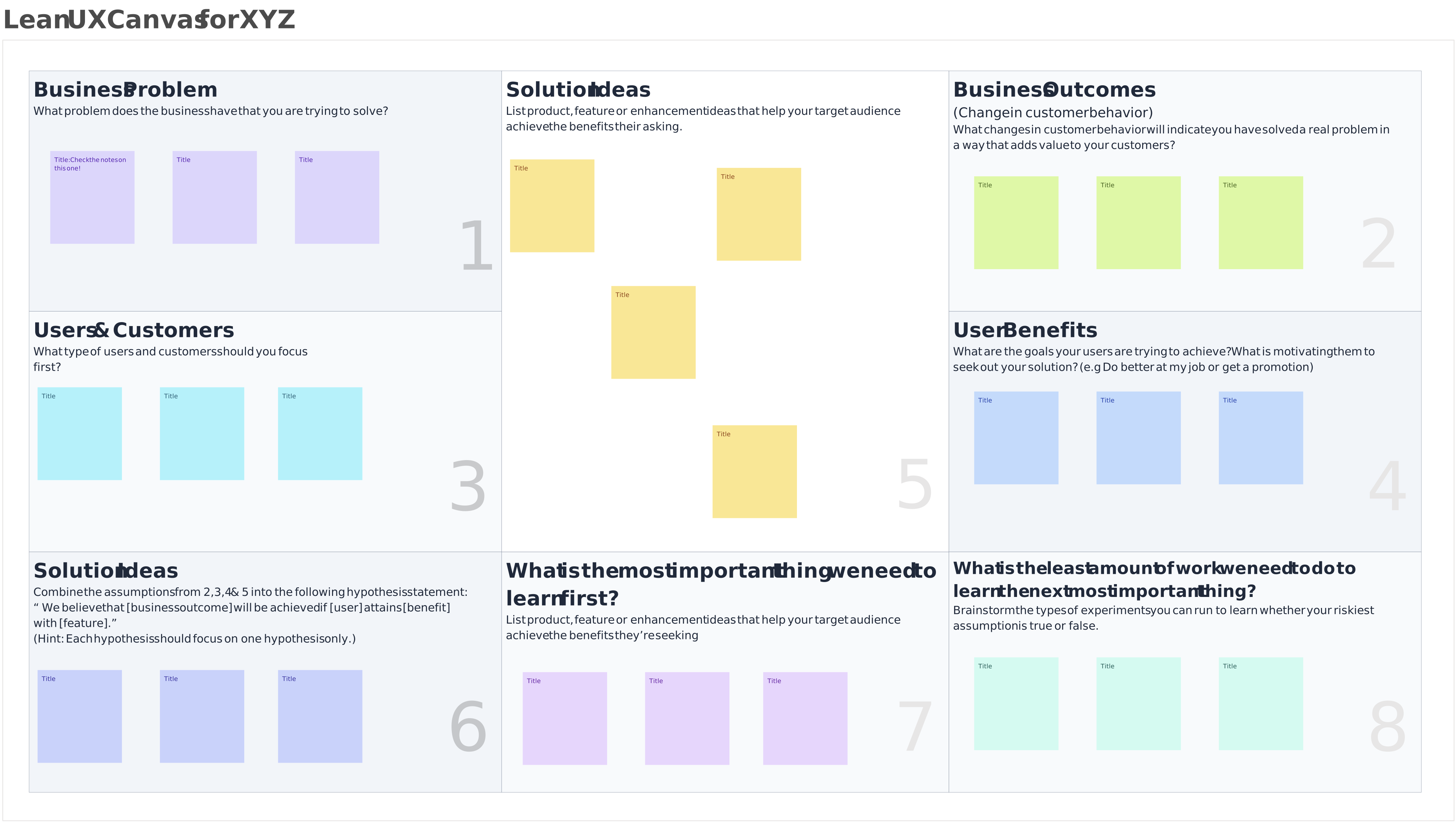
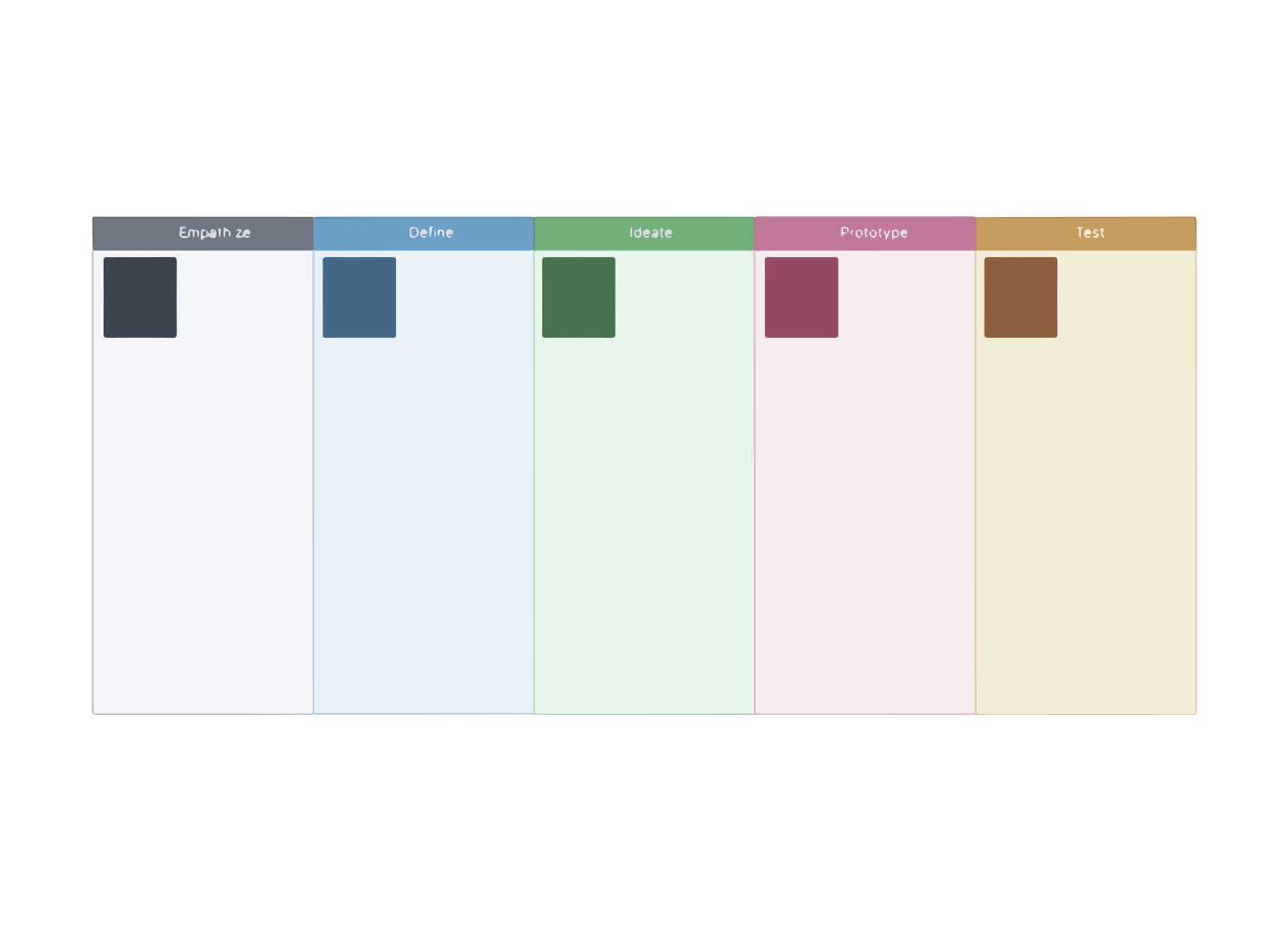
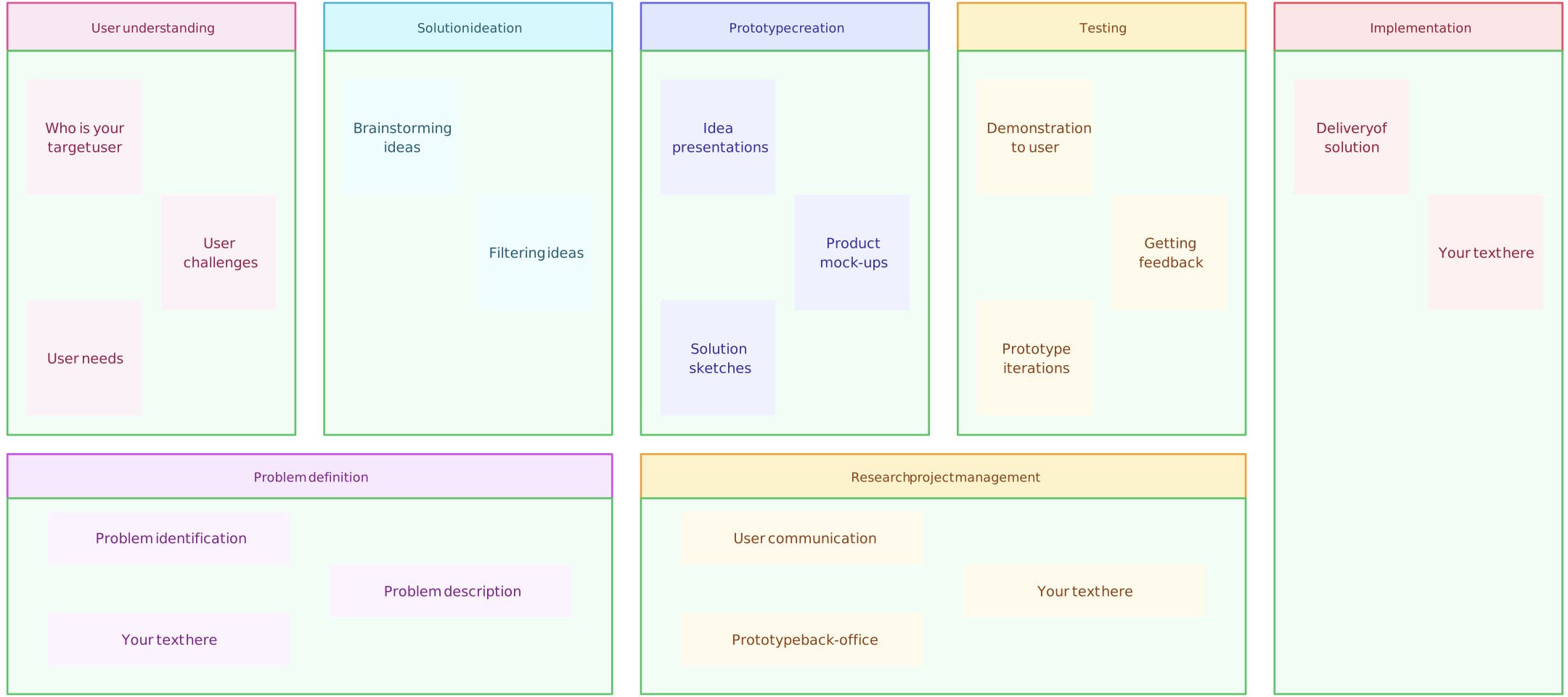
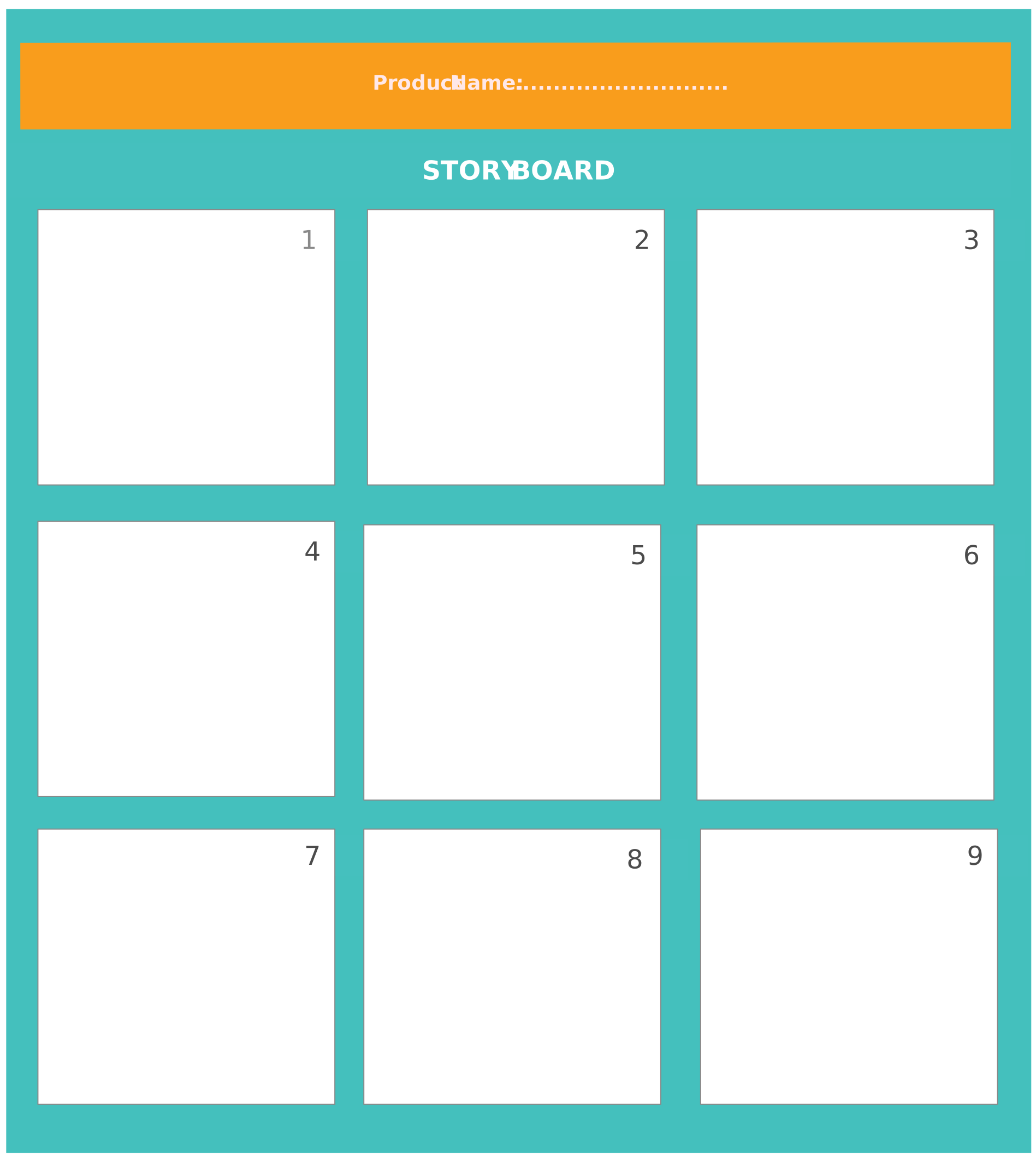
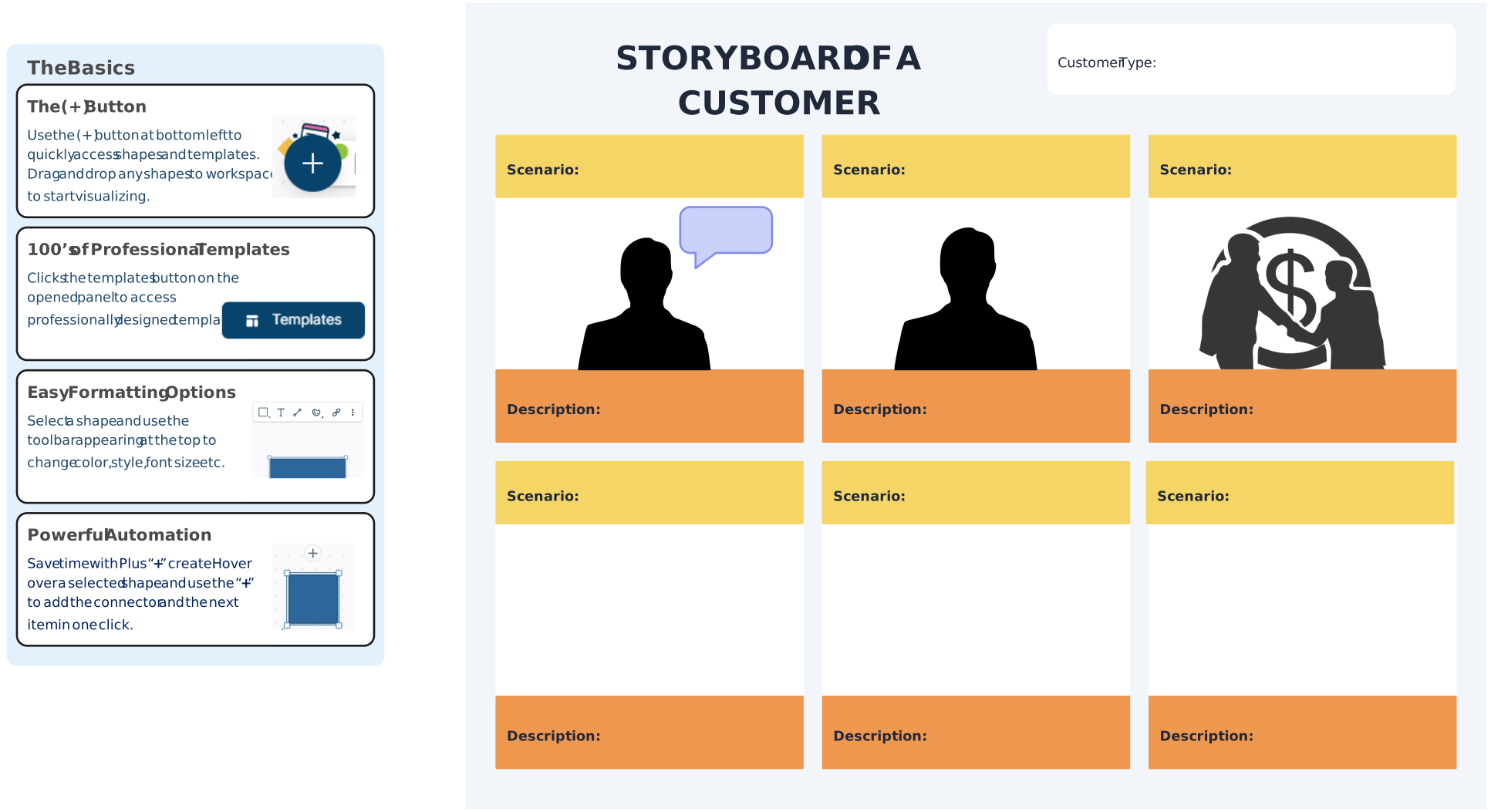
In the context of the broader design thinking steps, prototyping is a critical bridge between ideas and implementation. It transforms abstract concepts into testable, real-world experiences that bring your vision closer to reality.
Stage 5. Test – Validate and Refine
The Test stage is the final—but not necessarily the last—step in the design thinking process. Here, prototypes are put in front of real users to observe how they interact with the solution, uncover usability issues, and gather honest feedback. This phase is all about validating assumptions, refining solutions, and ensuring the product truly meets user needs.
Rather than seeking perfection, this step encourages continuous learning. Insights gained during testing often lead teams to revisit earlier design thinking steps like ideation or prototyping, reinforcing the process’s iterative nature.
Key Activities:
- User testing sessions: Observe users as they engage with the prototype.
- Feedback collection: Ask targeted questions to uncover what works and what doesn’t.
- Iteration cycles: Make quick changes based on test results and retest.
A test reveals how the selected participants respond to the prototype and tasks used in that study. Document the sample, method, observations, and limitations before deciding how broadly a finding applies.
Useful Tools & Diagrams:
- Usability Testing Scripts – Standardized questions and tasks to guide user testing.
- Feedback Grids – Capture what users liked, lacked, and found confusing.
- A/B Testing Tools – Compare multiple design options with measurable outcomes.
- Test Result Dashboards – Visualize user behavior and feedback patterns.
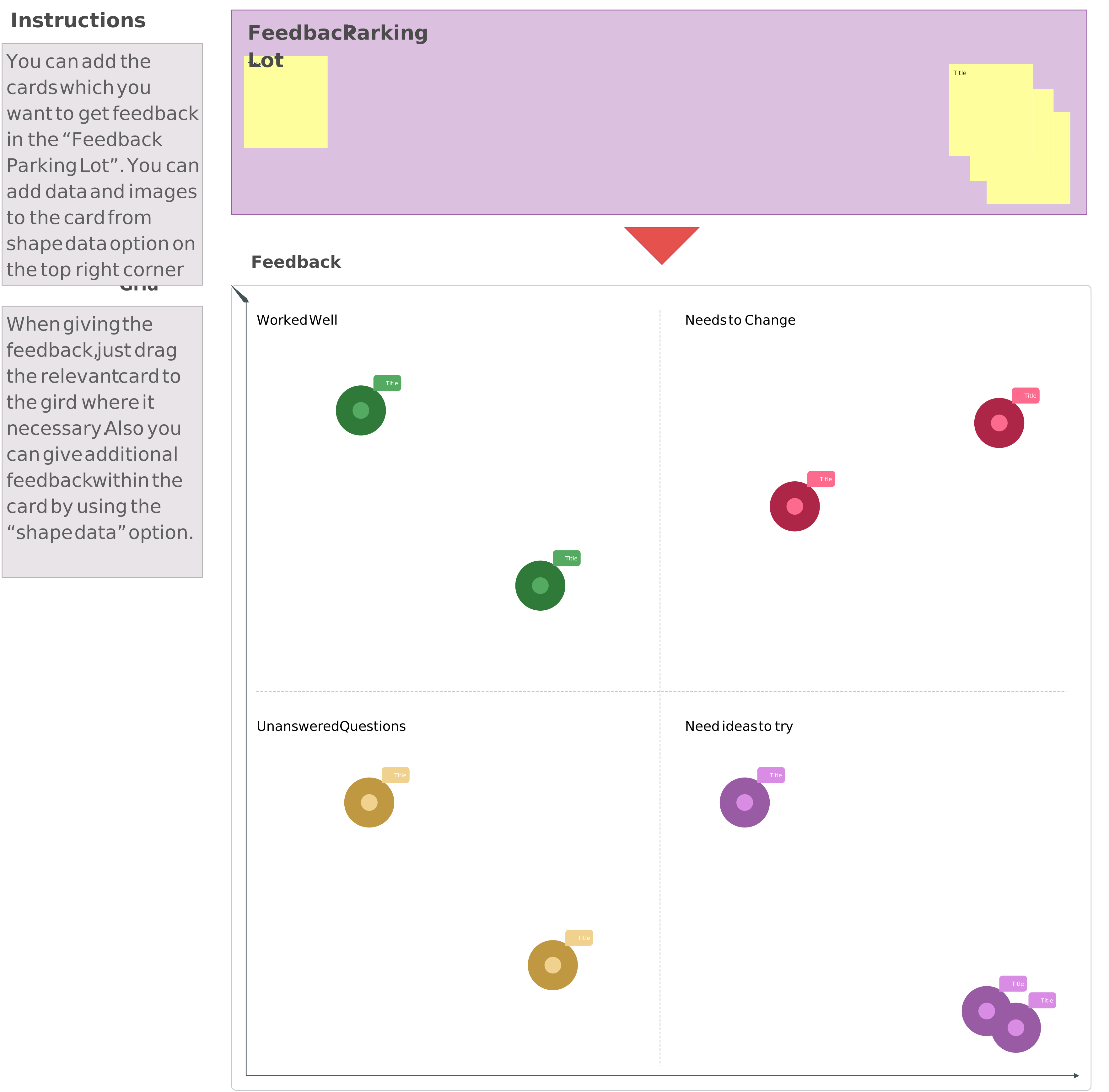
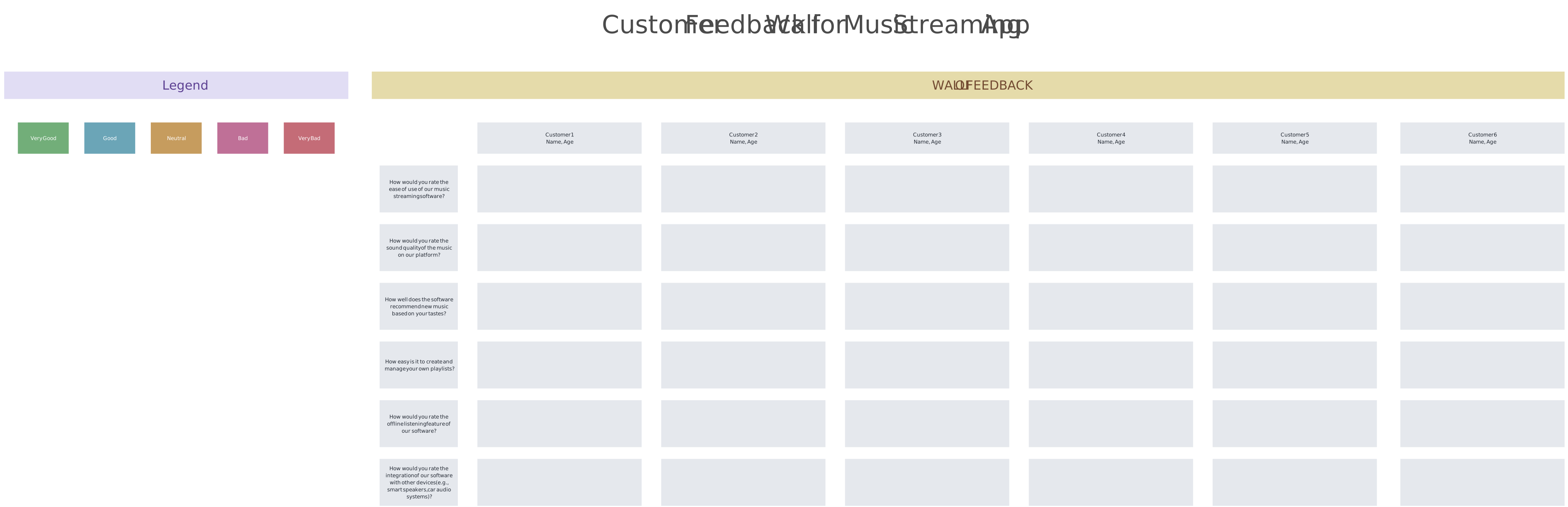
Testing can expose usability and desirability issues, but it does not ensure functionality, feasibility, viability, accessibility, safety, or market success. Combine user evidence with technical, business, legal, ethical, and accessibility evaluation as appropriate.
Why Use the Design Thinking Process?
Design thinking is useful when a team needs to understand an uncertain problem, examine assumptions, explore several possible responses, and learn before making a larger commitment.
Empathy Leads to Relevance
Research and observation help teams examine what people do, need, and experience in a specific context. This improves the basis for decisions without assuming that empathy alone produces complete or unbiased insight.
Encourages Creative Confidence
Teams first generate alternatives and then narrow them using evidence, constraints, and agreed criteria. Separating these modes can prevent premature commitment to the first plausible idea.
Reduces Risk of Failure
Low-fidelity prototypes and focused tests can expose problems earlier. They reduce some uncertainty but do not eliminate delivery, market, safety, accessibility, or adoption risks.
Fuels Cross-Functional Collaboration
Visual synthesis and structured workshops allow researchers, designers, engineers, subject-matter experts, decision-makers, and affected stakeholders to review the same evidence and constraints. Participation should be designed deliberately; simply assembling a diverse group does not guarantee inclusion.
Adaptable Across Industries
Teams use design-thinking methods in products, services, education, public services, healthcare operations, and internal processes. Methods must be adapted to the risk, regulation, evidence, and ethical requirements of the setting.
Instantly Visualize the Design Thinking Process with AI
Creately AI can help generate an editable visual starting point from a prompt and assist with organizing early ideas. Teams can use it alongside templates for empathy maps, customer journey maps, mind maps, storyboards, and design thinking canvases.
How AI Enhances the Design Thinking Process
- Generate an editable first draft: Create a starting structure for the five modes or a workshop board, then tailor it to the challenge.
- Expand early ideas: Use AI suggestions to explore additional wording or alternatives during ideation.
- Organize working material: Group or summarize notes as an initial synthesis aid, then compare the result with original sources.
- Refine the visual: Adjust labels, shapes, and layout while retaining full editorial control.
AI output can contain generic, incomplete, or incorrect material. Do not present generated personas, emotional states, pain points, research themes, or testing outcomes as user evidence. Human researchers and accountable decision-makers should review the work and preserve links to source material.
How Do Visual Tools Accelerate Design Thinking?
Visual tools make relationships, assumptions, evidence, and decisions easier to inspect across the design thinking process.
Clarity Through Diagrams
Empathy maps, affinity diagrams, journey maps, system diagrams, prototypes, and storyboards help teams organize different kinds of information. A diagram improves visibility, but its accuracy still depends on the evidence and interpretation behind it.
Faster Alignment Across Teams
A shared workspace allows cross-functional participants to review the same research, constraints, concepts, and open questions. Clear facilitation and decision ownership remain necessary.
Creativity Through Visualization
Mind maps, sketching boards, and structured ideation templates help participants examine connections and compare alternatives that may be difficult to discuss in a linear document.
Remote Collaboration, Simplified
Creately supports visual collaboration through real-time editing, comments, @mentions, and shared workspaces for synchronous and asynchronous participation. Teams can attach notes, links, files, images, owners, and structured details to relevant elements so research and review context remain connected.
Visual Tools = Better Design Thinking Outcomes
Use Creately’s design thinking canvas to keep research, assumptions, problem framing, ideas, prototype decisions, feedback, and next steps in one evolving workspace. Assign an owner, record research dates and sources, and update the canvas when later evidence changes the team’s understanding.
Common Challenges and How to Overcome Them
Design thinking is not automatically effective. Teams can lose rigor when workshops replace research, assumptions are presented as insights, or prototype activity is mistaken for progress.
Resistance to Change
Challenge: Stakeholders may question an iterative approach, particularly when decision rights, evidence requirements, or expected outcomes are unclear.
Response: Start with a bounded problem, define what the team needs to learn, involve the relevant decision-maker, and agree on how evidence will influence the next decision. Report limitations as well as useful findings.
Ambiguous Problems
Challenge: A broad, solution-led, or internally defined problem statement can direct the team toward the wrong question.
Response: Revisit research, map affected people and systems, separate facts from assumptions, and use point-of-view statements or “How Might We” questions to explore alternative framings.
Testing Failures
Challenge: Teams may treat negative findings as failure, defend the prototype, or generalize a small sample too broadly.
Response: Treat the prototype as a learning artifact. Review observations across sessions, examine research limitations, and decide whether to revise the framing, iterate, gather more evidence, pivot, or stop.
Getting Started with Design Thinking in Your Organization
Start with a Pilot Project
Choose a consequential but manageable question whose assumptions can be explored through research and prototyping. Define the decision, constraints, evidence needed, and owner before scheduling activities.
Build Cross-Functional Teams
Include the expertise and perspectives required by the challenge, along with a person who can make or sponsor the resulting decision. Plan accessible participation and involve affected users or stakeholders through appropriate research rather than using internal representatives as substitutes.
Embrace Rapid Iteration
Build only enough to answer the current learning question. Record what the team observed, what remains uncertain, and why it chose to iterate, proceed, pivot, or stop.
Use the Right Tools
Creately can help teams map research, organize ideas, review prototypes, and keep comments, files, owners, and next-step context connected to the visual work. This supports collaboration, but the team still owns research quality, facilitation, governance, and decisions.
After the pilot, review both the solution evidence and the process itself. Retain useful practices, correct weaknesses, and avoid scaling a workshop format before demonstrating that it improves decision quality.
Turning Insights into Innovation with the Design Thinking Process
Design thinking helps teams move from an initial problem statement to evidence, alternatives, prototypes, and informed next steps. The five familiar modes are useful guides, not a promise of innovation or a rigid sequence.
Keep assumptions distinct from research, document how evidence informed each decision, and connect owners and follow-up work to the relevant insight. Use AI and visual tools to reduce setup and organization effort while retaining human responsibility for research quality, accessibility, ethics, feasibility, and final decisions.
FAQs About the Design Thinking Process
What industries can use the design thinking process?
How long does the design thinking process take?
How is design thinking different from other problem-solving approaches?
Can individuals use the design thinking process?
What principles guide effective design thinking?
Can AI generate a design thinking process?
Razzouk, R. and Shute, V. (2012). What Is Design Thinking and Why Is It Important? Review of Educational Research, [online] 82(3), pp.330–348. doi:https://doi.org/10.3102/0034654312457429.
Waidelich, L., Richter, A., Kolmel, B. and Bulander, R. (2018). Design Thinking Process Model Review. 2018 IEEE International Conference on Engineering, Technology and Innovation (ICE/ITMC). [online] doi:https://doi.org/10.1109/ice.2018.8436281.