The iterative process helps teams develop a solution through repeated cycles of planning, building, testing, learning, and refinement. Rather than treating the first version as final, teams use evidence and stakeholder feedback to improve each subsequent version. This guide explains the five iterative process steps, key benefits and limitations, practical examples, and ways to manage each cycle.
- What is the Iterative Process?
- What Is the Non-Iterative Process?
- Iterative vs. Non-Iterative Processes
- Why Should Teams Follow the Iterative Process?
- Steps in the Iterative Process
- Tips and Insights on How to Use the Iterative Process Effectively
- The Iterative Process in Action
- How to Manage the Iterative Process with Creately
- Wrapping Up
What Is the Iterative Process?
The iterative process is a flexible, cyclical approach to problem-solving and project development. Instead of attempting to deliver a perfect solution in one go, it breaks a large project into smaller, manageable chunks called iterations. Each iteration involves a series of steps—planning, designing, testing, and evaluating—to refine the solution progressively.
One of the key benefits of the iterative process is its adaptability. It allows teams to incorporate feedback at every stage, learn from mistakes, and make adjustments to meet changing requirements or goals. This makes it especially valuable for projects where the final outcome may not be fully defined at the outset, such as software development, product design, or strategic planning.
For example, a software team might build a basic prototype or minimum viable product, test it with users, gather feedback, and refine it in the next iteration. Each cycle should have a clear owner, success criteria, and a record of the evidence behind the changes so that learning carries forward.
What is the Non-Iterative Process?
A non-iterative process follows a largely linear sequence in which one phase is completed before the next begins. The waterfall model is a well-known example, but the terms are not exact synonyms. Linear approaches work best when requirements are stable, changes are tightly controlled, and the cost of revisiting an earlier phase is understood. They can be less suitable when teams need frequent user feedback or expect requirements to evolve.
Differences Between the Iterative and the Non-iterative Process
| Comparison area | Iterative process | Non-iterative process |
|---|---|---|
| Change | Accommodates learning and planned revisions between cycles | Controls change after requirements and plans are established |
| Feedback | Uses feedback throughout development | Typically validates the complete output later in the sequence |
| Planning | Plans the next cycle using evidence from the previous one | Plans most phases and dependencies at the outset |
| Delivery | Produces and evaluates successive versions | Progresses toward one planned final delivery |
| Best fit | Evolving requirements, experimentation, and uncertain solutions | Stable requirements, predictable work, and tightly governed changes |
Why Should Teams Follow the Iterative Process?
Can reduce rework: Starting with a focused prototype or MVP lets a team test important assumptions before investing in a complete solution. Early changes are often easier to manage than revisions made after full delivery.
Supports quality improvement: Testing and feedback help teams find usability, performance, or quality issues earlier. Iteration improves outcomes only when teams act on reliable evidence and maintain clear acceptance criteria.
Fosters innovation: By experimenting with different ideas and approaches, you can discover new possibilities and opportunities for improvement. You can also learn from your failures and mistakes, and use them as sources of inspiration.
Improves alignment with customer needs: Involving users or customers throughout development helps teams validate assumptions and prioritize changes that address real needs. It does not guarantee satisfaction, but it reduces the risk of building the wrong solution.
Steps in the Iterative Process
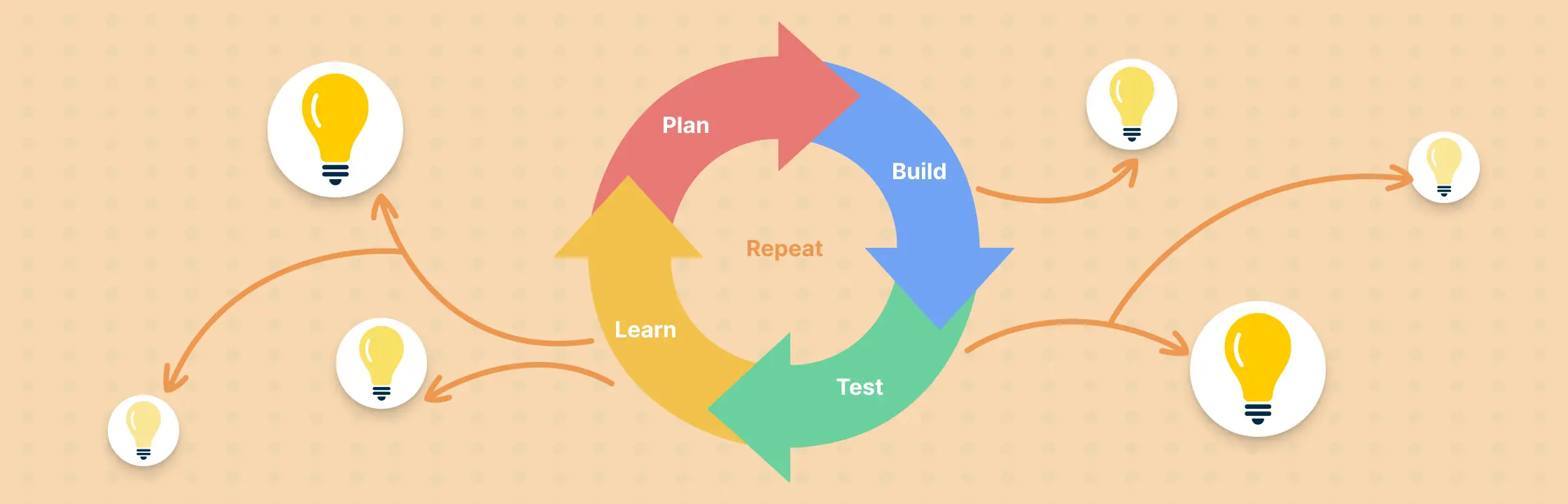
The five-step iterative process forms a repeatable loop. Before starting, define who owns the cycle, what evidence will be collected, and which result will trigger another iteration or completion. A shared process map can make the sequence, decision points, and feedback handoffs easier to review.
1. Plan
Define your goals, scope, and requirements for your project. Identify your target audience, their needs, and their pain points. Research the market, the competition, and the best practices. Brainstorm some possible solutions and choose one to start with.
2. Build
Create a prototype or a minimum viable product (MVP) that represents your solution. It doesn’t have to be perfect or complete, but it should be functional enough to test with real users or customers.
3. Test
Evaluate your prototype or MVP with your users or customers. Collect data and feedback on how they use it, what they like and dislike, what problems they encounter, and what suggestions they have.
4. Learn
Analyze the data and feedback you collected from the testing phase. Identify what works well and what needs improvement. Decide what changes you need to make to your solution based on the feedback.
5. Repeat
Go back to step 1 and repeat the process until you reach your desired outcome.
Tips and Insights on How to Use the Iterative Process Effectively
The iterative process is not a one-size-fits-all solution that works for every project or situation. You need to adapt it to your specific context and goals. Here are some tips and insights on how to use the iterative process effectively:
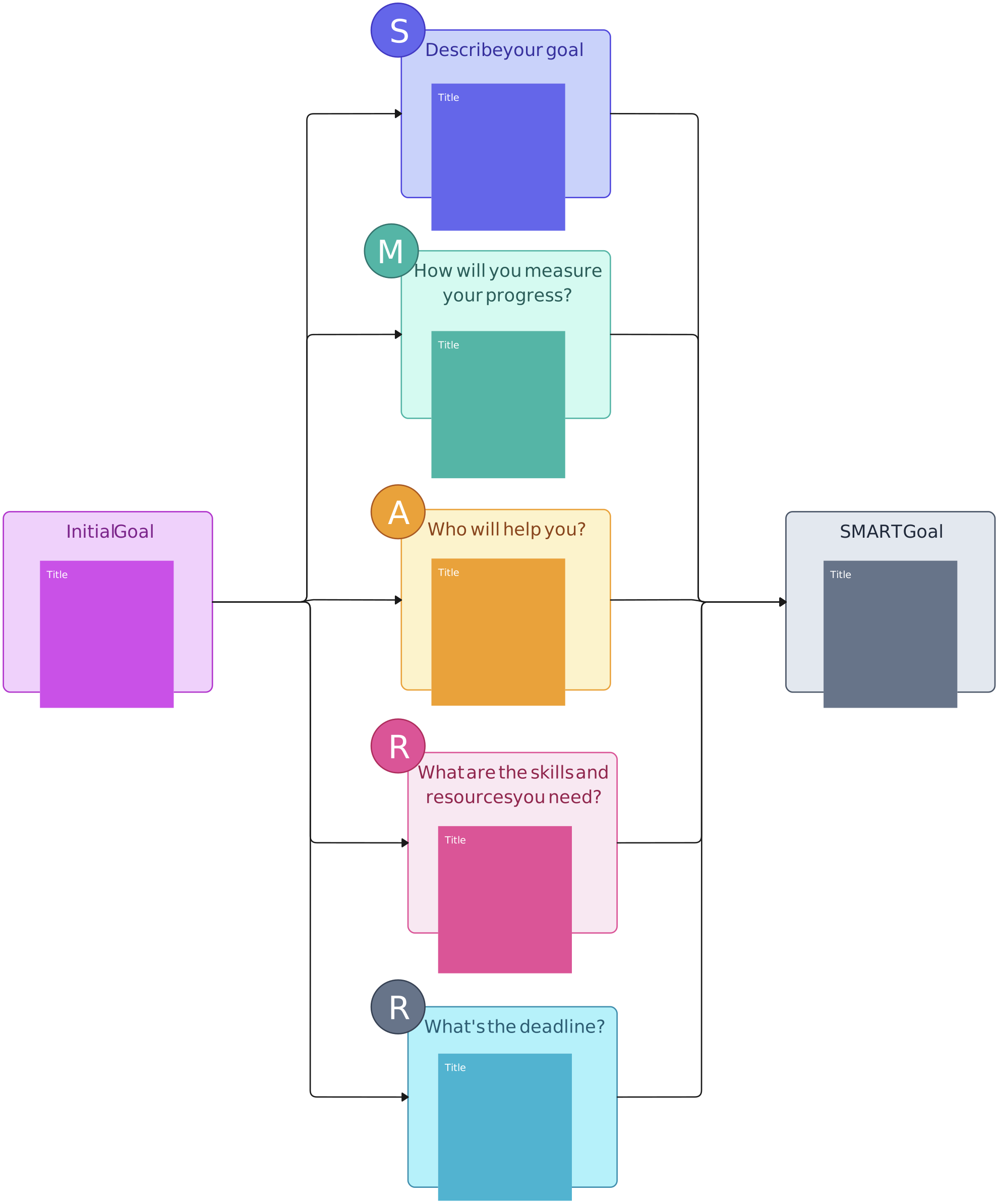
Define your success criteria: Before you start the iterative process, you need to have a clear idea of what you want to achieve and how you will measure it. You need to set SMART goals (Specific, Measurable, Achievable, Relevant, and Time-bound) that will guide your decisions and actions throughout the process.

Start small and simple: Don’t try to create something complex or perfect from the beginning. Start with a simple prototype or MVP that can demonstrate your core value proposition and test your main assumptions. You can then add more features or functionality as you learn from your users or customers.
Test early and often: Don’t wait until you have a finished product or service to test it with your users or customers. Test it as soon as possible and as frequently as possible, even if it’s not fully polished or complete. You can use various methods of testing, such as surveys, interviews, focus groups, usability tests, A/B tests, etc., depending on your needs and resources.
Learn from feedback: Don’t take feedback personally or defensively. Take it as an opportunity to learn and improve. Listen to what your users or customers say, but also observe what they do and how they behave. Look for patterns, trends, and insights that can help you understand their needs and problems better.
Keep cycles focused: Prioritize the change most likely to improve the agreed success metric, test it, and document what you learn. Short cycles can speed up learning, but they still need quality checks, responsible owners, and a clear decision about what happens next.
The Iterative Process in Action
The iterative process can be applied to products, digital experiments, and service design. Here are three examples:
Gmail: Gmail launched as a limited beta in 2004 and evolved through continued testing and feature releases. It illustrates how a product can start with a focused release and improve over multiple cycles rather than waiting for a single final version.
Digital product teams: Streaming, ecommerce, and software teams commonly use prototypes, controlled experiments, usability testing, and staged releases to learn before making a change widely available. The exact method depends on the product, risk, and evidence required.
Service design: A team can map a customer journey, test one revised touchpoint with a small audience, compare the result with its success criteria, and use the findings to plan the next cycle. This applies iterative thinking to services as well as digital products.
How to Manage the Iterative Process with Creately
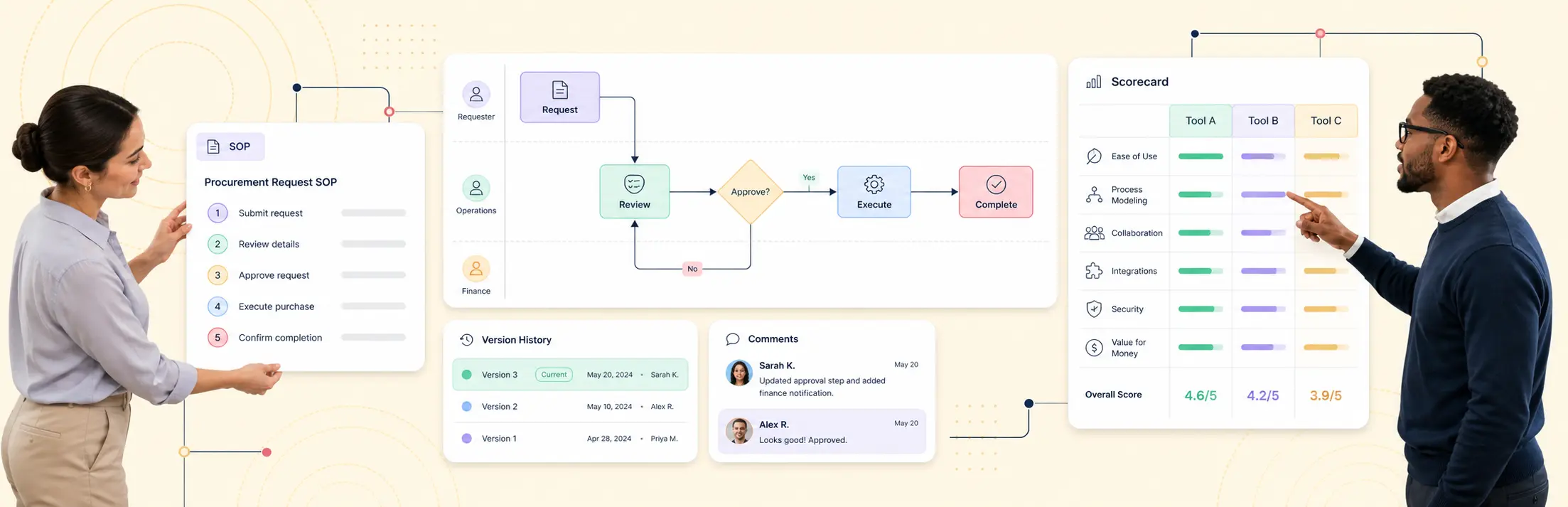
Creately’s process mapping software helps teams visualize an iterative cycle and keep the information needed to maintain it connected to the map. Use a flowchart to show the plan, build, test, learn, and repeat stages, including decision points and handoffs between the people involved.
With Creately, teams can:
- Build the cycle with flowchart shapes, connectors, templates, and layout controls.
- Add structured details such as the owner, status, duration, systems, and tags to relevant process steps.
- Keep instructions and related subprocess diagrams connected to the process so the map serves as living documentation rather than a static picture.
- Edit together in real time and use live cursors, threaded comments, and @mentions to collect contextual feedback. The accountable owner can then incorporate agreed changes into the next version of the map.
- Generate a starting flowchart from a plain-language prompt with AI, then review and refine the result before using it as process documentation.
Creately supports collaborative feedback, but teams that require formal approvals or authoritative project records should define that workflow in the appropriate system of record.
Wrapping Up
The iterative process replaces a one-time attempt with a disciplined cycle of planning, building, testing, learning, and refinement. It works best when each cycle has a defined objective, accountable owner, measurable success criteria, and a clear record of feedback and decisions. Keep the process map and supporting context current so stakeholders can understand what changed, why it changed, and what the next iteration should test.