Projects and processes organize different kinds of work. A project is temporary and produces a unique result, while a business process defines interconnected activities that can be repeated to produce an intended operational result. Organizations often use projects to introduce or improve processes, then rely on those processes for ongoing execution.
This guide compares project vs process by purpose, duration, outputs, risks, and management approach, with examples and templates for visualizing both.
What is a Project
A project is a temporary and unique endeavor with a specific goal or objective, carried out to create a product, service, or result. It is characterized by a defined beginning and end, a set of resources, and a scope that determines what needs to be accomplished. Often, projects are started to solve a problem, take advantage of an opportunity, or meet a challenge.
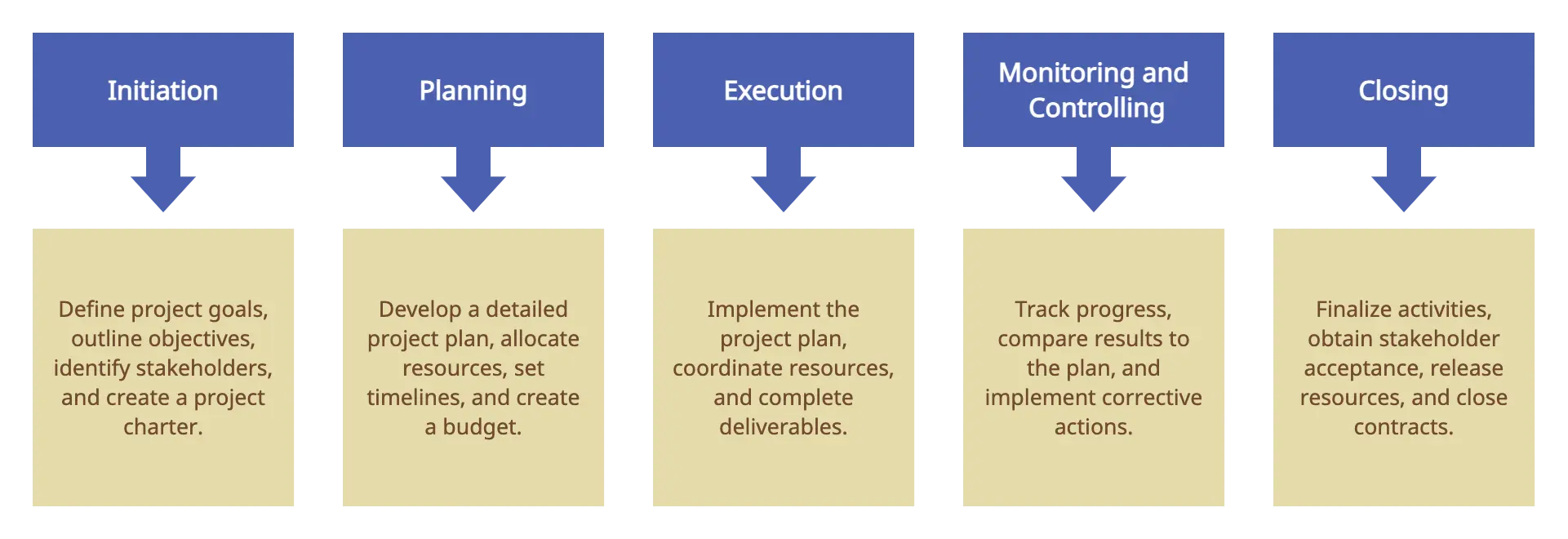
A commonly used project life cycle groups the work into five broad stages:
- Project initiation: Define project goals, develop a business case, define the project on a broad level, and identify project stakeholders.
- Project planning: Define project scope, create a project plan, set a budget baseline, and define roles and responsibilities.
- Project execution: Allocate and manage project resources, produce the deliverables, and address issues as they arise.
- Project monitoring: Track effort and cost, monitor project progress, ensure adherence to the project plan and eliminate bottlenecks.
- Project closure: Handover deliverables, review project deliverables, get project results approved, and document lessons learned.
Example of a Project
Examples of projects include developing a software product, launching a marketing campaign, constructing a building, or coordinating a disaster-relief initiative.
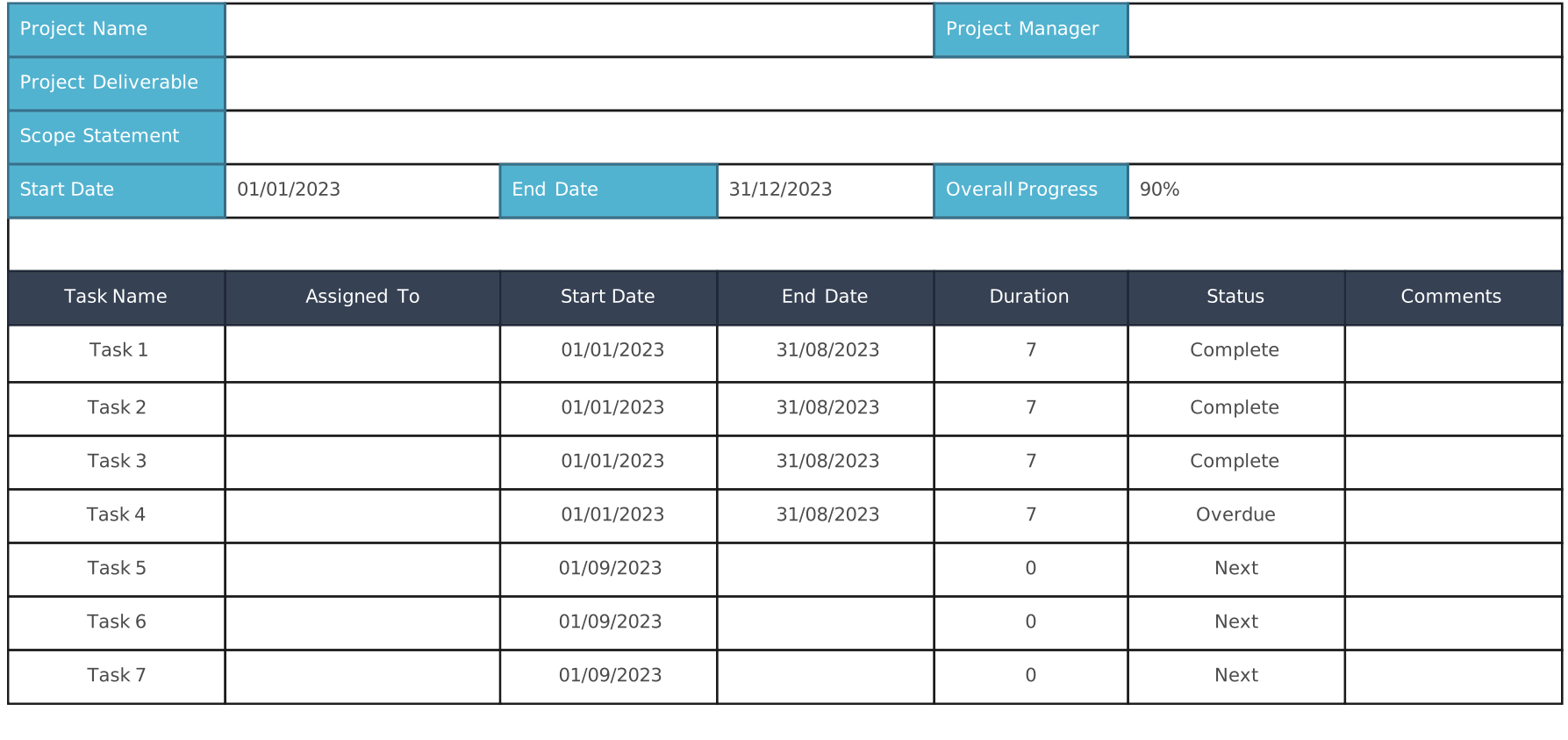
The following project documentation templates can help teams define, communicate, and track project work.
Project Plan Template
A project plan explains how the project will be executed, monitored, controlled, and closed. It can cover scope, schedule, responsibilities, resources, risks, communications, and milestones. A Gantt chart may visualize the schedule, but it is only one component or view of the broader plan.

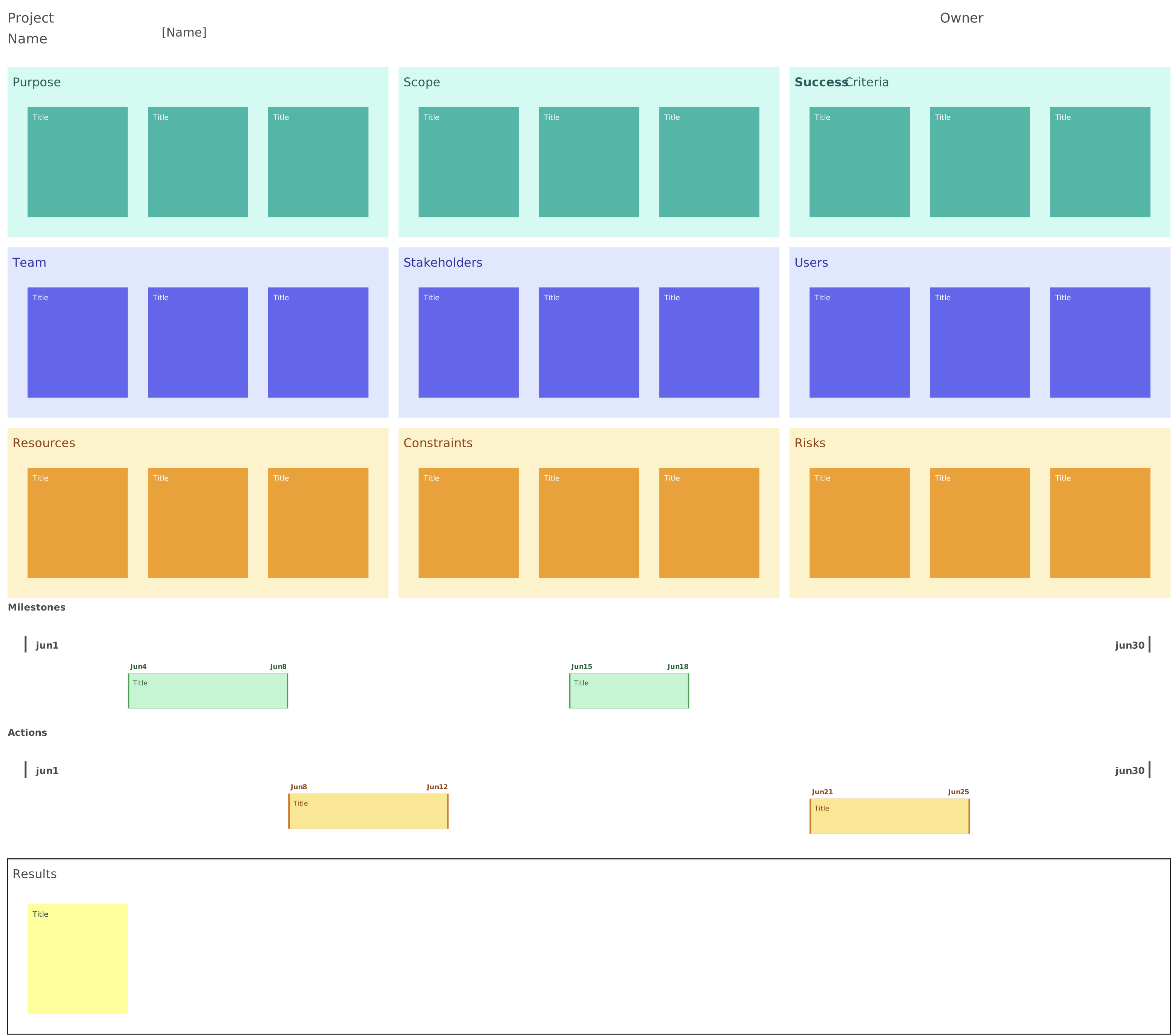
Project Charter
A project charter formally authorizes the project and summarizes its purpose, objectives, high-level scope, key stakeholders, and the project manager’s authority.
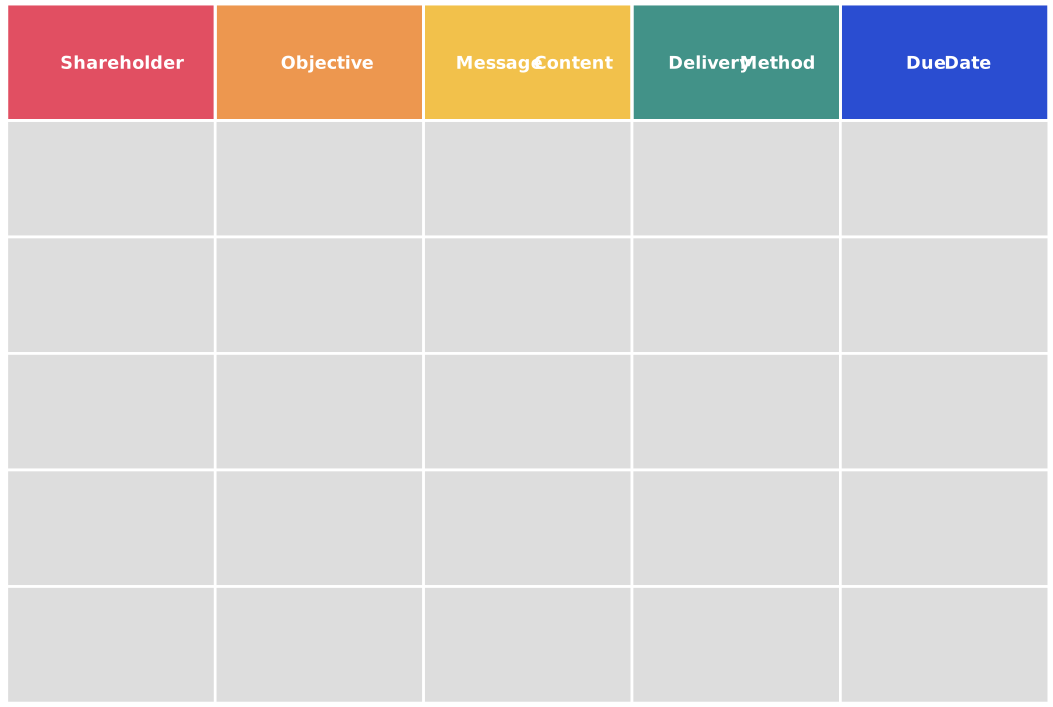
Project Communications Plan
A project communication plan defines what information will be shared, with whom, through which channels, by whom, and at what frequency.
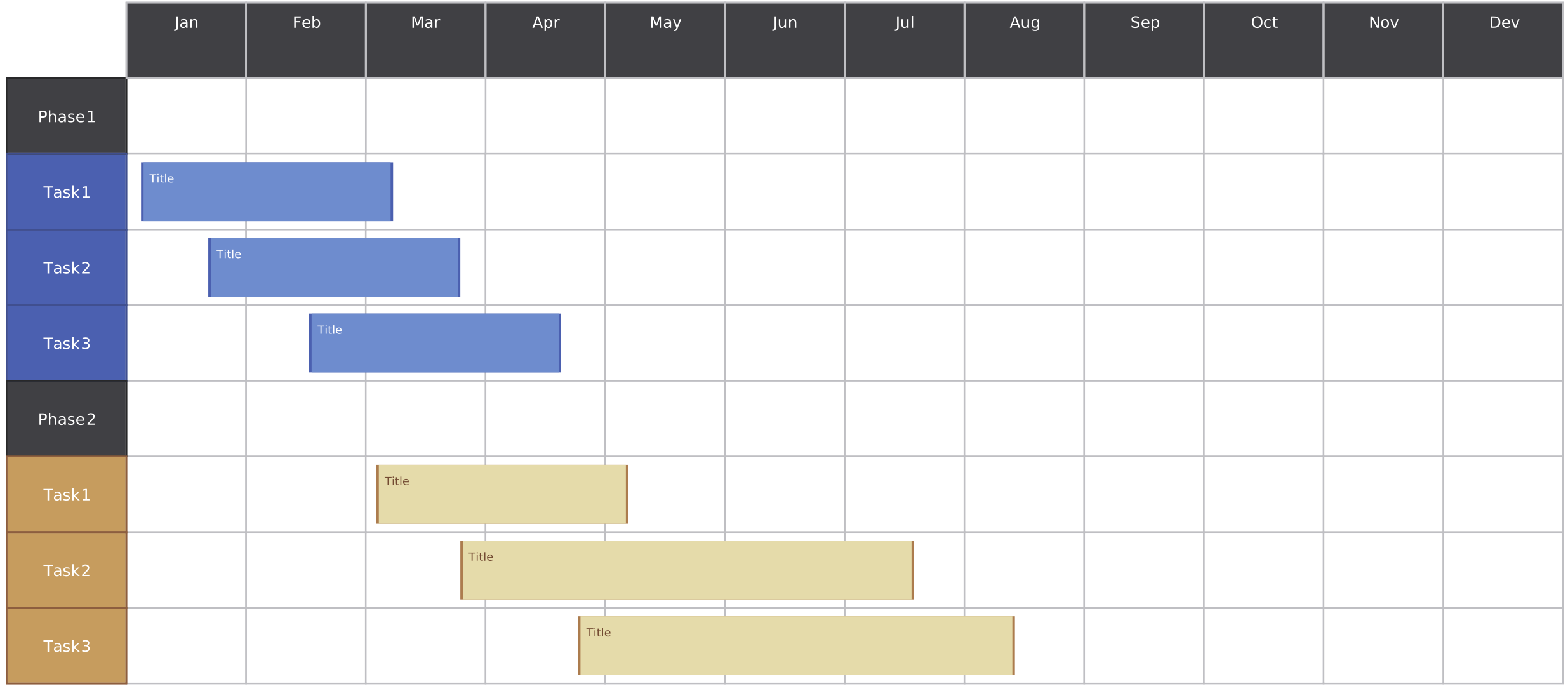
Project Timeline
A project timeline outlines key phases and tasks from initiation to closure, and helps to facilitate planning, tracking, and managing project progress.
What is a Process
A business process is a set of interrelated or interacting activities that uses or transforms inputs to deliver an intended result. A process can be repeated across many individual instances—for example, each customer-support request follows the same defined process while having its own start and finish.
A practical process-management cycle includes:
- Define: Establish the process purpose, boundaries, inputs, outputs, customers, and accountable owner.
- Design and document: Map the activities, decisions, roles, handoffs, controls, systems, and exception paths.
- Execute: Perform the process for each instance according to the agreed method.
- Monitor and control: Track relevant measures, manage exceptions, and confirm that controls operate as intended.
- Review: Gather feedback and analyze performance, bottlenecks, risks, and changing requirements.
- Improve: Test and implement agreed changes, then update the process documentation and communicate the revision.
Examples of Processes
Following are some examples of process maps, which are used to visualize processes within an organization.
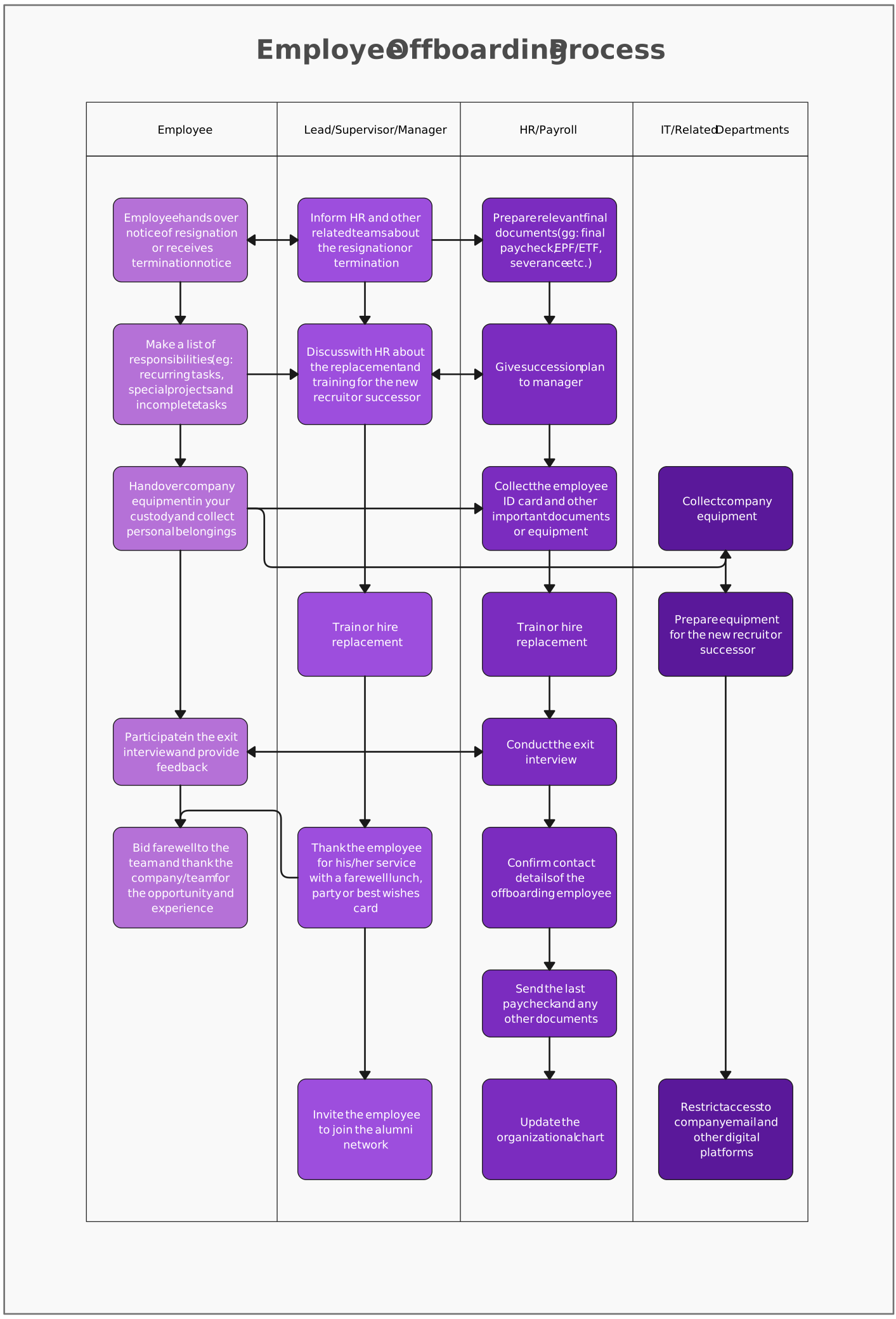
Employee offboarding process
The following swimlane flowchart depicts the process of offboarding employees. It highlights the steps involved and the responsible parties for carrying them out.
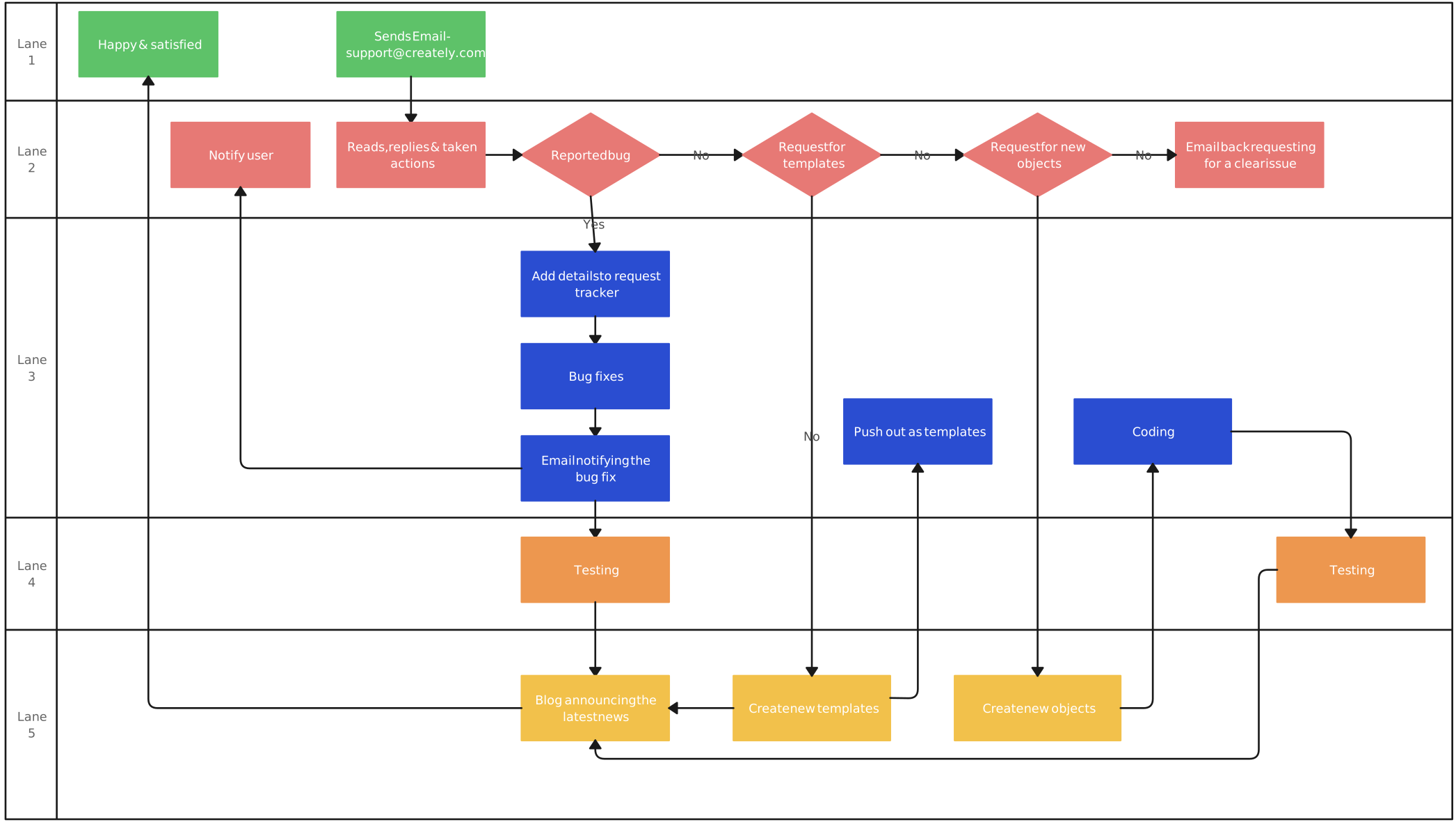
Customer support process
This process map outlines how to handle customer requests. Each swimlane represents an individual or team involved in the process and shows its activities.
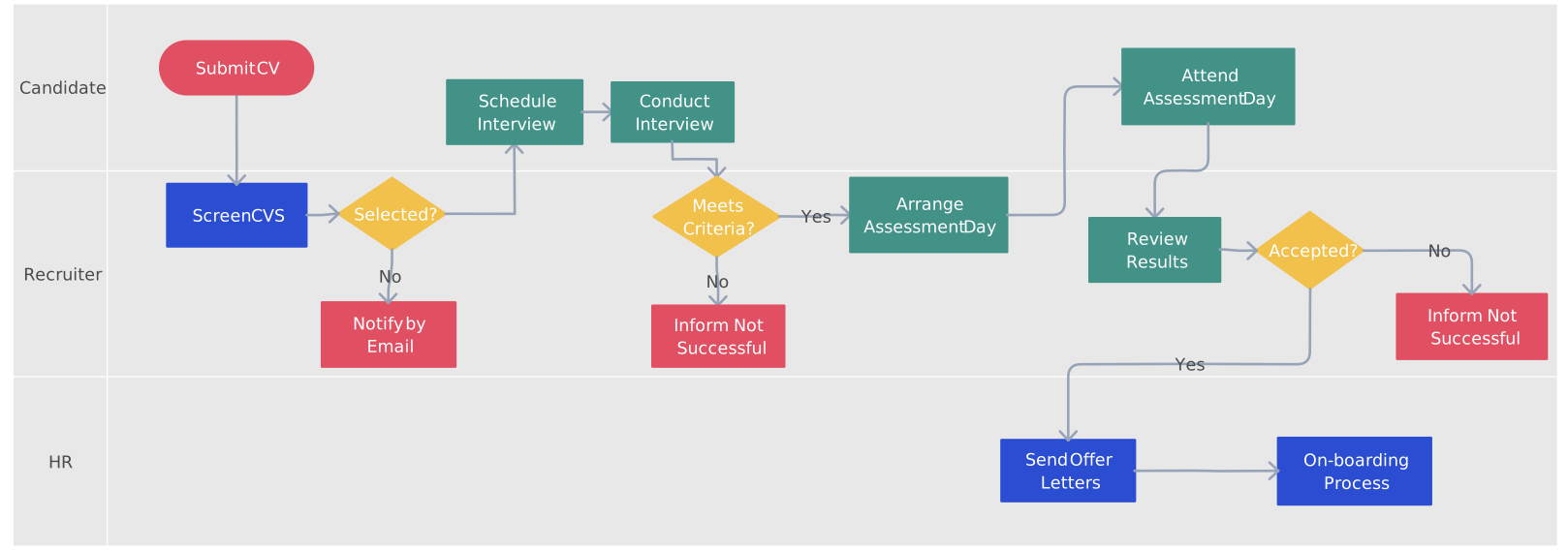
Employee recruitment process
The following flowchart visualizes an employee recruitment process, beginning with identifying a hiring need and continuing through candidate selection.
Project vs Process
The table below summarizes the main differences between project and process management.
| Aspect | Project | Process |
|---|---|---|
| Nature | A temporary and unique endeavor with a specific goal. | Ongoing and repeatable series of activities designed for routine operations. |
| Uniqueness | Each project is typically unique, with specific goals, outcomes, and characteristics. | Processes are designed to be repeatable, producing similar results each time. |
| Duration | Has a defined beginning and end. | The defined process remains repeatable, while each process instance has its own start and finish. |
| Goals | Initiated to achieve specific objectives or create a unique deliverable. | Aimed at achieving operational efficiency, consistency, and quality in routine operations. |
| Resources | Requires the allocation of resources, including human, time, and often financial investments. | Utilizes resources routinely in the day-to-day functioning of an organization. |
| Planning | Involves detailed planning, organization, and coordination of resources to meet project goals within specified constraints. | Emphasizes efficiency and improvement, with planning focused on optimizing routine activities. |
| Risk and Uncertainty | Inherent uncertainties and risks are managed throughout the project life cycle. | Emphasis on control mechanisms to ensure consistency and quality, with a focus on minimizing variability. |
Benefits of Projects vs Processes
Projects bring innovation and change, while processes focus on maintaining operational efficiency and consistency, with both contributing to the overall success of an organization.
Benefits of Projects
Innovation and change: Projects are catalysts for innovation and change, allowing organizations to introduce new ideas, products, or services.
Goal achievement: Projects provide a structured approach to achieving specific objectives within a defined timeline.
Resource allocation: Resources are allocated for a temporary period, allowing efficient use and focused efforts.
Flexibility: Projects offer flexibility to adapt to changing requirements and circumstances.
Learning opportunities: Each project presents learning opportunities, contributing to organizational knowledge and expertise.
Risk management: Projects emphasize identifying and managing risks to ensure successful outcomes.
Benefits of Processes
Operational efficiency: Processes ensure consistent and efficient day-to-day operations within an organization.
Resource optimization: Resources are utilized continuously, contributing to ongoing productivity and efficiency.
Consistency: Processes lead to consistent and standardized outputs, reducing variability in operations.
Quality control: Emphasis on control mechanisms ensures that processes adhere to quality standards.
Continuous improvement: Processes encourage a culture of continuous improvement, refining operations over time.
Documentation: Standard operating procedures and guidelines provide a reference for consistent execution.
Creately for Projects vs Process Management
Creately supports the two work types differently. For one-time initiatives, visual project management tools help teams organize plans, tasks, milestones, resources, and supporting context. For repeatable operations, Creately Process provides a shared visual workspace to model, analyze, and improve business processes with flowcharts, swimlanes, or BPMN notation.
Process teams can use structured properties to document details such as owners, status, duration, systems, and service-level information. Notes, links, files, and related diagrams can remain connected to the appropriate shapes so stakeholders can move from a high-level process to supporting context.
Real-time editing and threaded comments let stakeholders discuss proposed changes in context. After decisions are made, the accountable owner can update responsibilities, handoffs, and supporting information so the map remains useful as living process documentation. Linked diagrams, reusable templates, layout tools, and AI-generated first drafts can help teams build and maintain process views, but the resulting content should still be reviewed against the actual workflow.
Understanding the difference between a project and a process helps organizations choose the right management approach. Use projects for temporary work that delivers a unique result. Use processes for repeatable operational work that needs consistent ownership, controls, measurement, and improvement. A project may design or change a process, but the resulting process should remain documented and maintained after the project closes.