What Is a Dichotomous Key? Definition, How to Create One, and Examples

Summary Dichotomous Key is a step-by-step classification tool that identifies organisms or objects through paired contrasting choices. This guide explains how a Dichotomous Key works, with examples and creation tips, so learners can classify items accurately and build clearer taxonomy workflows.

Written By Amanda AthuraliyaUpdated on: 21 January 20267 min read
Sharesocial-toggle
social-share-facebook
social-share-linkedin
social-share-twitter
Link Copied!
Exploring Biological Classification Tools?
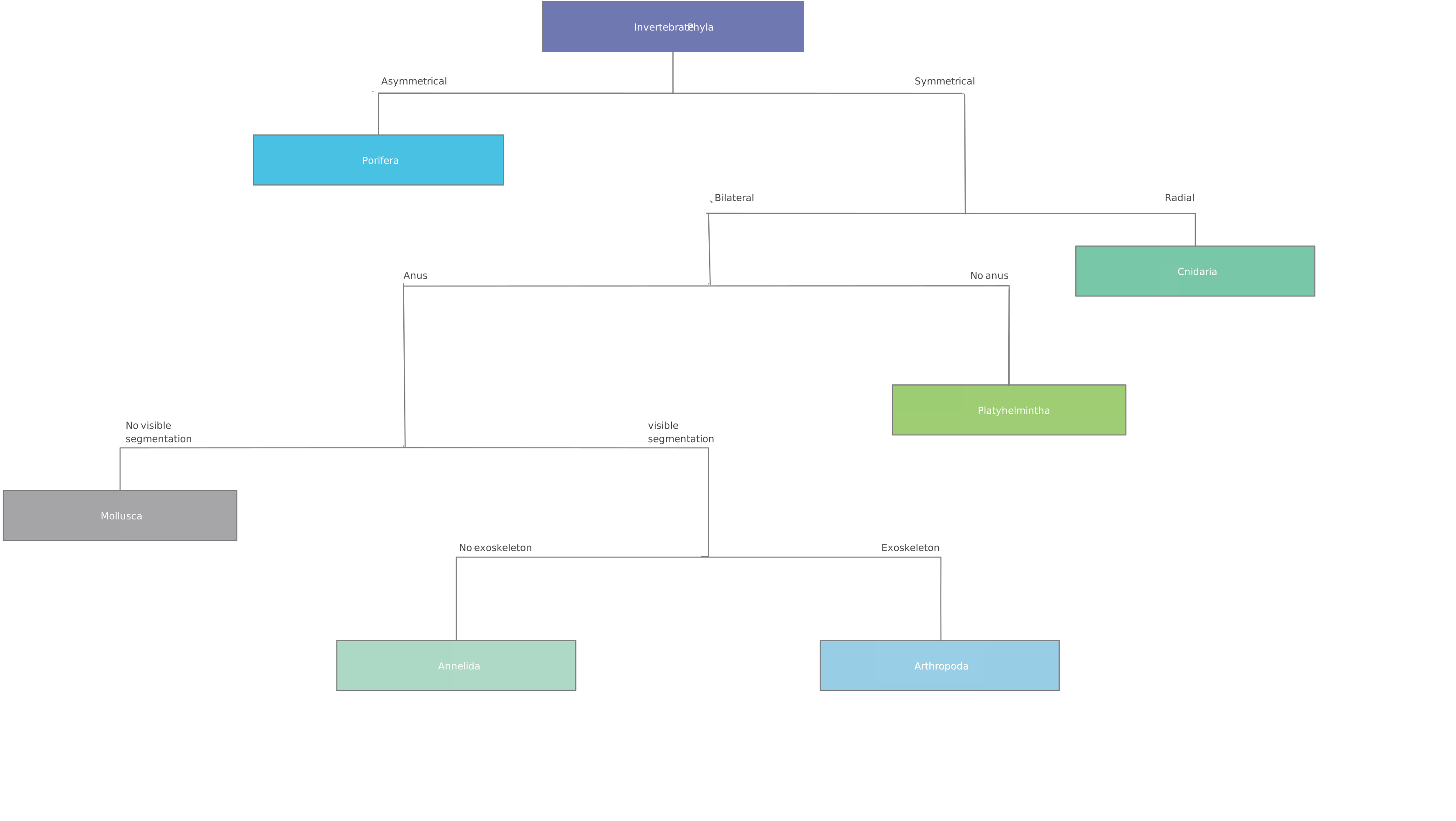
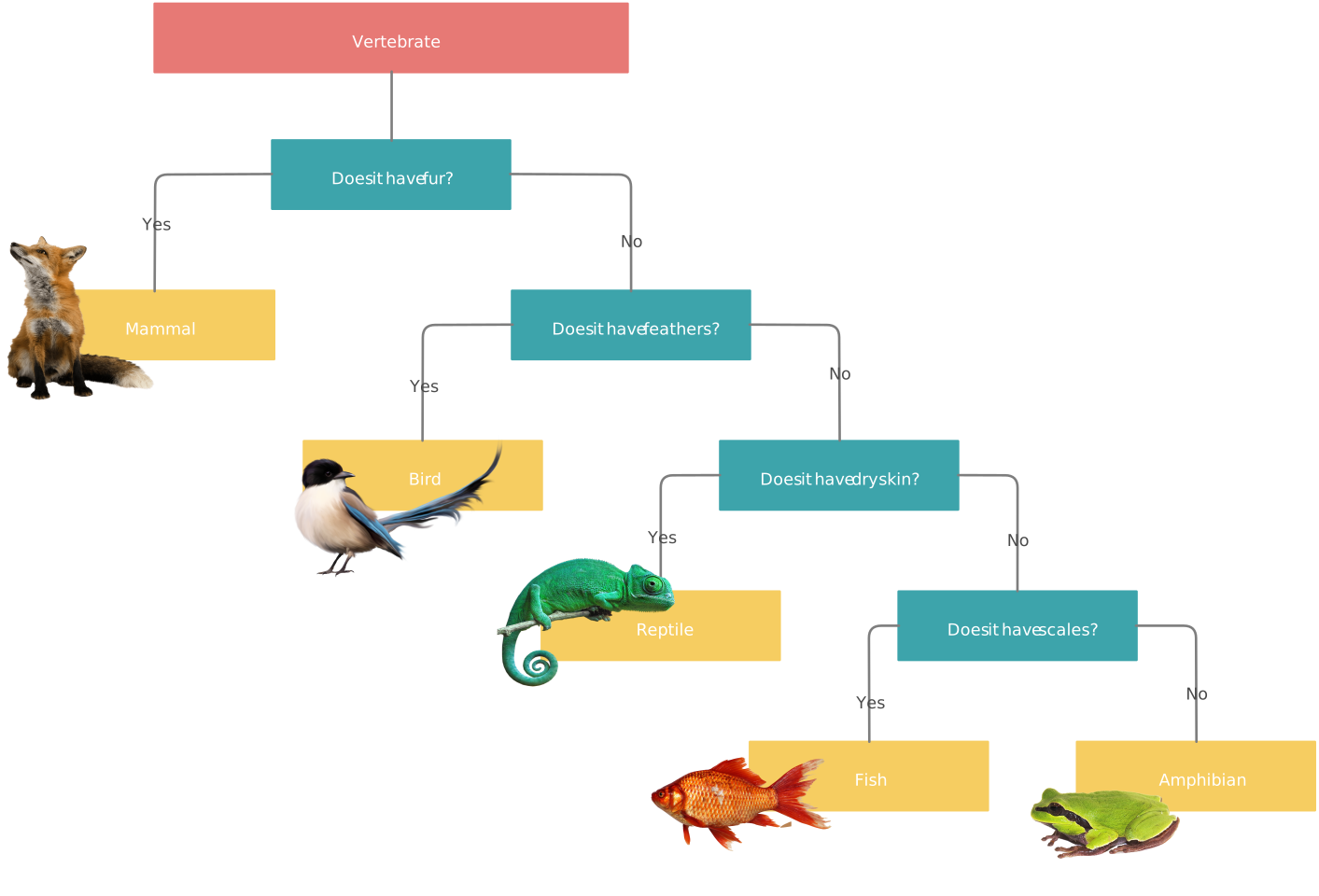
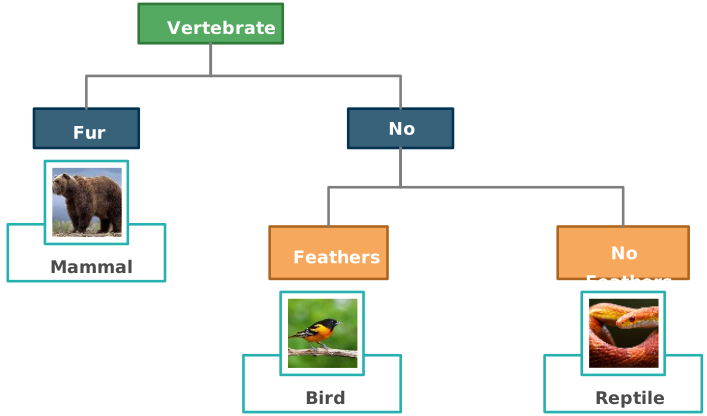
Example of a dichotomous key diagram classifying animals

What Is a Dichotomous Key?

A dichotomous key is a classification tool that helps you identify an organism or object by moving through a series of paired choices. This guide explains what a dichotomous key is, when to use one, how to create it step by step, and how diagram templates can make the logic easier to follow.

Dichotomous Key Definition

A dichotomous key is a structured identification method used in biology and many other fields to classify items based on observable characteristics. Each step presents two contrasting statements or questions, and each answer sends you to the next comparison until you reach an identification.

Dichotomous keys are especially useful for plants, animals, rocks, microorganisms, and any set of items that can be distinguished through visible or measurable traits. The word “dichotomous” means “divided into two parts,” which reflects the binary structure of the key.

When to Use a Dichotomous Key

A dichotomous key is most useful when you need a repeatable way to identify similar-looking items without guessing. It works well when the differences between items can be expressed as clear, mutually exclusive choices.

You might use one to:

  • identify plant, animal, or insect specimens in the field or classroom
  • classify rocks, leaves, bacteria, or manufactured parts
  • teach students how to observe and compare characteristics carefully
  • create a documented process for sorting similar items the same way every time

How to Make Dichotomous Key

Step 1: List the characteristics

Start by observing the specimens or objects you want to identify. Write down the characteristics you can see clearly, such as leaf shape, wing presence, number of legs, texture, or color. Choose traits that are consistent and easy for another person to verify.

Step 2: Organize the characteristics in order

Arrange the characteristics from broad differences to finer distinctions. Starting with the most obvious split makes the key easier to follow and reduces the chance of confusion later.

Step 3: Divide the specimens

Turn each characteristic into two contrasting choices. You can write them as statements such as “has feathers” versus “does not have feathers,” or as questions such as “Does it have feathers?” The first split should use the most general characteristic.

Step 4: Divide the specimen further

Continue splitting each group using the next most useful contrasting trait. For example, after separating animals by feathers versus no feathers, you might split the non-feathered group by fur versus no fur. Keep going until each path ends in a clear identification.

Step 5: Draw the dichotomous key

You can present the key as a numbered text list or as a visual diagram. Creately’s dichotomous key maker can be helpful when you want to add images, organize branches clearly, or share the key with students and teams.

Step 6: Test it out

Test the key with specimens that already have known identities. If users get stuck, misclassify items, or interpret a pair of choices differently, refine the wording until each decision point is clear and mutually exclusive.

If you prefer a video walkthrough, watch this dichotomous key tutorial on YouTube.

Tips for Writing a Better Dichotomous Key

Before you publish or share your key, make sure each decision point is:

  • based on a visible or measurable trait rather than an assumption
  • written as two clear, mutually exclusive choices
  • consistent in wording and level of detail
  • tested with real specimens or examples
  • ordered from broad distinctions to narrow ones

Key Features of Creately’s Dichotomous Key Maker

  • User-friendly interface: Easily drag and drop elements to build logical flows for species classification or any binary decision-making process.
  • Customizable templates: Choose from pre-designed templates and shapes to create professional-looking dichotomous keys quickly.
  • Real-time collaboration: Work together with peers and colleagues at the same time, making group projects and classroom activities easier to manage.
  • Flexible export options: Save your work in multiple formats such as PNG, JPEG, SVG, and PDF for sharing, printing, and publishing.
  • Versatile applications: Useful for classroom exercises, research workflows, and any classification task that depends on binary choices.
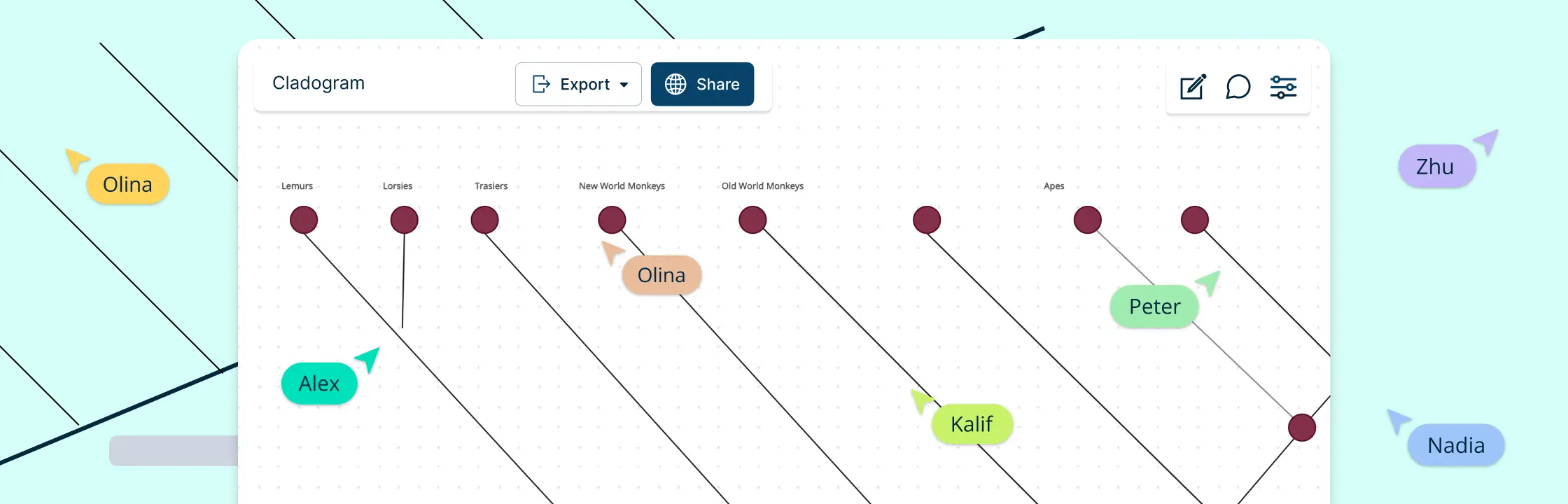
  • Evolutionary connection tools: To draw connections between species and show evolutionary relationships, use our Phylogenetic Tree Maker or Online Cladogram Maker.

Free Dichotomous Key Examples
Dichotomous Key Template for What is a Dichotomous Key
Edit this Template
  • Ready to use
  • Fully customizable template
  • Get Started in seconds
exit full-screen Close
Dichotomous Key Template
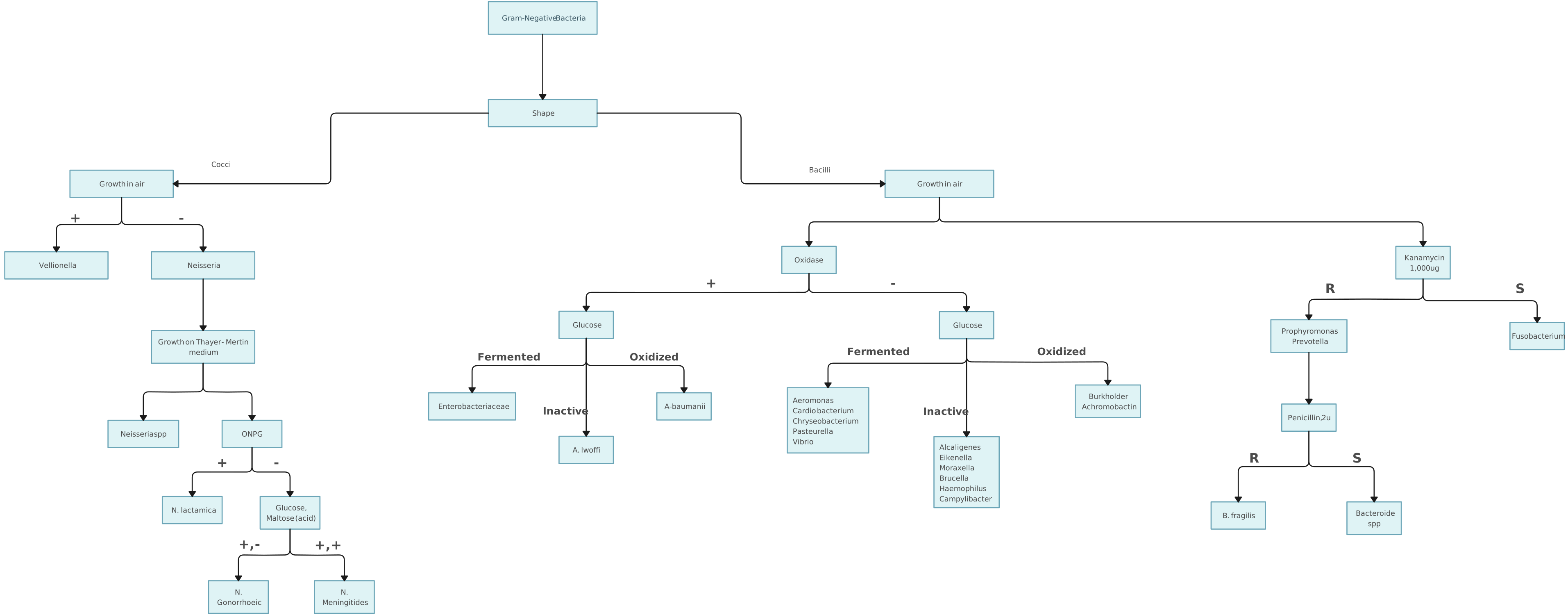
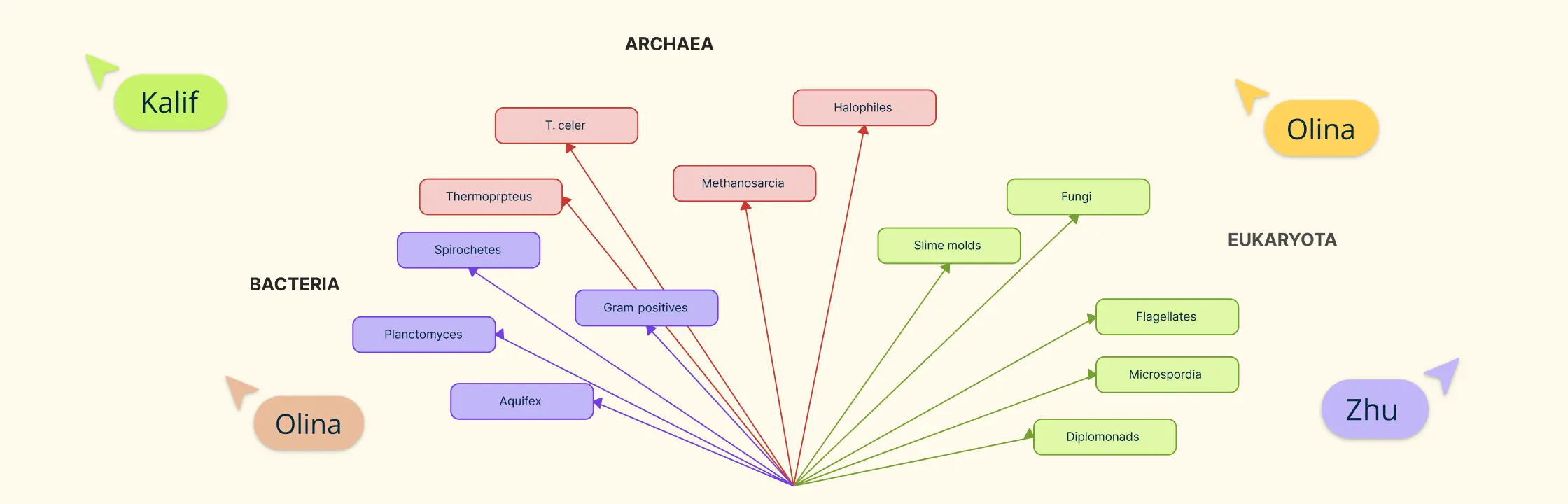
Dichotomous Key Diagram Template Unknown Bacteria for What is a Dichotomous Key
Edit this Template
  • Ready to use
  • Fully customizable template
  • Get Started in seconds
exit full-screen Close
Unknown Bacteria Dichotomous Key Diagram Template
Dichotomous Key Example Template for What is a Dichotomous Key
Edit this Template
  • Ready to use
  • Fully customizable template
  • Get Started in seconds
exit full-screen Close
Dichotomous Key Example Template
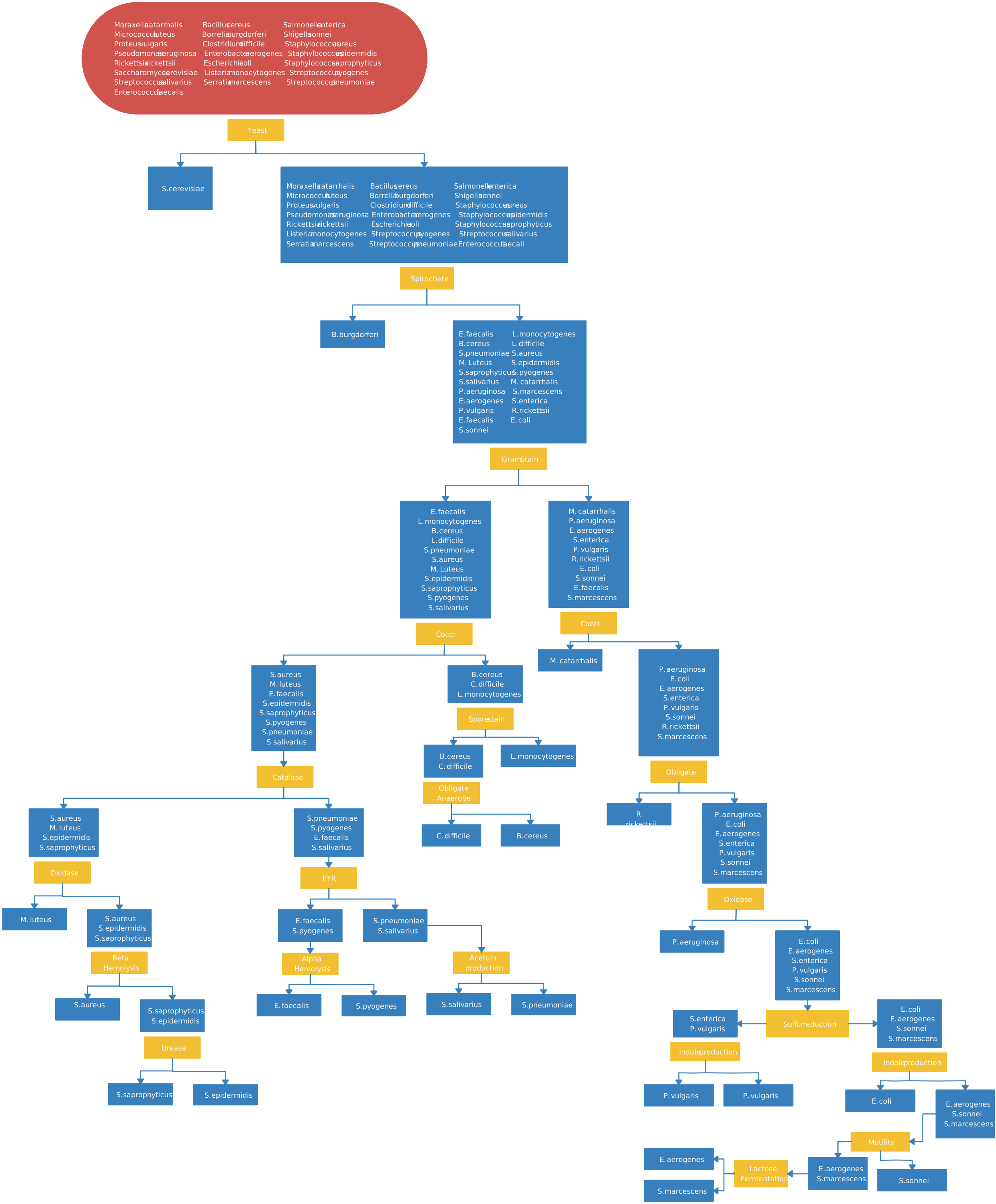
Microbiology Dichotomous Template for What is a Dichotomous Key
Edit this Template
  • Ready to use
  • Fully customizable template
  • Get Started in seconds
exit full-screen Close
Microbiology Dichotomous Template
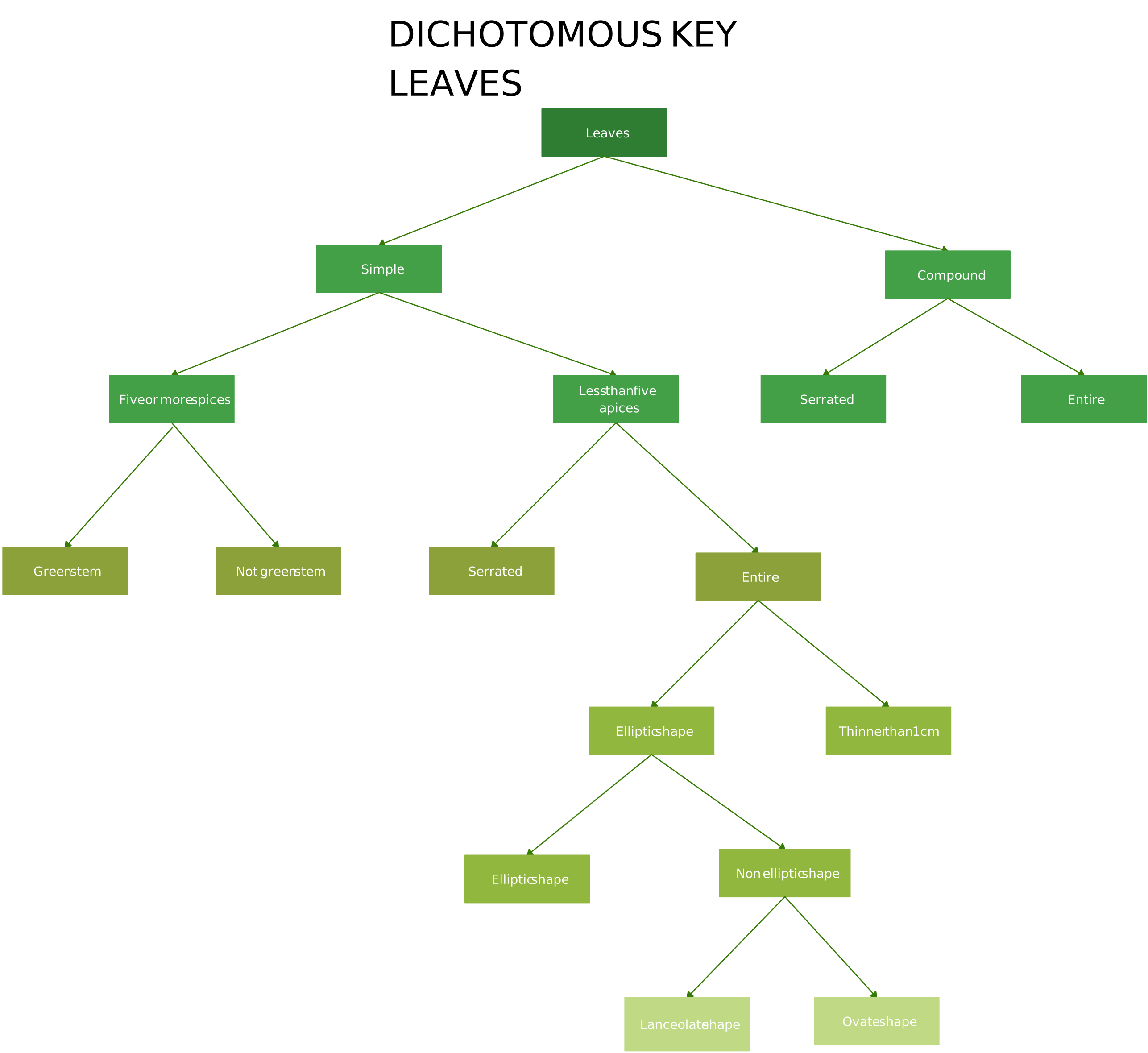
Dichotomous Key for Leaves Template for What is a Dichotomous Key
Edit this Template
  • Ready to use
  • Fully customizable template
  • Get Started in seconds
exit full-screen Close
Dichotomous Key for Leaves Template
Dichotomous Key Diagram Template for What is a Dichotomous Key
Edit this Template
  • Ready to use
  • Fully customizable template
  • Get Started in seconds
exit full-screen Close
Dichotomous Key Diagram Template
Dichotomous Key Example Template for What is a Dichotomous Key
Edit this Template
  • Ready to use
  • Fully customizable template
  • Get Started in seconds
exit full-screen Close
Dichotomous Key Example Template
Dichotomous Key for Leaves Template for What is a Dichotomous Key
Edit this Template
  • Ready to use
  • Fully customizable template
  • Get Started in seconds
exit full-screen Close
Dichotomous Key for Leaves Template

FAQs About Dichotomous Key

Which question would be asked in a dichotomous key?

A typical dichotomous key question might be: “Are the leaves needle-like or broad?” This question offers two distinct choices, allowing you to narrow down the identification process based on a clear, observable characteristic.

How do I create a dichotomous key for plant species identification?

Begin by listing all observable characteristics of the plants—from general features like leaf shape to specific details like flower color. Organize these traits from broad to narrow, create clear contrasting statements for each step, and then test your key with known plant specimens. Digital tools can help design a user-friendly diagram for your dichotomous key.

What are the common mistakes to avoid when designing a dichotomous key for biology?

Avoid using vague or overlapping characteristics, mixing qualitative and quantitative traits without clear distinction, and skipping the testing phase. Each decision point should offer mutually exclusive choices to prevent misidentification, ensuring the key is both logical and reliable.

How can I test and refine my dichotomous key for accuracy in field research?

After drafting your key, validate it by applying it to specimens with known identities. Record any points of confusion or error, then adjust the questions or characteristics accordingly. Field testing is essential, especially when using the key for biodiversity studies or conservation efforts.

What software or online tools can I use to create a dichotomous key diagram?

You can use Creately to create a dichotomous key diagram quickly and clearly. Creately’s dichotomous key maker includes drag-and-drop tools, ready-made templates, real-time collaboration, and export options in formats like PNG, JPEG, SVG, and PDF, making it easy to build, customize, and share your diagram.

How does a branching tree dichotomous key differ from a nested style dichotomous key?

A branching tree key uses a visual tree diagram to represent each decision point clearly, which can be easier to follow. In contrast, a nested style key employs indented lists that show hierarchical relationships between questions, which may be more compact but less visually intuitive for some users.

Can dichotomous keys be used for classifications outside of biology?

Yes, dichotomous keys are versatile and can be applied to any classification system that requires differentiating items based on observable characteristics. They are used in fields such as geology, forensics, and manufacturing quality control, among others.

How do dichotomous keys benefit biodiversity studies and conservation efforts?

Dichotomous keys provide a systematic, accurate method for cataloging species, which is essential for biodiversity assessments and ecological research. By ensuring correct species identification, these keys support effective conservation planning and help researchers track changes in ecosystems over time.

Resources:

Griffing, Lawrence R. “Who Invented the Dichotomous Key? Richard Waller’s Watercolors of the Herbs of Britain.” American Journal of Botany, vol. 98, no. 12, Dec. 2011, pp. 1911–1923, https://doi.org/10.3732/ajb.1100188.

Jacquemart, Anne-Laure, et al. “An Interactive Multimedia Dichotomous Key for Teaching Plant Identification.” Journal of Biological Education, vol. 50, no. 4, 21 Mar. 2016, pp. 442–451, https://doi.org/10.1080/00219266.2016.1150870.

Amanda Athuraliya
Amanda Athuraliya Content Editor at Creately
Amanda Athuraliya is a Content Strategist and Editor at Creately, a visual collaboration and diagramming platform used by teams worldwide. With over 10 years of experience in SaaS content strategy, she creates and refines research-driven content focused on business analysis, HR strategy, process improvement, and visual productivity. Her work helps teams simplify complexity and make clearer, faster decisions.
linkedin icon
View all posts by Amanda Athuraliya →
Leave a Comment