Creating a five person family tree can be confusing, especially when you’re trying to fit parents, children, or extended relatives into a clear and accurate layout for a school project, genealogy research, or personal records. This guide brings together easy‑to‑use five members family tree templates with real examples to help you choose the right structure, and avoid common mistakes when using it. You will also learn how to customize a family tree with 5 members quickly using Creately’s editable diagrams.
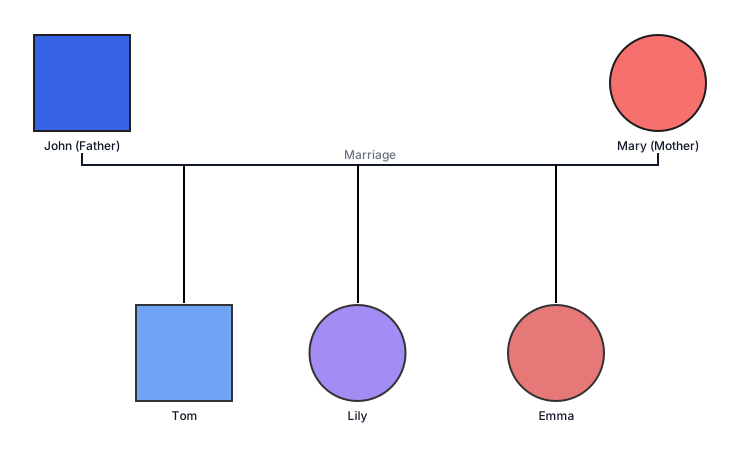
1. Five Members Family Tree Example with Parents and Children
This template is designed for basic family documentation and shows a five‑member nuclear family with two parents and their three children. It focuses on direct parent‑child and sibling relationships, making it suitable for recording household structures in a simple and clear way.
| When to use it | When documenting a standard nuclear family for personal records or basic reference |
| Who it’s best for | Students, teachers, families creating personal records |
| Common mistakes to avoid | Adding unnecessary extended relatives, overcrowding the layout with extra details, or misaligning sibling relationships |

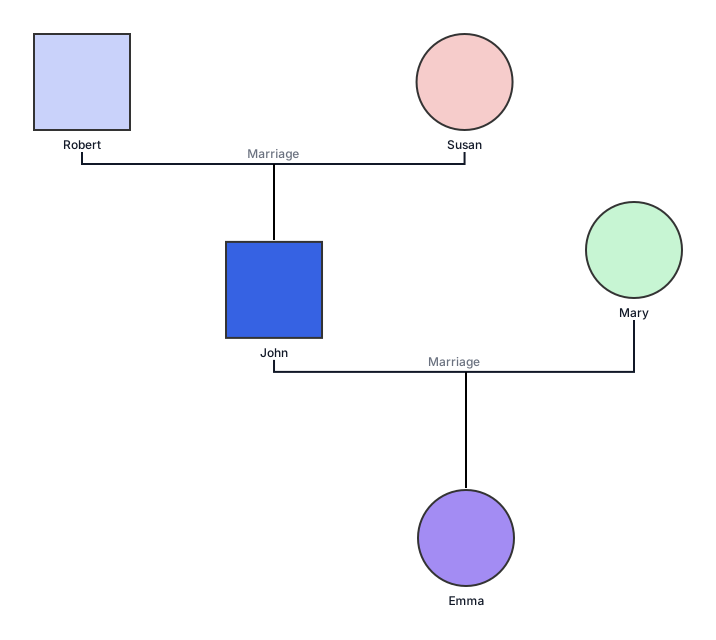
2. Family Tree with Five Members from Three Generations
This family tree 5 members template can be used to explain generational relationships within a family. It includes grandparents, their child (the parent), and a grandchild, clearly showing how family members are connected across three generations in a five‑member family tree.
| When to use it | When the goal is to explain lineage or generational hierarchy |
| Who it’s best for | Students, teachers, families interested in ancestry or lineage |
| Common mistakes to avoid | Placing family members in the wrong generation or missing parent‑child connections |
3. Five Member Family Tree Template with Extended Family Member (Grandparent)
This template is designed for a family tree of 5 members, and it combines an immediate family with one extended family member, typically a grandparent. It provides a balanced view of both close and extended relationships without becoming too complex.
| When to use it | When showing households where a grandparent lives with or plays a key role in the family |
| Who it’s best for | Families, students, teachers |
| Common mistakes to avoid | Treating the grandparent as a sibling or placing them on the wrong generational level |
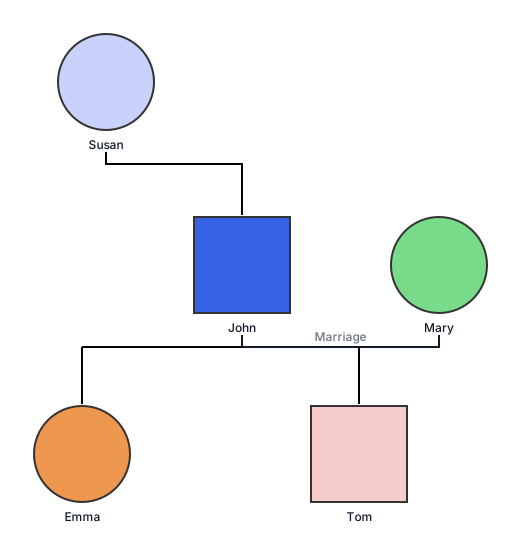
4. Family Tree 5 Members Template for Blended Families
This template is designed to represent modern family structures, including blended families. It shows biological parents, step‑parents, and children from previous relationships while clearly distinguishing different relationship types within a five‑member family tree.
| When to use it | When documenting remarriages, step‑siblings, or blended households |
| Who it’s best for | Families, teachers explaining diverse family structures |
| Common mistakes to avoid | Not distinguishing biological family tree members and step‑sibling relationships or overcrowding the diagram |
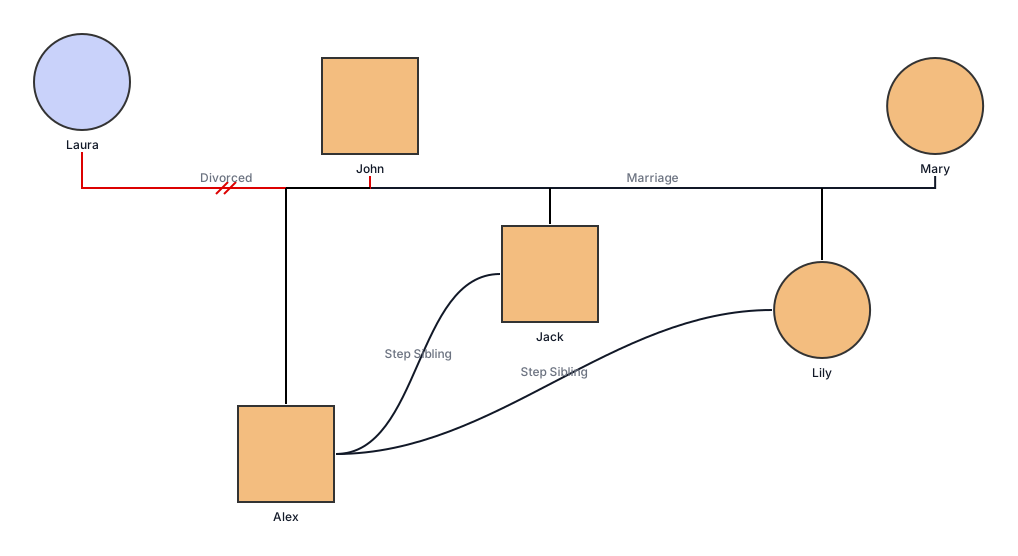
5. Five‑Member Family Tree Example for Single Parent Household
This five‑member family tree template can represent a single‑parent household or a guardian‑based family. It shows one parent and multiple children, along with an additional family member such as a grandparent or guardian. It accurately reflects non‑traditional household structures while keeping relationships simple and clear.
| When to use it | When documenting a single‑parent family or explaining non‑traditional household structures |
| Who it’s best for | Students, teachers, families creating inclusive family trees |
| Common mistakes to avoid | Treating the additional adult as a second parent or failing to clarify guardianship roles |
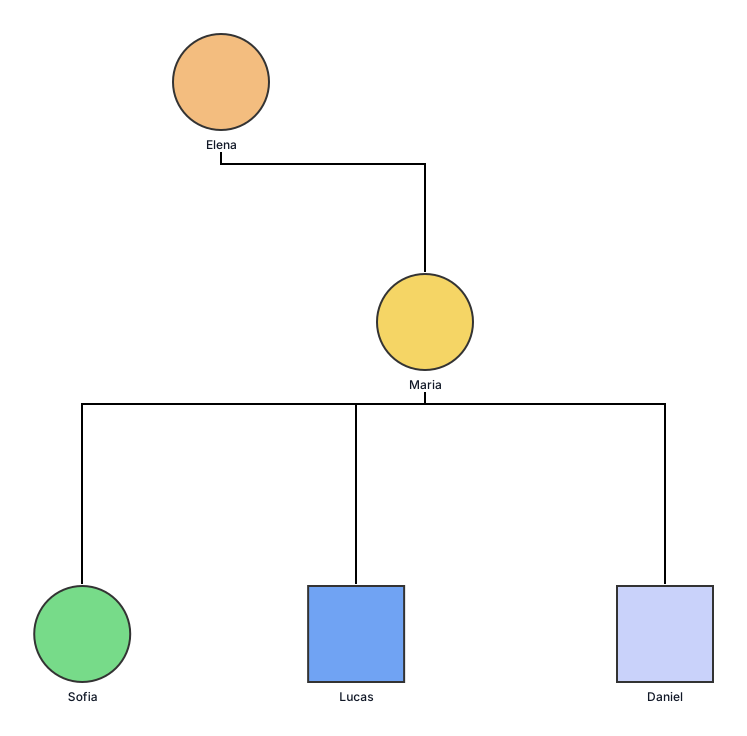
6. Five‑Member Family Tree Example with Siblings
This template is used for sibling‑focused learning and emphasizes relationships between siblings. It includes five siblings connected through shared parents, helping explain sibling roles and connections in a simplified family tree.
| When to use it | When the focus is on understanding sibling relationships rather than generations |
| Who it’s best for | Students, teachers, families creating simplified family records |
| Common mistakes to avoid | Omitting shared parents entirely or placing siblings on different generational levels |
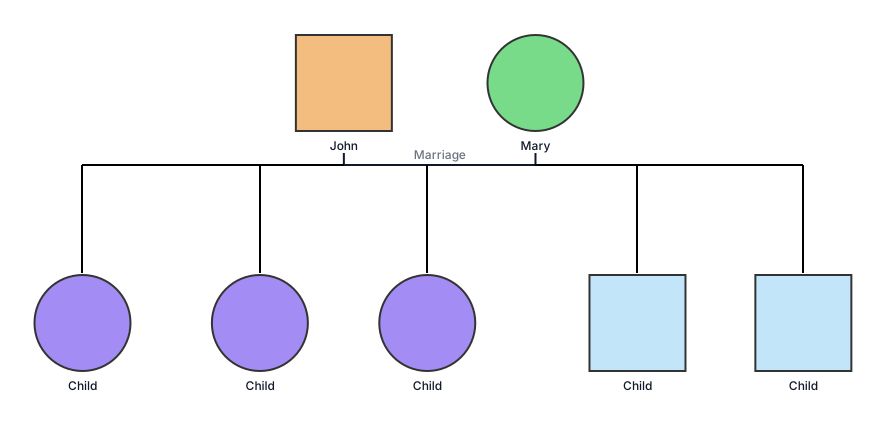
7. Family Tree Template for Extended Family Relatives (Aunts, Uncles, Cousins)
This template goes beyond the family tree 5 members drawings we have covered earlier. It includes parents, children, and extended relatives such as aunts, uncles, or cousins. It provides a broader understanding of extended family relationships while still keeping the structure manageable for five members.
| When to use it | When exploring family relationships beyond the immediate household |
| Who it’s best for | Students, families exploring extended family connections |
| Common mistakes to avoid | Including too many relatives or making relationship paths unclear |
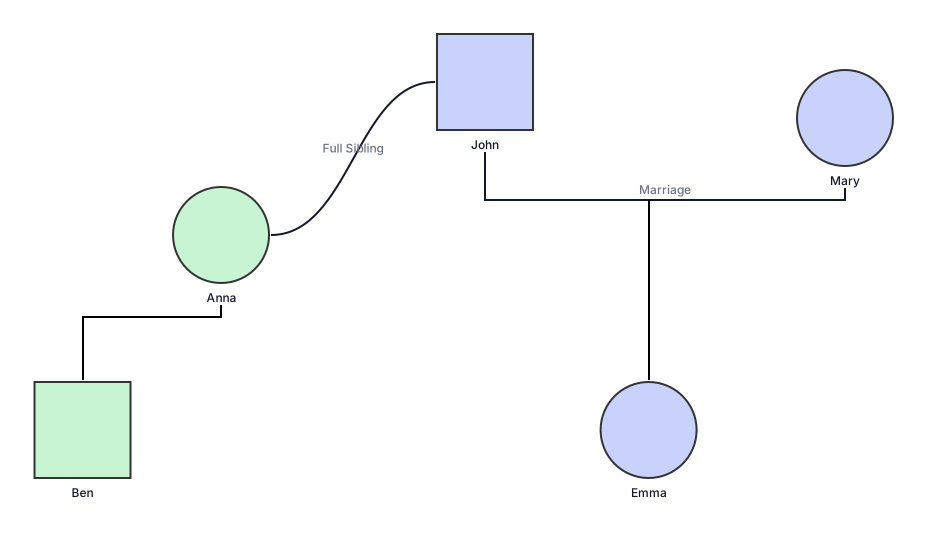
If you’re unsure which family tree design for 5 members best fits your family, see our guide to different types of family trees which explores chart formats such as extended, blended, and circular layouts.
How to Customize a Five‑Member Family Tree
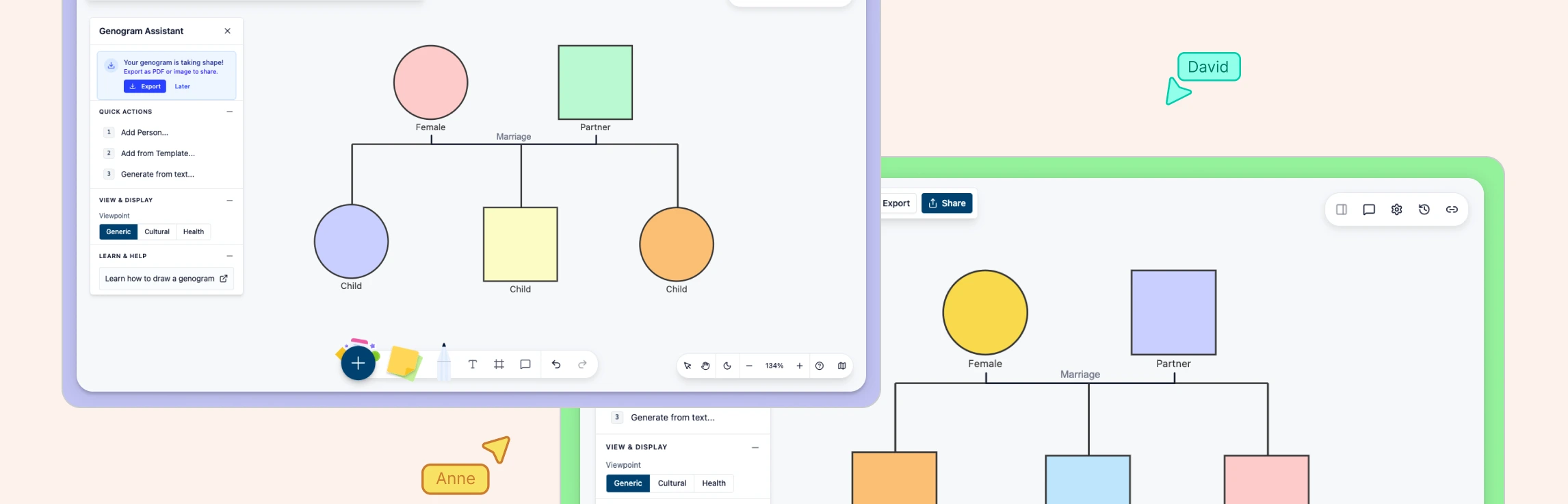
Customizing a five‑member family tree is about more than arranging names on a diagram. With Creately’s free family tree creator, you can accurately represent relationships, adapt the structure to different family situations, and add meaningful context without making the diagram complicated.
Step 1: Start with the Right Template for Your Use Case
Begin by selecting a template that matches your situation—such as a nuclear family, blended family, single‑parent household, or three‑generation family tree. Choosing the right starting structure ensures family members are placed at the correct generational level from the start.
Step 2: Add Family Members and Define Relationships
Add each family member and connect them using clear parent‑child and sibling relationships. You can also label step‑parents, guardians, or extended relatives when needed, ensuring the family tree accurately reflects real family structures. If you prefer a quicker start, you can generate an initial family tree from a short text description and then review and refine the relationships as needed.
Step 3: Keep the Layout Simple and Readable
Adjust spacing, alignment, and positioning so relationships are easy to follow. A clean layout is especially important for school assignments, where the family tree needs to be explained clearly without confusion.
Step 4: Use Labels and Notes for Clarity
Edit names, roles, and relationship labels directly on the family tree. You can also add short notes to explain living arrangements, guardianship, or special relationships without overcrowding the diagram.
Step 5: Add Visual Details Carefully
Use colors or simple visual cues to distinguish branches of the family, generations, or relationship types. This will make the diagram more visual, engaging, and easy to present. Avoid over‑decorating—clarity matters more than design, especially for educational use.
Step 6: Review and Export Your Family Tree
Once complete, review the family tree to make sure all relationships are accurate and clearly labeled. You can then export it as a PDF, image, or SVG, making it easy to create a printable family tree 5 members example for school projects, homework submissions, or personal records.
Step 7: Update the Family Tree Over Time
Family structures can change. Save and update your five‑member family tree as needed, adding or adjusting relationships while keeping the original structure intact.
Creating a five‑member family tree helps you clearly understand and explain family relationships, whether for a school project, personal records, or learning about different family structures. By choosing the right template and keeping relationships simple and accurate, you can create a family tree that is easy to read, share, and update over time.
If your family structure includes fewer or more people, you may find the four members family tree templates and six members family tree templates guides helpful for exploring other family tree formats.
Helpful Resources for Making Family Trees
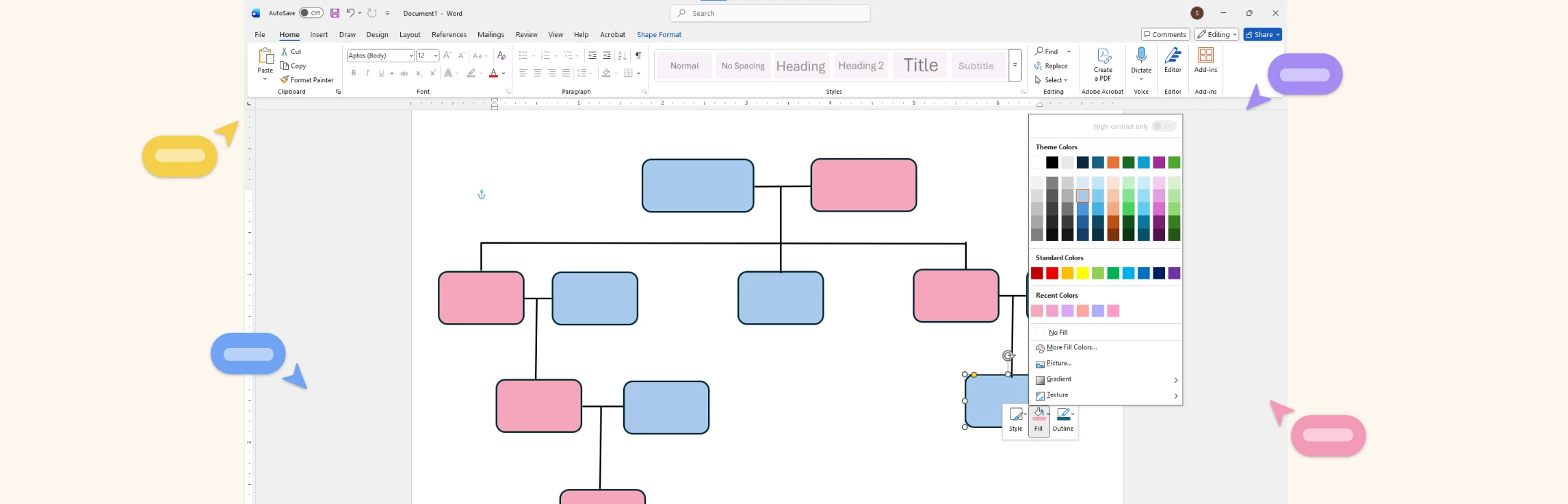
Learn how to use Microsoft Word to create clear and well‑structured family trees for school projects or personal records.
Discover how to create and format family trees using Google Docs, making it easy to collaborate and share online.
Learn how to design and present family trees in Microsoft PowerPoint for classroom presentations or visual storytelling.
FAQs about 5 Member Family Tree Templates
What Is a 5 Members Family Tree?
Can I reuse the same family tree template for different purposes?
Can a five‑member family tree be expanded later?
Should I use real names or placeholders in a family tree?
References
Borges, José. “A Contextual Family Tree Visualization Design.” Information Visualization, 17 May 2019, p. 147387161984509, https://doi.org/10.1177/1473871619845095.
Bouquet, Mary. “Family Trees and Their Affinities: The Visual Imperative of the Genealogical Diagram.” The Journal of the Royal Anthropological Institute, vol. 2, no. 1, Mar. 1996, p. 43, https://doi.org/10.2307/3034632.