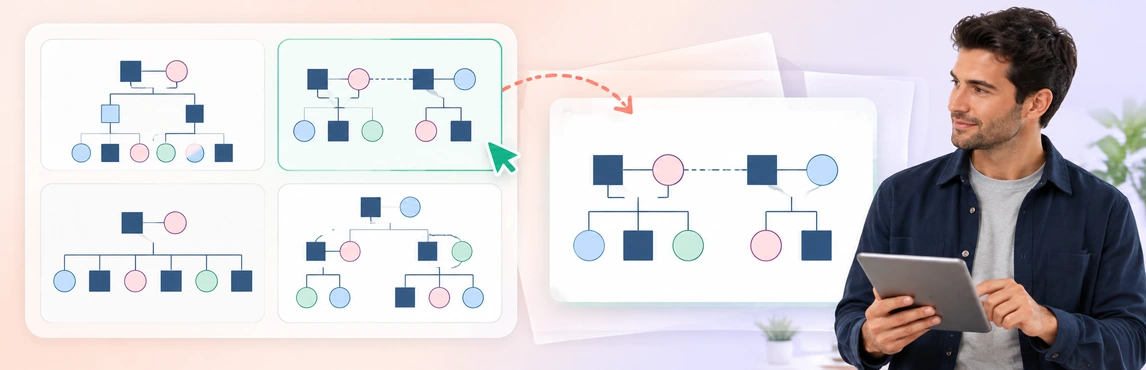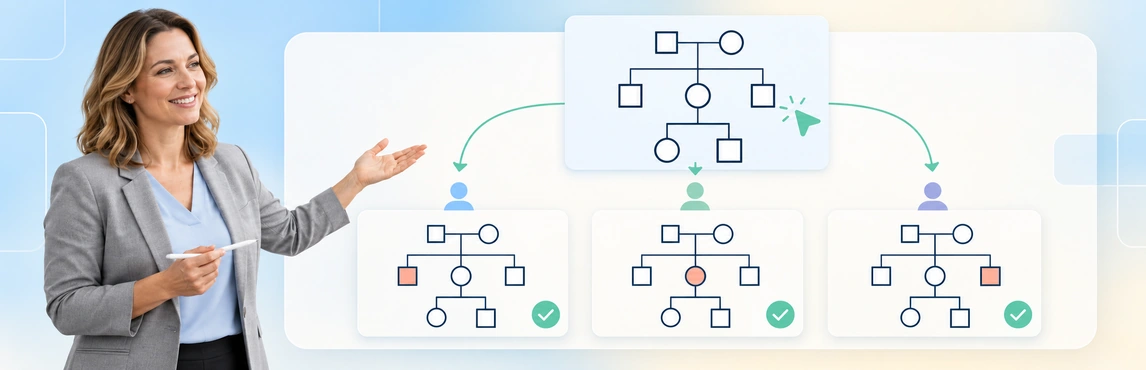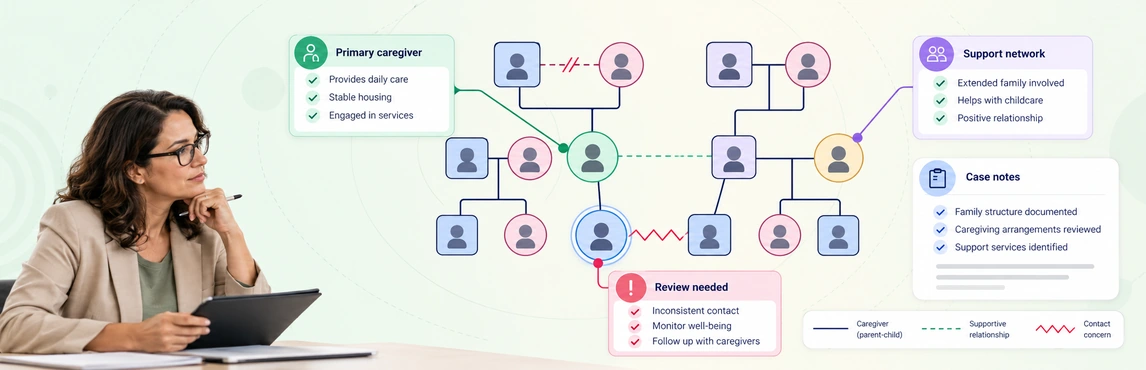
Genograms for child welfare case management bring family relationships, caregivers, and sources of support into one map that a caseworker can review with a family. Record who is connected to the child, who provides care, what has changed, and which details still need checking. Use that map alongside the case record to prepare questions and follow-up actions for safety, placement, and permanency reviews.
For a general introduction, start with what a genogram shows. For broader practice context, see the social work genogram guide; this page is specifically for child-welfare placement documentation, review preparation, and source uncertainty.
What Should a Child Welfare Genogram Help You Review?
A useful case map makes it possible to distinguish a family connection from a current caregiving arrangement. An aunt may be an important source of support without being an approved placement; a foster caregiver may provide day-to-day care without holding every legal decision-making responsibility.
Use the following questions to set the scope of a review. The map records information for assessment; it does not establish that a person or household is safe.
| Case-work question | Information to show | Follow-up outside the diagram |
|---|---|---|
| Who matters to the child? | Siblings, relatives, caregivers, and significant non-relative kin identified with the family | Ask whose perspective or connection is missing |
| Who provides care now? | Current household, caregiving relationship, and relevant start or end dates | Check the current placement and case records |
| Who could provide support? | Reported availability for contact, transport, cultural connection, or caregiving | Confirm willingness and complete required checks |
| What has changed? | Placement moves, new family information, changed contact arrangements | Record the change and its implications in the case plan |
| What remains unresolved? | Unknown relationships, conflicting accounts, missing dates | Assign an owner and a next review point |
Family connections deserve space in the record. In its September 2025 release of preliminary U.S. FY 2024 AFCARS data, the Children’s Bureau reported:
- Approximately 329,000 children were in foster care on September 30, 2024.
- 39% of children in care were placed with relatives or kin through kinship care.
These figures describe the U.S. foster-care population, not outcomes from using genograms. Source: Children’s Bureau, preliminary FY 2024 AFCARS release.
Separate Family Relationships, Placement, and Legal Status
Keep each type of information identifiable. Use your agency’s agreed genogram symbols and include a legend so another worker can interpret the map without relying on color alone.
- Family relationship: biological, adoptive, step, foster, or another relationship described by the family.
- Household and placement: where the child currently lives and the dates relevant to that arrangement.
- Legal responsibility: the status recorded in the relevant order or authorized case document, with its date and reference.
- Contact and support: what the child and family report about contact, closeness, practical help, or estrangement.
Do not erase a birth-family connection when recording a foster placement. Keep historical arrangements distinguishable from the current one, and label a possible future arrangement as under consideration. Where accounts differ, retain the distinction rather than selecting one account without explanation.
You can adapt this existing foster-to-adopt template to practice separating those relationships. Its sample content is a starting point for layout, not an agency-approved assessment form.


How to Maintain a Map for Case Reviews
The workflow below is a suggested documentation approach to adapt to your agency’s requirements. It does not replace mandated assessment forms or recording procedures.
1. Define the Case Question
Write down what the next review needs to clarify, such as identifying relatives for follow-up or understanding a change in caregiving. Agree on the map’s scope, its intended readers, and the information necessary for that purpose. Keep unrelated sensitive details in the appropriate restricted record.
2. Build the Map with the Child and Family
Ask who the child considers family and who provides support. Include relevant connections across households and generations, and invite corrections without treating missing information as a refusal to cooperate.
Local requirements can be specific. Georgia DFCS’s genogram policy requires an initial hand-drawn map during face-to-face contact, allows computer-generated updates, and calls for family review of amendments. Check your own agency’s process before choosing a digital-first approach.
3. Record Sources and Uncertainty
Attach a source and date to information that may affect how the map is interpreted. Distinguish a person’s report, a worker’s observation, a documented fact, and an unresolved question. Sensitive allegations need attribution and appropriate handling under agency policy.
| Record alongside the map | Example of a useful entry |
|---|---|
| Source and collection date | Child’s account during the 2 October review |
| Information status | Reported; not yet corroborated |
| Difference between accounts | Child reports weekly contact; caregiver reports monthly contact |
| Next action and owner | Assigned worker to clarify contact history before the next review |
Use neutral descriptions of events and reported experiences. A repeated pattern on a diagram does not establish a diagnosis, cause, or prediction about another family member.
4. Compare the Map with the Case Record
Check people, relationship types, current arrangements, and dates against the records available for the review. Turn gaps into explicit follow-up tasks rather than leaving another worker to infer what is missing. Record any decision and its supporting assessment in the designated case record.
5. Update and Prepare the Review Copy
Review the map after relevant changes and at the review points required by your agency. Add a version date, identify who reviewed it, and preserve prior versions according to the record-retention process. Before sharing, check both the intended audience and the actual contents of the exported file.
A Fictional Case: From Family Map to Follow-Up Actions
Consider Maya, age 10, who is living with a foster caregiver. Her younger brother lives with a relative, and Maya names a maternal aunt and a family friend as important people. All people, dates, and circumstances in this example are fictional.
A map showing only Maya and her current caregiver would omit the relationships the worker needs to discuss. Adding the sibling, aunt, and family friend makes those connections visible, but it does not answer whether anyone can provide care.
| Entry on the working map | Source and status on 2 October | Linked follow-up |
|---|---|---|
| Maya — foster caregiver: current care arrangement, not a biological or legal-parent label | Current placement record; confirm its effective date | Recheck the arrangement before the next review |
| Maya — younger brother: sibling connection; brother currently lives with a relative | Maya’s account; reported, pending record check | Review Maya’s request for more contact through the agency process |
| Maya — maternal aunt: family connection and offer of practical help | Maya identifies the aunt; offer reported, caregiving suitability unknown | Clarify the offer and complete any required checks |
| Maya — family friend: significant person, involvement not yet agreed across accounts | Differing family accounts; disputed | Clarify each account without assigning a settled support role |
The review produces a list of questions and assigned actions. It does not produce an automatic placement recommendation. Use an ecomap alongside the genogram when the team also needs to discuss schools, services, and community supports.
Using Creately Clinical Maps for the Documentation Workflow
Creately Clinical Maps supports biological, adoptive, foster, and step relationships, with 60+ relationship types available across its relationship categories. You can draw the family structure or generate a draft from text and supported PDF, Word, and text documents. Check every generated connection against the source before using the diagram in a case review.
| Workflow need | Relevant capability | Access or review consideration |
|---|---|---|
| Draw or draft the family map | Basic drawing and text-to-genogram | Basic is included on every plan; assisted generation is metered |
| Record relevant social context | Social Work field pack with support network, services received, housing, and social notes | Advanced requires an eligible Enterprise Genogram workspace and approved protected-data arrangements |
| Let an authorized colleague review the map | Role-based sharing, including a read-only Viewer role | Read-only access prevents editing; review what the recipient can see |
| Prepare a diagram or report | Basic image export; Advanced report generation | Check the available format, contents, and agency requirements before distribution |
Enterprise alone does not confirm that Advanced Genogram features are enabled for a team. Ask your workspace administrator or Creately sales to confirm access and the approved arrangements for the protected data involved. Pattern observations are heuristic and must not be presented as diagnoses or risk scores.
Start with a child welfare genogram template using fictional information while agreeing on team notation. Review your organization’s approved handling arrangements before entering identifiable case information; the digital genogram storage guide provides related questions for that review.
What to Check Before a Supervisor or Court Review
Prepare a copy for the specific review purpose. Permission to edit, permission to view, and permission to disclose information are separate considerations.
- Confirm that the people, placement details, and dates are current for the stated review date.
- Include a legend and retain visible qualifications on uncertain or disputed information.
- Check the recipient’s authorization and remove information outside the approved disclosure scope.
- Inspect the exported copy for unintended names, notes, or other sensitive details.
- Follow the agency’s review process and applicable submission requirements.
A polished export does not establish court admissibility or satisfy every reporting requirement. Keep the underlying sources and assessment record available through the approved process so reviewers can understand the basis of the information shown.
Child Welfare Genogram Templates
Choose a template for the question your team needs to discuss. Alongside the foster-to-adopt example above, these layouts help organize support relationships and family connections for case reviews. Adapt the sample information and legend to your agency’s documentation requirements.
- Social Work Support Network Genogram: Start here to map relatives and other people who provide practical or emotional support.
- Genogram for a Child Custody Case: Use this layout to distinguish family connections when preparing a discussion of caregiving arrangements. Confirm legal status against the relevant records.