To explain complex family relationships in case reviews and court reports, begin with the child and the question the reader needs to understand. Use a dated genogram to distinguish family ties, current care and legal arrangements, then explain the legend, sources and uncertainties. Connect the diagram to the written report so a relationship line does not have to carry the full account or decision rationale.
This guide focuses on presenting blended, foster, kinship and multigenerational relationships clearly. It supports the wider child-welfare genogram workflow; court-specific submission and evidence requirements need confirmation through the responsible legal team.
Start with the Review Question and the Child
A reader needs to know what the diagram explains before interpreting its lines. Introduce the focal child, the date represented and the question under discussion, using the identifiers appropriate to the approved report.
A useful opening contains:
- Purpose: the care arrangement, family connection or change the review needs to understand.
- Time: when the information was checked and which period the map represents.
- Scope: the people and relationships relevant to that question.
- Limits: unresolved details or differing accounts that affect interpretation.
For example: “This map shows the family connections relevant to the current care review, checked against the listed records on 9 October. Earlier care arrangements are dated separately.” This gives the reader a route through the diagram without implying every detail is verified.
Use the Child Custody Case Genogram below to practice a focused explanation. Its title and layout do not establish custody, legal status or suitability; each consequential label needs its own documented basis.


Explain Four Different Kinds of Connection
Complex family relationships become easier to follow when the explanation separates roles that one person may hold at the same time. An aunt can be a relative, a current caregiver and a reported source of support, with different evidence for each description.
| Connection | What to explain | Source or limit to keep visible |
|---|---|---|
| Family tie | How the person is related to the child | The record or attributed account supporting the relationship |
| Current care | Who provides day-to-day care and since when | Current placement or care record and relevant dates |
| Legal arrangement | The recorded status or arrangement relevant to the report | The current authoritative record; avoid inferring terms from a symbol |
| Reported relationship quality | Whose account describes closeness, conflict or limited contact | Source, date and any differing account |
Keep these distinctions in the narrative as well as the picture. A household outline should not imply parental responsibility, and a relationship line should not stand in for the terms of an order.
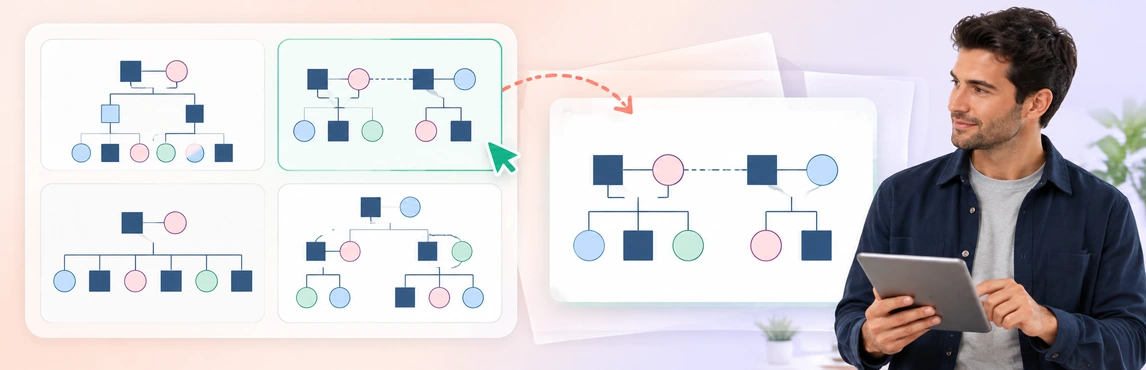
For blended families, explain partner relationships before moving to children, half-siblings and step relationships. This Multiple Marriages Genogram provides a starting layout; use the relationship-types guide for notation background and adapt the labels to the documented family.

Show Foster, Kinship and Earlier Care Arrangements Clearly
A change in where a child lives does not erase family connections. Show the current arrangement clearly while retaining the relevant history needed to understand it.
Before presenting the map, check:
- Current care: the caregiver’s role and the source confirming the arrangement.
- Family ties: biological, adoptive, kinship and other relevant connections.
- Earlier arrangements: dates or clear historical labels that prevent confusion with the present.
- Proposals: changes being discussed that have not yet occurred or been authorized.
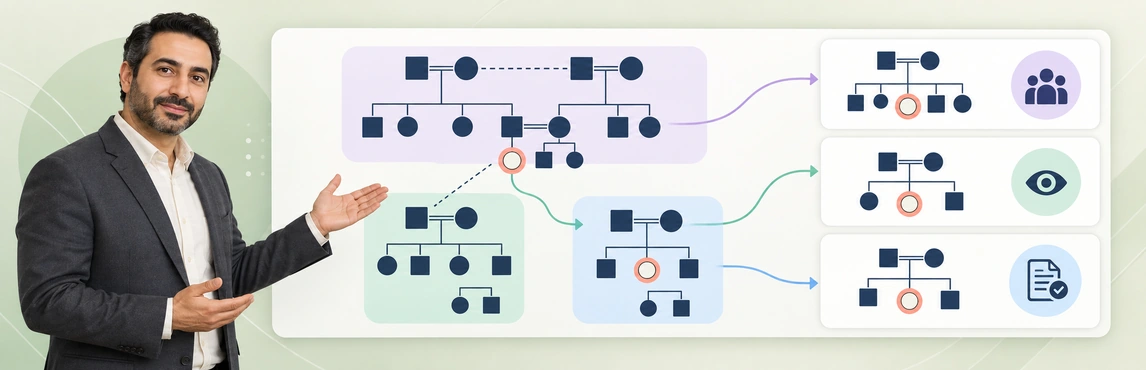
If several generations or households make one page difficult to read, prepare a focused overview with references to further detail, subject to the report requirements. Keep identifiers and notation consistent between versions so a reader can follow the same person across them.
The Foster-to-Adopt System Genogram can help practice these distinctions. Replace its sample information, and do not imply that adoption is the goal simply because that wording appears in the template name.

Use a Legend and Keep the Explanation Traceable
A familiar symbol still needs a clear meaning in the report being read. Explain the lines used on this map, identify the information source and preserve uncertainty rather than leaving the reader to infer it.
Victoria’s Child Protection Manual advises using a key when other symbols are introduced and explaining the purpose, process and symbols when developing a genogram with a family. This provides a concrete example of why notation needs explanation; it does not establish a single symbol standard required by every court. Source: Victoria Child Protection Manual, Genograms.
For each important relationship label, make it possible to identify:
- Who supplied the information or which record supports it.
- The event date, if known, and the date the account was recorded.
- Whether it is reported, disputed, unknown or supported by an authoritative record.
- Where the fuller explanation can be found in the report or case file.
For example, “Child reports weekly contact with aunt; recorded 9 October” is more informative than “close family.” A claim repeated in several documents may still trace back to one account. For sensitive concerns, use the trauma, abuse and estrangement documentation guide alongside the approved recording process.
Include significant support people where relevant to the question. This Social Work Support Network Genogram helps explain their roles without treating a supportive connection as proof of caregiving suitability.

Work Through a Fictional Review Explanation
Consider a fictional child, Sam, whose current care record identifies an aunt as caregiver. Sam’s mother has a partner, and a half-sibling lives in that household; Sam also describes regular contact with a grandparent. The example below shows how to explain those connections without turning the map into a recommendation.
Use this completed, text-based map key to keep each visible connection distinct without inventing which parent the aunt or grandparent is related to:
| Label on Sam’s map | Connection shown | Source/status to display |
|---|---|---|
| A — Current care | Sam → aunt, marked current caregiver | Current care record; check effective date |
| B — Parent and household | Sam → mother; mother → partner | Family account; verify present household against the record |
| C — Sibling | Sam → half-sibling, shown in mother’s household | Reported relationship; confirm the shared parent and residence before finalizing notation |
| D — Contact | Sam → grandparent, labeled reported contact | Sam’s account; record date and do not infer caregiving availability |
Explain the labels in order: 1. Identify Sam and the map date. 2. Point to A for current care, without turning the aunt into a legal-parent symbol. 3. Use B and C to explain the other household and the relationship still requiring verification. 4. Use D to attribute contact to Sam. 5. Close with the unresolved source checks rather than a placement recommendation.
| Part of the explanation | Example wording | What the written record still needs |
|---|---|---|
| Orient the reader | “The map focuses on Sam and the relationships relevant to this review.” | Purpose, map date and appropriate identifiers |
| Describe current care | “The aunt is shown separately as a relative and current caregiver.” | The source and dates for the arrangement |
| Explain another household | “The mother’s partner and Sam’s half-sibling are shown in that household.” | Verified relationships and any uncertainty about current residence |
| Attribute contact | “Sam describes regular contact with the grandparent.” | The date and context of Sam’s account |
| Identify a gap | “Current contact with one other relative has not yet been established.” | The assigned follow-up and its relevance to the review |
A short narrative might read: “The map distinguishes Sam’s current care from family ties across households. The contact label reflects Sam’s account; it is not a finding about the grandparent’s availability to provide care. The report identifies the unresolved contact question and the follow-up required.”
Copy and complete this attachment caption through the applicable report-review process: Purpose: [question the map explains]. Map date: [date represented]. Legend: [version and meaning of A–D]. Sources and limits: [records checked, reported details and unknowns]. Reviewer/version: [authorized reviewer, date and version reference]. Unresolved questions: [specific check and owner]. This caption describes the diagram; it does not certify evidence or court acceptance.
Keep the actual assessment and rationale in the written record. For related planning questions, see how genograms support safety and placement reviews.
Prepare the Map and Supporting Material in Creately Clinical Maps
Creately Clinical Maps provides drawing, notes, collaboration and 60+ relationship types. These features help organize the connections and labels a reviewer needs to follow, while the author remains responsible for checking their accuracy and meaning.
- State the review question, child and map date. Decide which information is permitted for the intended audience.
- Separate the connections. Distinguish family ties, current care, historical arrangements and legal information.
- Check the legend and sources. Explain consequential labels and retain unknown or disputed details.
- Connect the map to the report. Reconcile names, dates and references, then inspect the approved sharing or export copy.
Use the Relationship Types template to agree on notation with fictional data before entering an authorized case. Keep the legend visible in the final review copy, including when it is printed or viewed without color.

| Product feature | Documentation use | Access or review boundary |
|---|---|---|
| Basic drawing and text-to-genogram | Build or draft a family map from permitted material | Basic is on every plan; assisted generation is metered. Confirm current allowances and options with Creately before relying on further generation |
| Notes and comments | Explain labels and review questions with authorized colleagues | Keep access and sensitive content appropriate to the purpose |
| Advanced field packs and views | Organize domain-specific information | Require an eligible Enterprise Genogram workspace and approved protected-data arrangements; confirm access with your administrator or Creately sales |
| Advanced reports | Prepare structured material for professional review | Check every included section; generation does not establish court acceptance |
| Basic image export | Place an approved diagram in supporting material | Inspect the actual exported content and follow the required submission process |
If AI helps create the draft, compare every generated person, relationship and date with the permitted source material. Pattern observations are heuristic, not diagnoses or validated risk scores. Keep complex family relationships explained through attributed information rather than an unreviewed generated narrative.
Check the Court-Report Version Separately
An internal working map may contain questions, sensitive detail or shorthand that is unsuitable in an external report. Prepare the required copy through the agency and legal review process, retaining the information necessary for an accurate account.
Victoria’s court-report guidance states that reports should provide the information needed for the Court’s decision, rather than only material supporting the recommended outcome. It also calls for checking reports for inappropriate private information before distribution. These are jurisdiction-specific requirements; use the requirements that govern the actual matter. Source: Victoria Child Protection Manual, Preparing the court report.
Before submission or sharing, check:
- The map’s purpose, date, author and references match the report.
- The reader can distinguish accounts, findings and unknown information.
- The legend remains readable at the intended page size.
- Sensitive labels, addresses, notes and attachments have been reviewed through the applicable disclosure process.
- The final file matches the version approved for its recipients.
- The report meets the relevant format, evidence and submission requirements.
Do not assume a read-only link is an approved way to submit material to court. Confirm the required channel and obtain the appropriate review; software formatting alone does not establish admissibility.
Choose one of the five layouts above or browse the genogram template community. Explore social-work genogram software to prepare a draft for review; the templates are starting layouts, not prescribed court forms.